Prerequisites
You must have an app built on the mPaaS framework. For more information, see mPaaS Framework > Quick start.
Static environment switching requires easyconfig. easyconfig works as follows:
You can modify the
metaattributes of theAndroidManifest workspace.Modify the
mpaas.propertiesfile in theassetsdirectory.If the
mPaaSproject configuration file contains thebase64attribute and the attribute is not empty, it generates the Security Guard encrypted imageyw_1222.jpg.
Public cloud
To switch workspaces in a public cloud environment, follow these steps:
Ensure that the
build.gradlefile in the project root directory contains the following dependencies:NoteThese dependency versions may be updated in future releases.
 classpath 'com.alipay.android:android-gradle-plugin:3.0.0.9.13'
 // The version must be later than 2.8.4
 classpath 'com.android.boost.easyconfig:easyconfig:2.8.4'
Ensure that the
build.gradlefile in the main module (android main module) contains the following configuration (Note the order):apply plugin: 'com.alipay.portal' // Place this after 'com.alipay.portal' apply plugin: 'com.alipay.apollo.baseline.update'Download the
.configconfiguration file for the workspace from the console. For more information, see Create an application in the console > Download the configuration file.Add the downloaded
.configconfiguration file to the main module (android main module) directory. As shown in the following figure: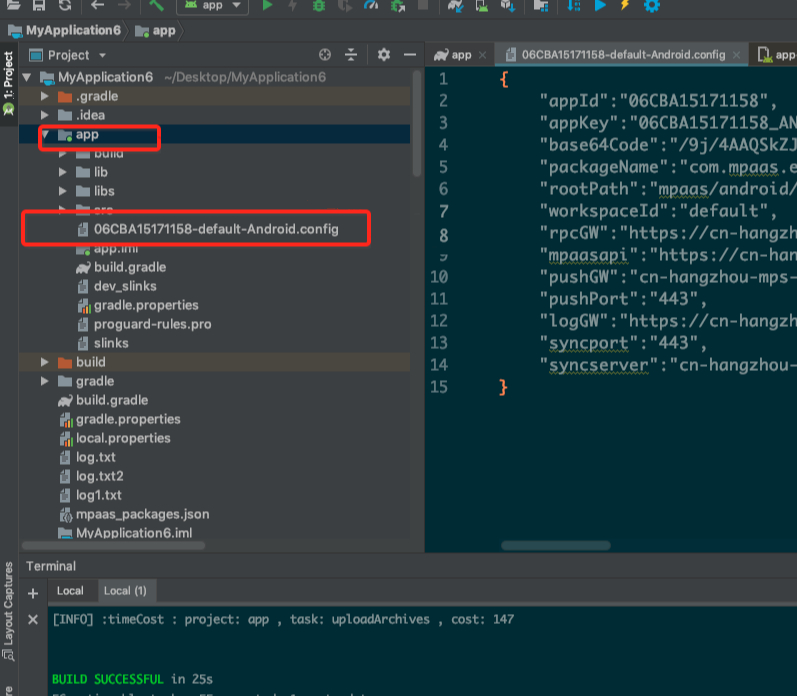 Important
Keep only the configuration file for the target workspace.
Apsara Stack
To switch workspaces in an Apsara Stack environment, follow these steps:
Ensure that the
build.gradlefile in the project root directory contains the following dependencies:NoteThese dependency versions may be updated in future releases.
 classpath 'com.alipay.android:android-gradle-plugin:3.0.0.9.13'
 // The version must be later than 2.8.4
 classpath 'com.android.boost.easyconfig:easyconfig:2.8.4'
Ensure that the
build.gradlefile of the main module (android main module) contains the following configuration (note the order):apply plugin: 'com.alipay.portal' // Place this after 'com.alipay.portal' apply plugin: 'com.alipay.apollo.baseline.update'Download the
.configconfiguration file for the corresponding workspace from the console. For more information, see Create an application in the console > Download the configuration file.Add the downloaded
.configconfiguration file to theandroid main moduledirectory. As shown in the following figure: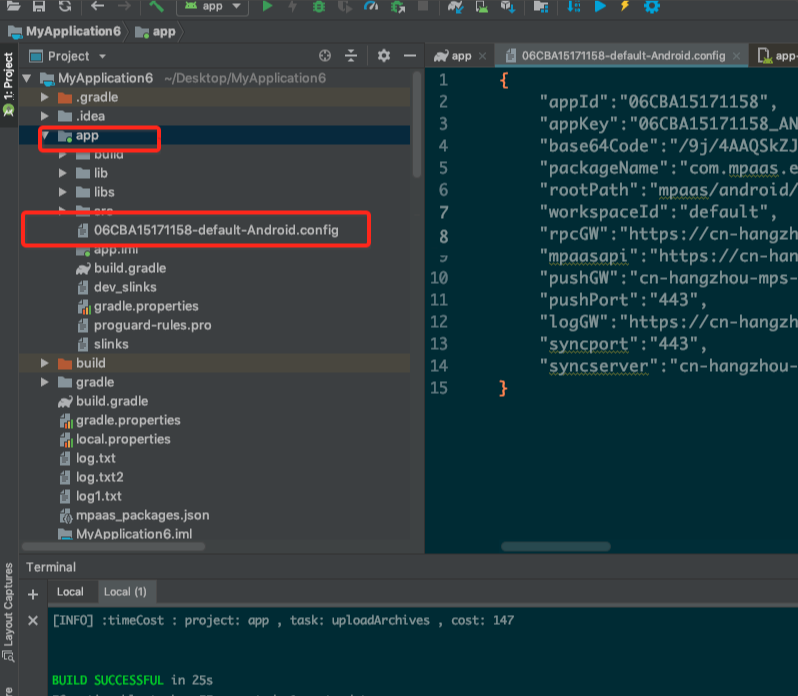 Important
Keep only the configuration file for the target workspace.
Use the mPaaS plugin to generate the
yw_1222.jpgencrypted image. For more information, see Encrypted Image (Apsara Stack).