The Mini Program Publish Review page displays all review information across five tabs: All, Under review, Approved, Rejected, and Withdrawn.
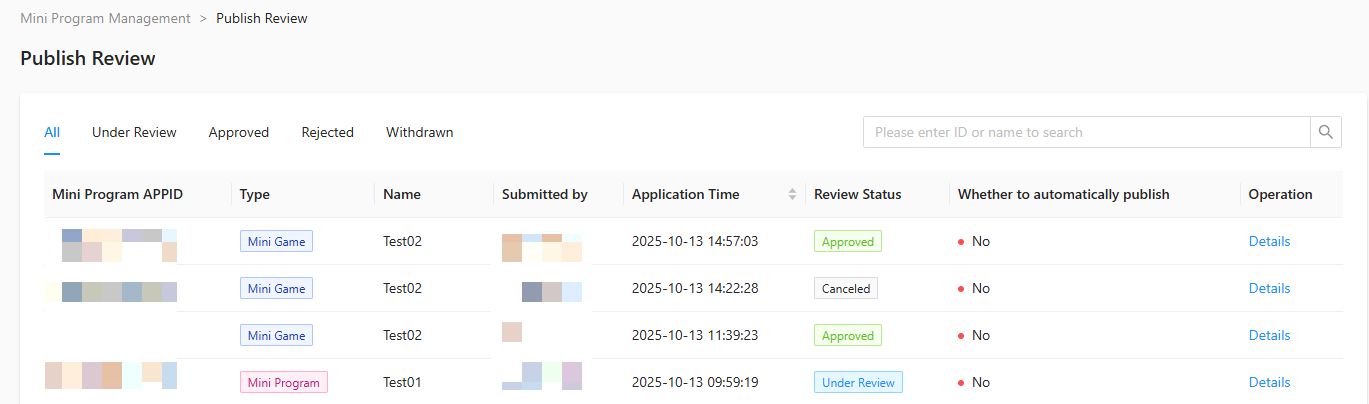
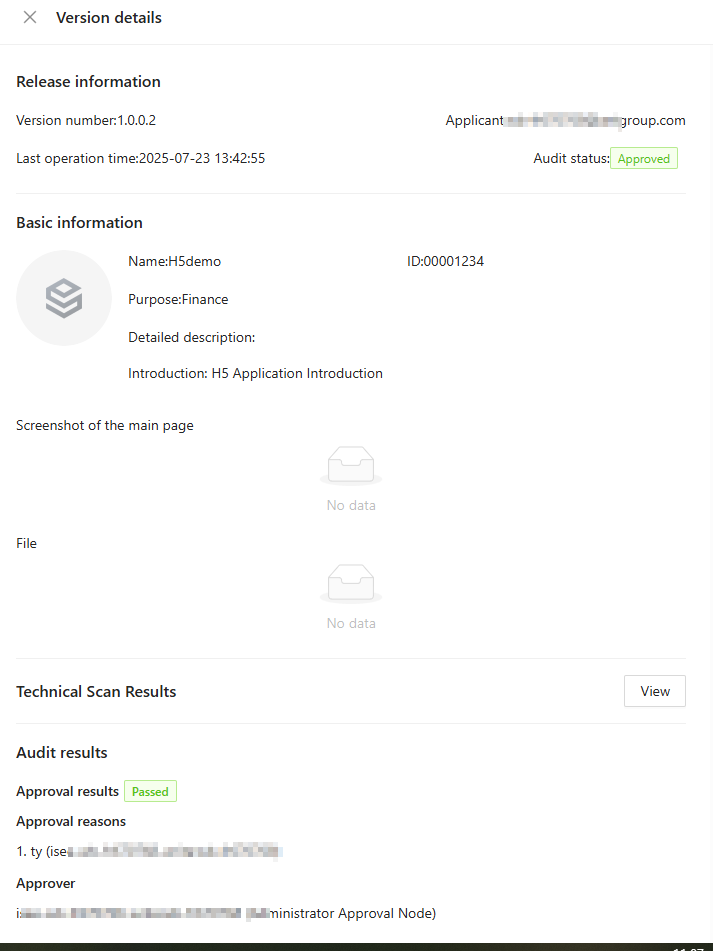
In the review list on the Mini Program Publish Review page, click Details in the operation column to open the Version Details page of a Mini program/H5 App/Mini game and view its publish information, basic information, review results, review progress, and review preview.
Review mini program/H5 App/Mini game
For mini programs/H5 Apps/mini games with the review status of Under Review, you can approve or reject them as follows:
-
On the Mini Program Publish Review page, click Details in the operation column of the mini program/H5 App/mini game with the status Under Review.
-
On the Version Details page, you can view the test QR code of the mini program. You can scan this code with the App to load the mini program for trial use and verify whether it complies with regulations.
-
Click Reject or Approve in the lower right corner, fill in the Review Comments, and click Confirm.
-
The review of the submitted mini program is completed after all countersign roles in Review configuration have completed their reviews.
-
Only members with review permissions can perform review operations.