Mobile Sync Service (MSS) records all data synchronization operations, including creating, modifying, deleting, publishing, and disabling configurations, creating synchronization tasks, and enabling or disabling signatures. You can query these records for operation traceability and data analysis.
To query the operation history:
-
Log on to the mPaaS console and select your application. In the navigation pane on the left, click Background connection > Mobile Sync Service.
-
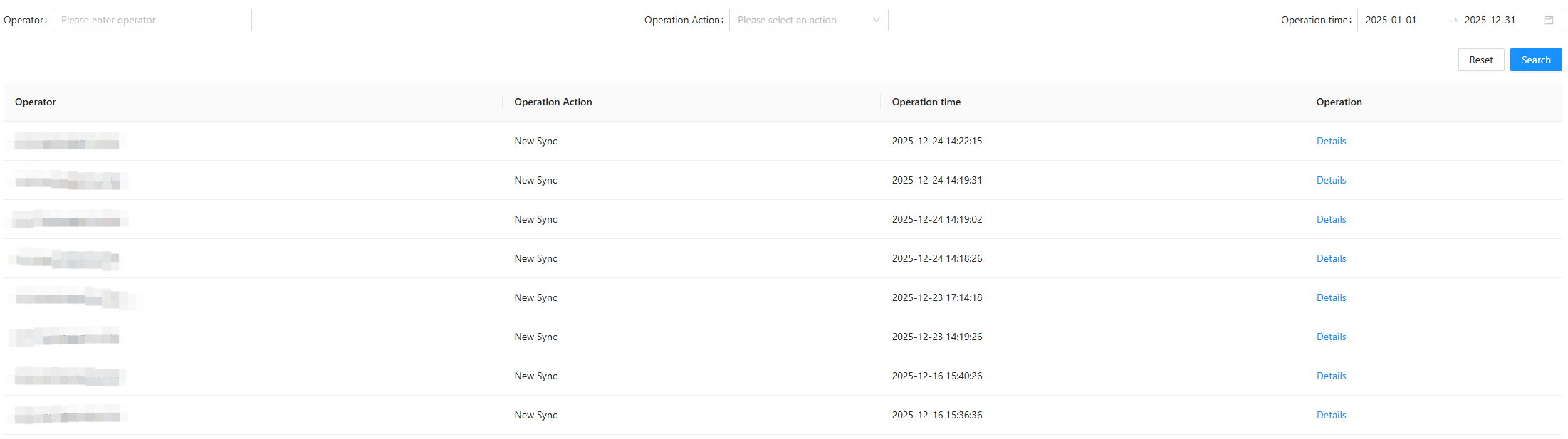
On the Operation record tab, filter the records by operator account, action type, or date. After you set the filter conditions, click Search. The results appear in the list in reverse chronological order. The list shows the operator account, operation type, and exact time (to the second) for each operation.
 Note
NoteIf you do not specify a time range, the history for the last 7 days is displayed by default. A maximum of 1,000 records are displayed.
-
Find the operation you want to inspect. Click the Details link on the right to view its details.
-
New Configuration: Shows the details of the new synchronization configuration.
-
Modify Configuration: Shows the modified configuration details. Changes are highlighted in red.
-
Delete Configuration: Shows the details of the deleted synchronization configuration.
-
New Sync: Shows the details of the synchronization task, including the push object ID, data content, unique data ID, client app version range, and push data validity.
-
Online Configuration: Shows the details of a reactivated synchronization configuration. The change details are the same as those for a newly created configuration.
-
Offline Configuration: Shows the details of the unpublished synchronization configuration.
-
Close Signature: Shows the record of the signing disable operation.
-
Open Signature: Shows the record of the signing enable operation.
-