Background
The matching of wireless security guard client SDK and wireless security guard pictures is one of the basic dependency capabilities of mPaaS and is widely used in mPaaS products. In order to further improve the compatibility of mPaaS products in various scenarios and meet higher compliance requirements, mPaaS provides Blue Shield capability as an alternative to wireless security guard capability to support scenarios that wireless security guard cannot meet.
Current status
At present, mPaaS has completed the adaptation and testing of supporting wireless security guard switching Blue Shield in the baseline version of iOS 10.2.3.25 and above. If you use the baseline of 10.1.68 or earlier, please upgrade to the latest version of 10.2.3.
Upgrade baseline
Upgrade the baseline version to 10.2.3.25 or later.
Current baseline is 10.1.68 primary baseline
Please refer to Adapt mPaaS 10.2.3 for Xcode14 to upgrade to the latest baseline of 10.2.3 and make relevant adaptation.
The current baseline is a custom baseline
If you are using a custom baseline, search for the group number 145930007362 to join the DingTalk group or submit a ticket to consult the corresponding after-sales and technical helpdesk.
Upgrade methods
Upgrade using CocoaPods
Install the latest SDK for version 10.2.3:
In your Podfile, set the mPaaS component version to 10.2.3.
Run
pod mpaas update 10.2.3.If this command returns an error, update the plugin first by running
pod mpaas update --all, then run the update command again.Run
pod install.
Upgrade the toolchain and switch to Blue Shield
Use mPaaS CocoaPods Plugin
Run the following command to install or upgrade the plugin:
sh <(curl -s http://mpaas-ios.oss-cn-hangzhou.aliyuncs.com/cocoapods/installmPaaSCocoaPodsPlugin.sh)To verify the installed version, run:
pod plugins installed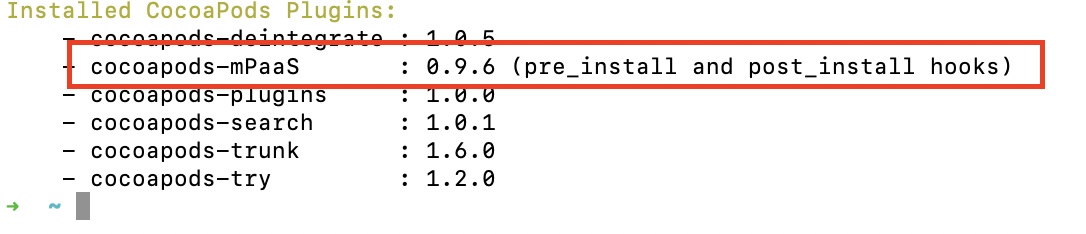
In the figure, 0.9.6 is the plugin version. For more information, see Integrate with an existing project using CocoaPods.
Remove the Wireless Security Guard component
In the Podfile, add
remove_pod "mPaaS_Security".If the Podfile contains
mPaaS_pod "mPaaS_Security", remove it.To remove the Wireless Security Guard image, delete the
yw_1222.jpgfile from your project. Then remove thebase64Codeandv6Base64Codefields from the mPaaS configuration filemeta.config, if they exist.
Add the Blue Shield component
In the Podfile, add mPaaS_pod "mPaaS_BlueShield".
Generate the Blue Shield image
Add the absBase64Code parameter to meta.config and run pod install using the mPaaS CocoaPods plugin. As shown in the figure, abs_1222 is the generated Blue Shield image.

Switch to Blue Shield in code
Add a category for MPSignatureInterface and override the securityComponentType method to return MPSecurityComponentTypeBS. In the category for MPSignatureInterface, import the #import <MPSignatureAdapter/MPSignatureAdapter.h> header file.

Libraries that require regression testing after switching to Blue Shield
The following libraries use Security Guard interfaces and require regression testing after you switch to Blue Shield:
Mobile Gateway Service
Mobile Dispatch Center
Mobile Sync Service
Multimedia
Mini Program
Hotpatching
Big Data Tunnel
Some internal dependent components
Test and verification scope
After switching to Blue Shield, run regression testing on your app based on the checklist of changes.