The AUBladeView index component works with a ListView to categorize items alphabetically. Clicking or sliding to a letter on the index, which appears on the left or right side of the page, triggers an event for that letter. The default index includes the letters A to Z. You can also add one or two custom characters at the top.
Preview
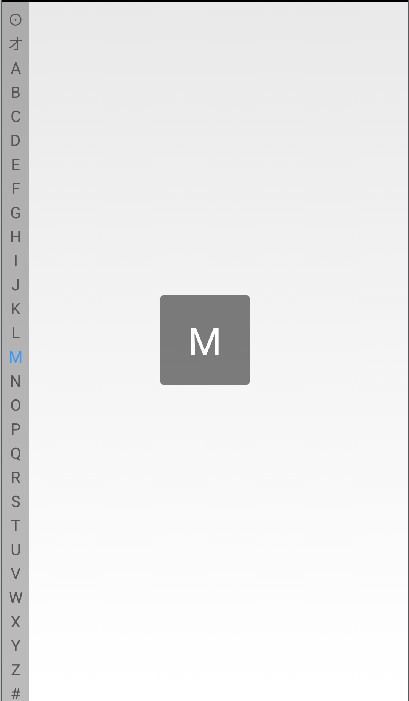
The following figure shows an example. The two characters above 'A' are custom characters, and the default index contains the letters A to Z.
API reference
   /**
     * Sets a listener for letter selection.
     */
        public void setOnItemClickListener(OnItemClickListener listener)

        public interface OnItemClickListener {

        /**
         * Sets a listener for letter selection.
         * @param clickChar The clicked or selected letter.
         */
        void onItemClick(String clickChar);

        /**
         * Event triggered when a finger is lifted. Ignore this method if you have no special requirements.
         */
        void onClickUp();
    }
Custom properties
Property name | Description | Type |
top1Text | The first custom text character. | reference |
top2Text | The second custom text character. | reference |
showSelectPop | Specifies whether to display a pop-up layer when you slide or click an item. | boolean |
Code example
 <com.alipay.mobile.antui.basic.AUBladeView
        android:layout_width="24dp"
        android:layout_height="wrap_content"
        app:top1Text="⊙"
        app:top2Text="オ"/>
As shown in the Screenshot, the top1Text and top2Text properties are optional.