In the IDE Configuration Management section of development configuration, you can configure the IDE and download application configuration files.
Configure IDE
In the Mini Program Open Platform > Developer Backend, click Development Configuration > IDE Configuration Management in the left menu bar.

On the IDE Configuration Management page, click Modify in the operation column of the configuration item.
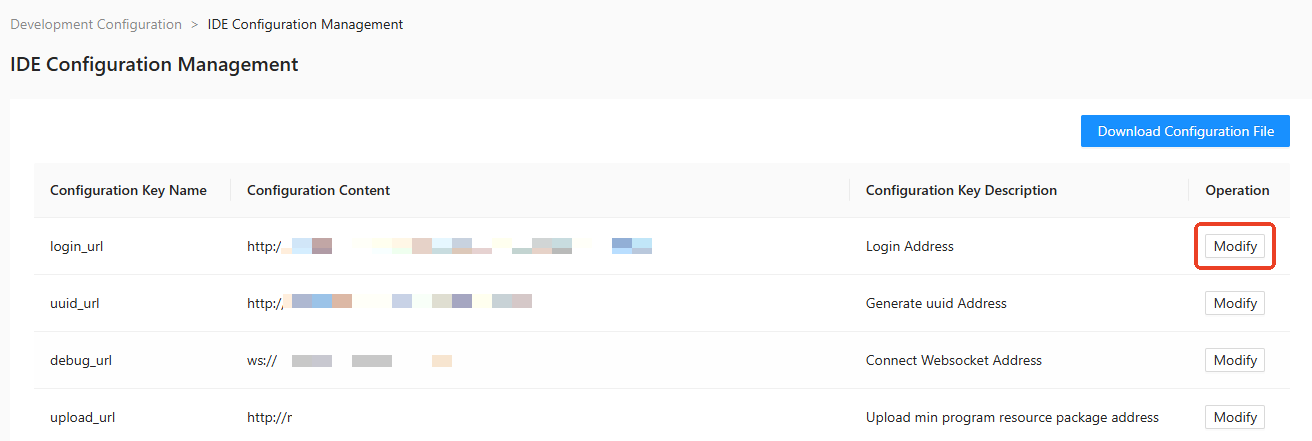
Modify the configuration content.

Click Save in the operation column. The configuration is modified successfully.
Configuration items are as follows:
Configuration Key Name | Configuration Key Description |
login_url | Login address |
uuid_url | Generate UUID address |
debug_url | Connect WebSocket address |
upload_url | Upload mini program resource plan address |
applist_url | Obtain mini program list address |
Download configuration file
On the IDE Configuration Management page, click Download Configuration File.

In the Download Configuration File dialog box, select the App for which you want to download the configuration file.

Click Download.