This article guides you to use the bi-directional channel function of the mini program. It contains the following 2 parts:
Mini program calls native custom API
Open Android Studio and create
MyJSApiPluginclass (), make it inheritH5SimplePluginto implement custom H5 API.public class MyJSApiPlugin extends H5SimplePlugin { /** * Custom API */ public static final String TINY_TO_NATIVE = "tinyToNative"; @Override public void onPrepare(H5EventFilter filter) { super.onPrepare(filter); // onPrepare needs to be added filter.addAction(TINY_TO_NATIVE); } @Override public boolean handleEvent(H5Event event, H5BridgeContext context) { String action = event.getAction(); if (TINY_TO_NATIVE.equalsIgnoreCase(action)) { JSONObject params = event.getParam(); String param1 = params.getString("param1"); String param2 = params.getString("param2"); JSONObject result = new JSONObject(); result.put("success", true); result.put("message", "Parameter received by the client:" + param1 + ", " + param2 + "\n Return the current package name of Demo:" + context.getActivity().getPackageName()); context.sendBridgeResult(result); return true; } return false; } }Register
MyJSApiPlugininMyApplication./* * 1st parameter: Defines the full path of the API * 2nd parameter: BundleName, fill "" if you adopt native AAR or mPaaS Inside accessing mode * 3rd parameter: Object on which the API works, you can fill "page" directly * 4th parameter: The API which works. Input the customized API in the form of String[] */ MPNebula.registerH5Plugin(MyJSApiPlugin.class.getName(), "", "page", new String[]{MyJSApiPlugin.TINY_TO_NATIVE});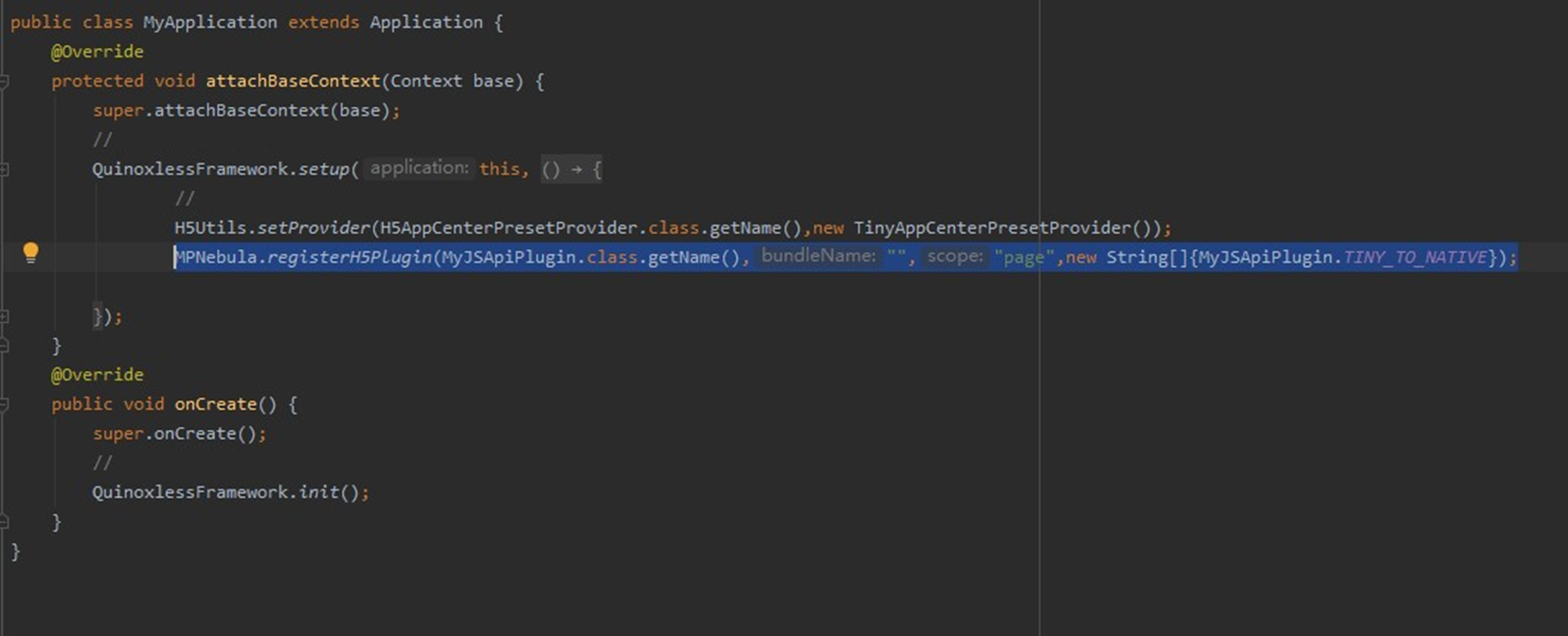
Open the mini program development tool, add the following code into the
tiny-to-native.jsfile under page > API > tiny-to-native to realize the call of the mini program.Page({ tinyToNative() { my.call('tinyToNative', { param1: 'p1aaa', param2: 'p2bbb' }, (result) => { console.log(result); my.showToast({ type: 'none', content: result.message, duration: 3000, }); }) } });Click
 to run the application on real device.
In the application running on the real device, click Hello World! to start up the mini program.
Click API tab to open the API page.
Click Custom API to open the custom API page.
Click Click to trigger custom API button, a toast pops up to show the parameter and the current Demo packagename received by the client.
Native project sends custom event to mini program
Open the
app.jsfile in the mini program development tool (IDE) to add mini program registration event.my.on('nativeToTiny', (res) => { my.showToast({ type: 'none', content: JSON.stringify(res), duration: 3000, success: () => { }, fail: () => { }, complete: () => { } }); })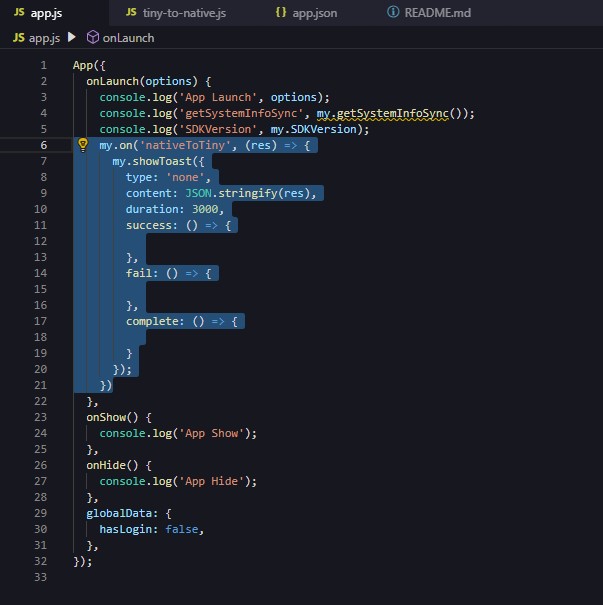
In Android Studio, modify the
my_tvclick event inMainActivityto send event to mini program.public class MainActivity extends AppCompatActivity { @Override protected void onCreate(Bundle savedInstanceState) { super.onCreate(savedInstanceState); setContentView(R.layout.activity_main); findViewById(R.id.my_tv).setOnClickListener(new View.OnClickListener() { @Override public void onClick(View v) { MPNebula.startApp("2020092900000001"); new Thread(new Runnable() { @Override public void run() { for (int index = 0;index < 5;index++){ try { Thread.sleep(5000); } catch (InterruptedException e) { e.printStackTrace(); } final int i = index; runOnUiThread(new Runnable() { @Override public void run() { H5Service h5Service = MPFramework.getExternalService(H5Service.class.getName()); final H5Page h5Page = h5Service.getTopH5Page(); if (null != h5Page) { JSONObject jo = new JSONObject(); jo.put("key",i); // The method that Native send events to Mini Program // The first field is event name, the second is the parameter, the third is null by default h5Page.getBridge().sendDataWarpToWeb("nativeToTiny", jo, null); } } }); } } }).start(); } }); } }Click
to run the application on real device.In the application running on the real device, click Hello World! to start up the mini program.
The mini program receives an event in every 5 seconds, and the passed information is displayed in a toast.