Follow these steps to create an H5 App:
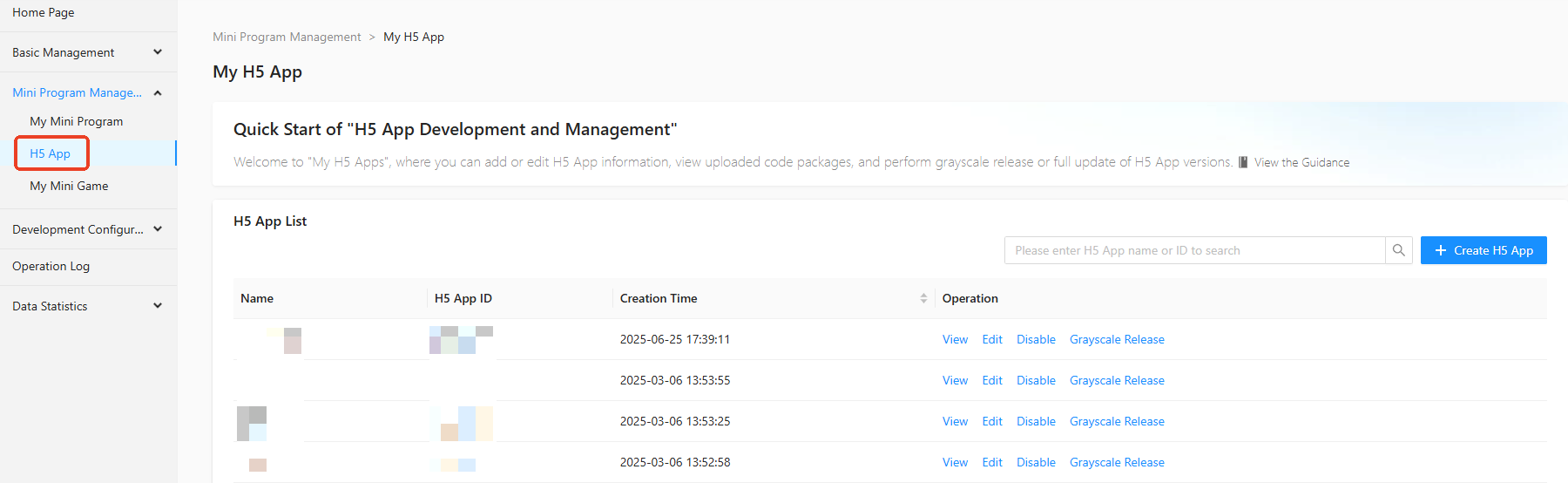
In the navigation pane on the left of the Mini Program Open Platform > Developer Backend, click Mini Program Management > H5 App to enter the H5 App page.
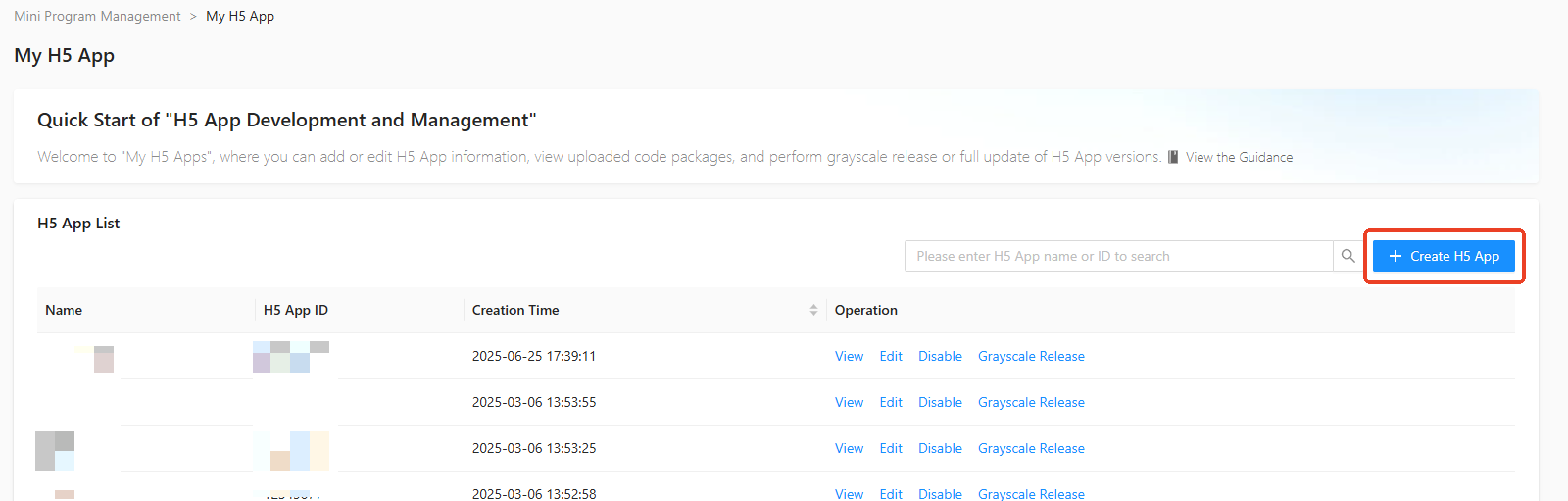
On the H5 App page, click + Create H5 App in the upper right corner.
In the + Create H5 App popup, enter the H5 App Name, H5 App ID, H5 App Usage, and H5 App Introduction.
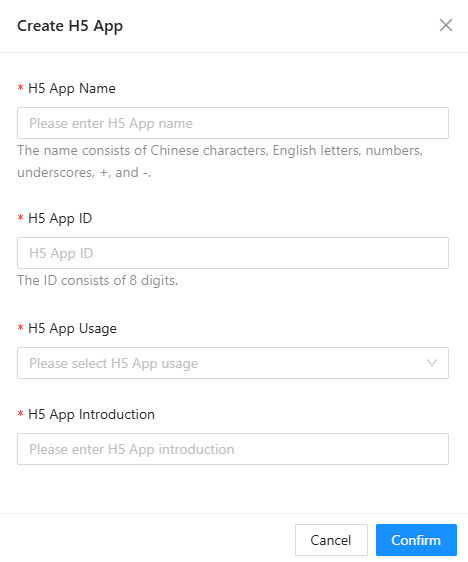
Click Confirm to complete the creation.