Use the API Test page to send a real request to your API and verify that the gateway routes it correctly and returns the expected response.
The com.antcloud.session.validate operationType is a dedicated interface for the MSS component. If you configure this operationType and enable gateway encryption, the test request returns a 6004 fault.
Procedure
-
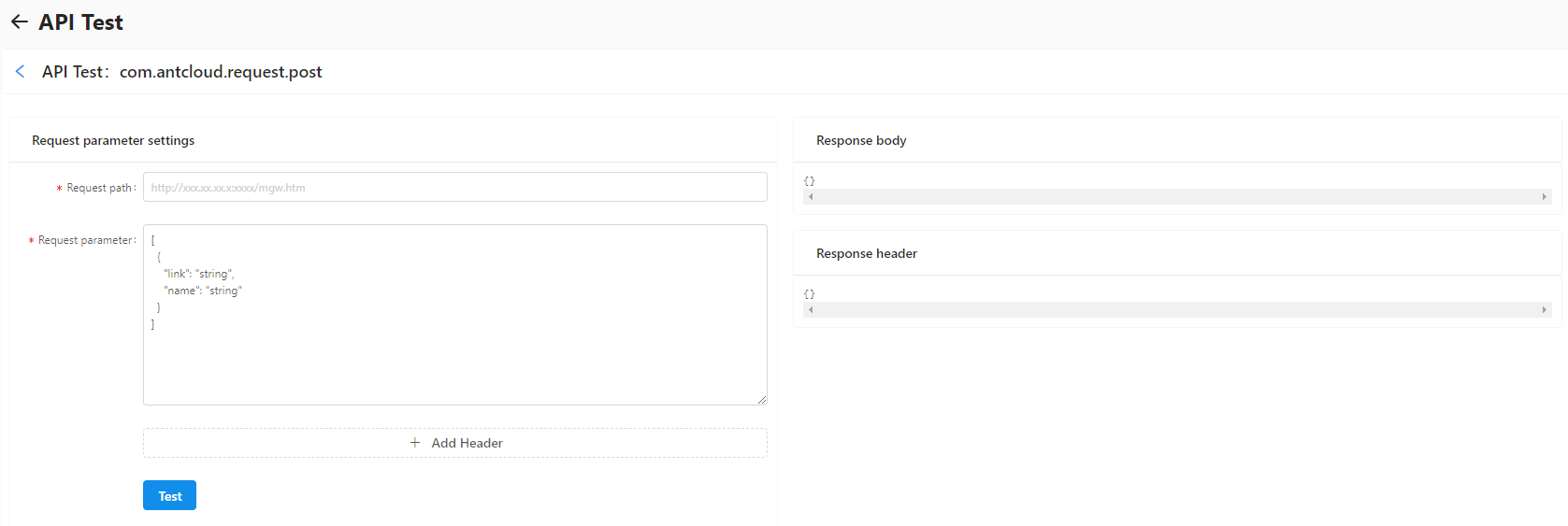
On the Manage APIs tab, choose More > API Test in the Actions column for the API. The API Test page opens.
-
On the API Test page, configure the following parameters:
-
Request path: The gateway address for the application environment. Enter the full URL including
/mgw.htm. For example, the public cloud address for the mPaaS mobile gateway is:https://cn-hangzhou-mgs-gw.cloud.alipay.com/mgw.htmImportantThe address must include
/mgw.htm. Otherwise, the request fails. Request parameter: The page pre-fills sample data that matches the parameter format defined for the API. Modify the values as needed before sending the request.
Header: Add any request headers required by your API or backend service.
-
-
Click Test. The results appear on the right side of the page:
Response body: The response payload returned by the backend service.
-
Response header: The headers returned by the gateway and the backend service, including:
Result-Status: The gateway result code. For the full list of codes and their meanings, see Gateway result codes.
Mgw-TraceId: A unique identifier for the request. Use this ID in your distributed tracing system to trace the full request path across gateway and backend services.