H5 mini games support three integration methods: based on the mPaaS framework, into an existing project using the mPaaS plugin, and into an existing project using CocoaPods.
Prerequisites
-
You have integrated your project with mPaaS. For more information, see the following topics:
Add the SDK
H5 mini games require custom baseline version cp_change_56100909. Add the SDK based on your integration method.
-
Use the mPaaS Xcode Extension.
Use this method if you integrated based on the mPaaS framework or into an existing project using the mPaaS plugin.
-
From the Xcode menu, choose Editor > mPaaS > Edit Project to open the project editing page.
-
Select Ariver Mini Program, save the configuration, and then click Start Editing to complete the process.
-
-
Use the cocoapods-mPaaS plugin.
Use this method if you integrated into an existing project using CocoaPods.
-
In the Podfile file, specify the baseline number as
cp_change_56100909and usemPaaS_pod "mPaaS_Ariver"to add the H5 mini game component dependency. -
Run the
pod mpaas update cp_change_56100909command to update the baseline. -
Run
pod installon the command line to complete the integration.
-
Initialization and configuration
Initialize the mPaaS framework
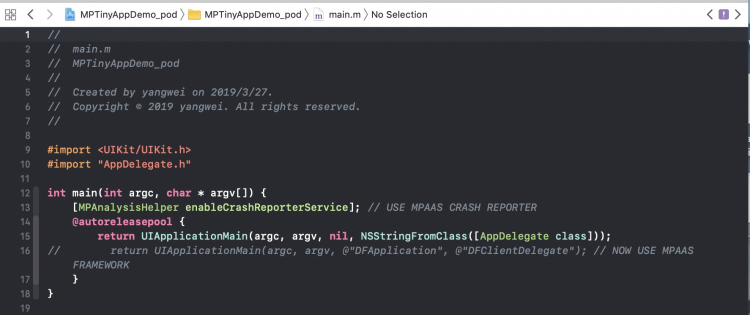
If the app lifecycle is not managed by the mPaaS framework and instead uses a custom delegate as shown in the following figure, you must manually initialize the mPaaS framework.
When the app delegate is set to DFClientDelegate, the mPaaS framework manages the app lifecycle automatically. In this case, manual initialization is not required.
-
After the application's
windowandnavigationControllerare created, call the following method to initialize the mPaaS framework.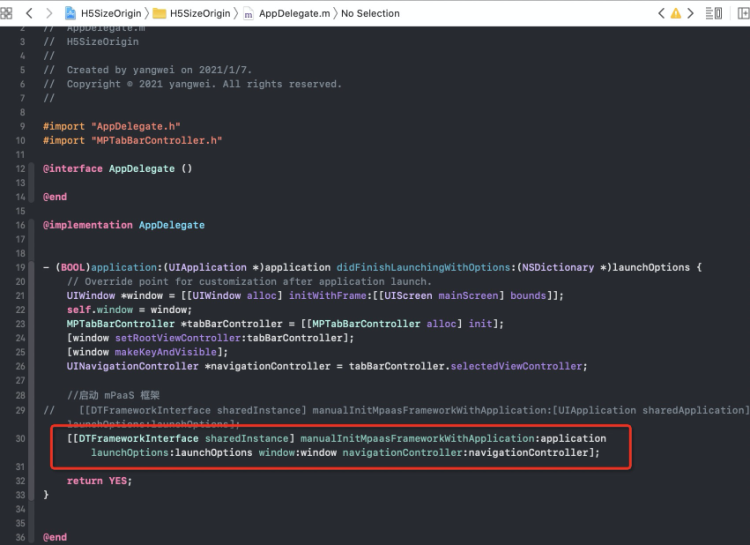
-
In the
DTFrameworkInterfacecategory, override theshouldInheritDFNavigationControllermethod and returnNO. This prevents the navigation controller from inheriting fromDFNavigationController.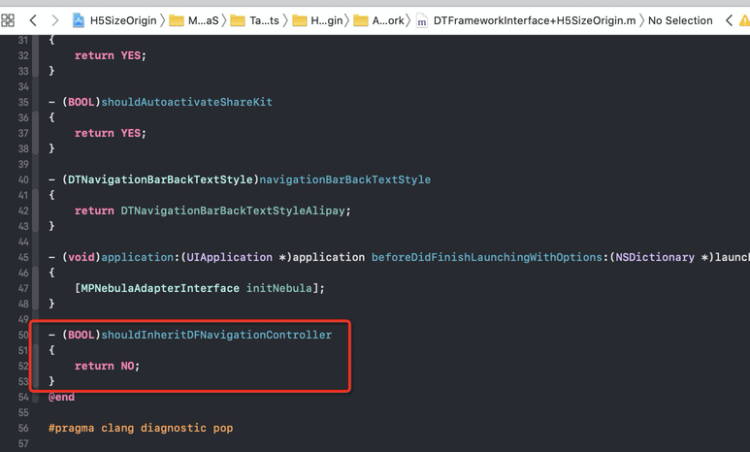
-
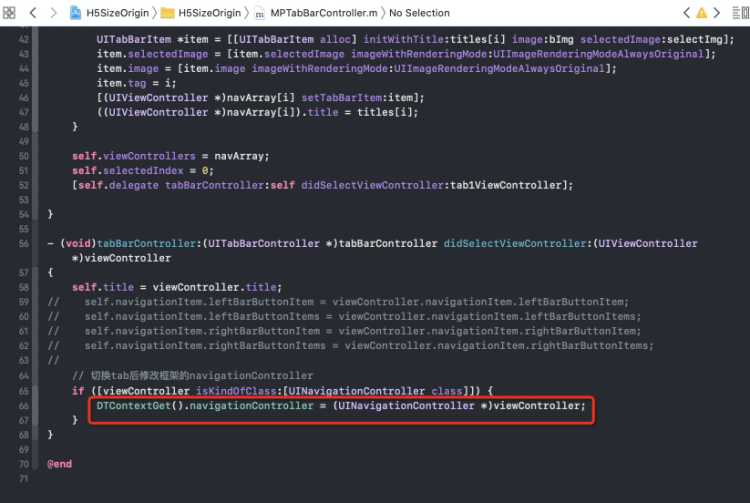
If your app has multiple navigation bars and you need to open mini games in them, you must reset the container's navigation bar after you switch between navigation bars.
Initialize the container
To start a mini game, initialize the container by calling the SDK interface after the app launches. Perform the initialization in the - (void)application:(UIApplication *)application beforeDidFinishLaunchingWithOptions:(NSDictionary *)launchOptions method of DTFrameworkInterface.
- (void)application:(UIApplication *)application beforeDidFinishLaunchingWithOptions:(NSDictionary *)launchOptions
{
    // Initialize the container
    [MPNebulaAdapterInterface initNebula];
}
Notes
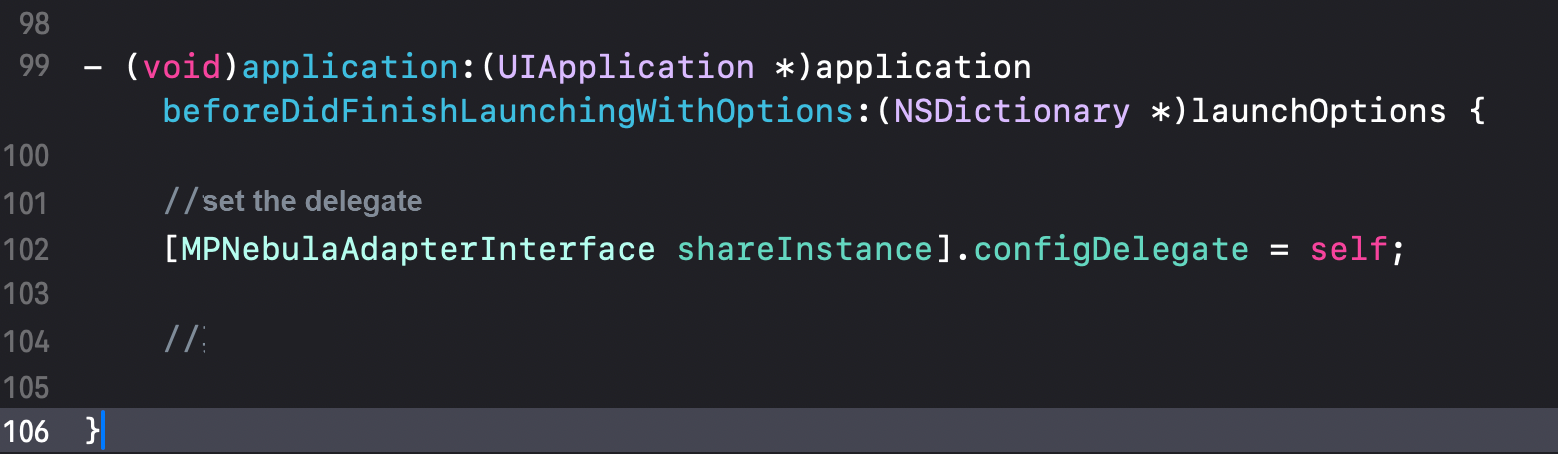
In baseline cp_change_56100909, if you use the managed mode of the mPaaS framework with a privacy pop-up and set the configuration delegate by using [MPNebulaAdapterInterface shareInstance].configDelegate = self;, you must also set the delegate in the following two methods. Skip this step if you do not use the configuration delegate.

Game configuration and startup
Account authorization
Add the following code to the initialization configuration:
#import <AriverMPNebulaAdapter/MPNebulaGameInterface.h>

- (void)application:(UIApplication *)application beforeDidFinishLaunchingWithOptions:(NSDictionary *)launchOptions
{

    // Initialize the container
    [MPNebulaAdapterInterface initNebula];
     // Enable
    [MPNebulaGameInterface shareInstance].shouldSupportGameJsBridge = YES;
     // Set the callback delegate
    [MPNebulaGameInterface shareInstance].gameDelegate = self;


}


#pragma mark----MPNebulaAdapterInterfaceGameProtocol

/*
 jsapi: implementation of getUserInfo
 data: parameters passed from H5 to native
 context: H5 container context
 callback: callback from native to H5, for example, @{@"userId":@"xxx",@"name":@"xxx"}
 */
- (void)getUserInfoHandler:(NSDictionary *)data context:(id)context callback:(void (^)(id res))callback
{
    NSLog(@"MPJsApi4GameGetUserInfo : %@",data);
    if (callback) {
        callback(@{@"userId":@"123456",@"name":@"jack"});
    }
}

/*
 jsapi: implementation of showRewardAd
 data: parameters passed from H5 to native
 context: H5 container context
 callback: callback from native to H5, for example, @{@"key1":@"value1",@"key2":@"value2"}
 */
- (void)showRewardAdHandler:(NSDictionary *)data context:(id)context callback:(void (^)(id))callback
{
    NSLog(@"showRewardAdHandler : %@",data);
}
Ads
/**
 *  Call a JS function on an H5 page from native code.
 *
 *  @param data        Function parameters, for example, @{@"detail":@{@"action":@"onAdShow, onAdReward, or onAdClosed"}}
 *  @param webVC       The H5WebViewController. Get it using (H5WebViewController *)context.currentViewController.
 *  @param callback    The callback block that is processed after the JS side finishes execution.
 */
- (void)callHandlerData:(id)data webViewController:(UIViewController *)webVC
   responseCallback:(void(^)(id resData))responseCallback;


Pass parameters for the call: @{@"action":@"onAdShow"}, @{@"action":@"onAdClosed"}, or @{@"action":@"onAdReward"}

 [[MPNebulaGameInterface shareInstance] callHandlerData:@{@"action":@"onAdShow"} webViewController:self  responseCallback:^(id  _Nonnull resData) {

        }];
Start the game
// Online H5 game:
[[MPNebulaAdapterInterface shareInstance] startH5ViewControllerWithParams:@{@"url":@"https://m.hellobike.com/AppGameCenterH5/latest/pr_outIndex_outHome.html#/outHome"}];


// Offline game by ID:
 [[MPNebulaAdapterInterface shareInstance] startH5ViewControllerWithNebulaApp:@{@"appId":@"xxxx"}];