MaxCompute's SQL engine supports script mode, where a multi-statement SQL script is compiled and submitted as a whole to generate a single execution plan. The script queues and executes only once, making full use of available resources. MaxCompute Studio uses script mode when you develop SQL programs in IntelliJ IDEA, and it requires a script module to work.
Prerequisites
Before you begin, ensure that you have:
IntelliJ IDEA installed on your development machine
The MaxCompute Studio plugin installed in IntelliJ IDEA
Your MaxCompute project name
Your Alibaba Cloud AccessKey ID and AccessKey secret — get these from the AccessKey Management page in the Alibaba Cloud console
The endpoint of the region where your MaxCompute service is deployed — see Endpoints
Choose your setup path
How you set up the script module depends on whether you already have a local script:
| Situation | What to do |
|---|---|
| No local script exists | Create a new script module in IntelliJ IDEA |
| A local script already exists | Add a connection configuration file to the existing directory — no new module needed |
Create a script module when no local script exists
Start IntelliJ IDEA. In the menu bar, choose File > New > Project.
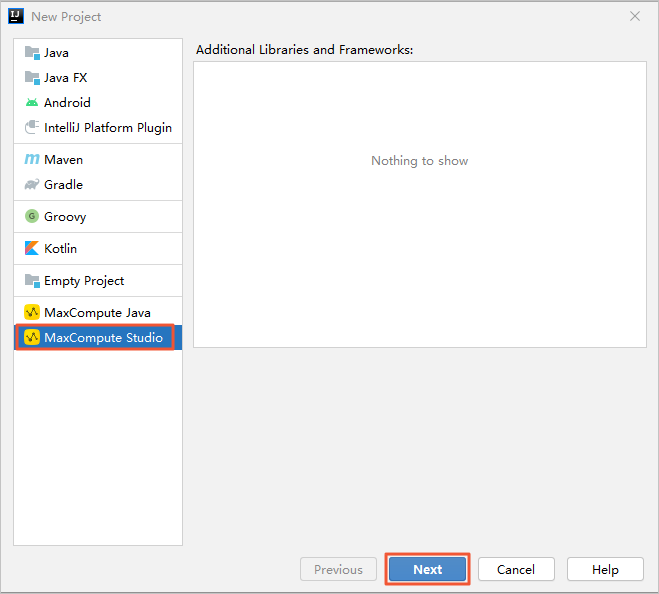
In the navigation pane of the New Project dialog box, click MaxCompute Studio, then click Next.
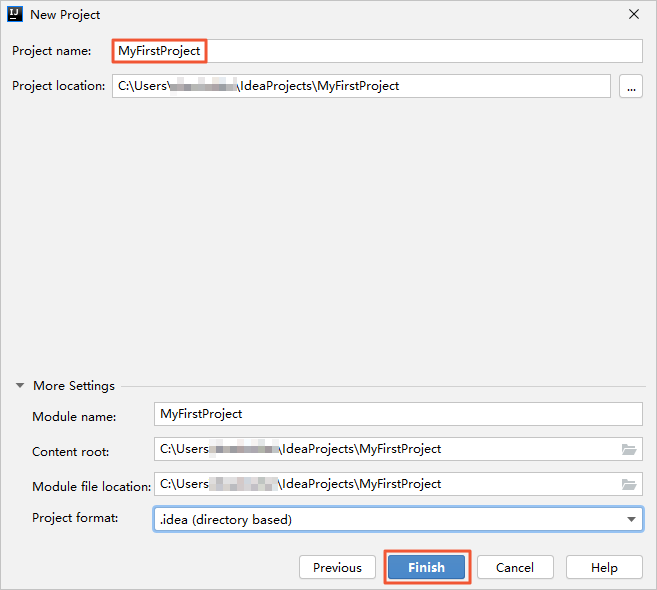
Specify a Project name and click Finish.
If a project is already open, a dialog box appears asking whether to open the new project in a new window or the current window. Click This Window.
Create a connection configuration when a local script exists
If you already have a local script, skip creating a new module. Instead, add a connection configuration file to the existing module directory so MaxCompute Studio can connect to your project.
In the
.\IdeaProjects\MaxCompute_Studio_Project_Name\scriptsfolder, create a file namedodps_config.iniwith the following content:# The name of the MaxCompute project to connect to. project_name=<your-project-name> # Your Alibaba Cloud AccessKey ID. access_id=<your-access-key-id> # Your Alibaba Cloud AccessKey secret. access_key=<your-access-key-secret> # The endpoint of the region where your MaxCompute service is deployed. end_point=<your-endpoint>Replace the placeholders with your actual values:
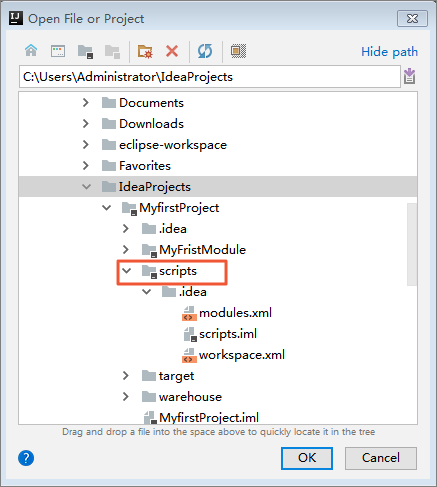
Placeholder Description Where to find it <your-project-name>Name of your MaxCompute project MaxCompute console > Projects <your-access-key-id>AccessKey ID of your Alibaba Cloud account AccessKey Management <your-access-key-secret>AccessKey secret of your Alibaba Cloud account AccessKey Management <your-endpoint>Endpoint for the region where MaxCompute is deployed Endpoints In IntelliJ IDEA, choose File > Open, then select the
odps_config.inifile from the.\IdeaProjects\MaxCompute_Studio_Project_Name\scriptsfolder. MaxCompute Studio automatically reads the configuration file, fetches project metadata from the MaxCompute server, and compiles all scripts in the folder.