This topic describes the overdue payment and service suspension policies for MaxCompute, and explains how to configure notification recipients.
If you have an overdue payment, the system sends you a notification. You must renew your subscription service at the earliest opportunity to prevent service suspension.
Overdue payment and service suspension policies
The following table summarizes what happens after a payment becomes overdue, based on your billing method.
| Billing method | What happens |
|---|---|
| Subscription | If MaxCompute expires without renewal, the service is immediately suspended. On the 15th day after suspension, the service is released and all data in MaxCompute projects is permanently deleted and cannot be recovered. During those 15 days, you cannot use MaxCompute to develop data. |
| Pay-as-you-go | If a payment deduction fails—for example, because of an insufficient credit card limit—the payment becomes overdue. If the overdue amount is not settled within 15 days, the service is suspended. On the 15th day after suspension, the service is released and all data in MaxCompute projects is permanently deleted and cannot be recovered. During the first 15 days, you cannot use MaxCompute to develop data. |
Identify suspension from an error
If a computing job returns the following error, MaxCompute is suspended or has an overdue payment.
ODPS-0420095: Access Denied - Authorization Failed [4093], You have NO privilege to do the restricted operation on {acs:odps:*:projects/project_name}. Access Mode is AllDenied.Configure overdue payment notifications
By default, MaxCompute sends overdue payment alerts to the mobile phone number and email address bound to your Alibaba Cloud account. To route these alerts to a Resource Access Management (RAM) user, update the contact in Message Center.
Modifying the contact updates overdue payment, service suspension, and imminent release notifications for all Alibaba Cloud services under the account.
-
Go to Message Center.
-
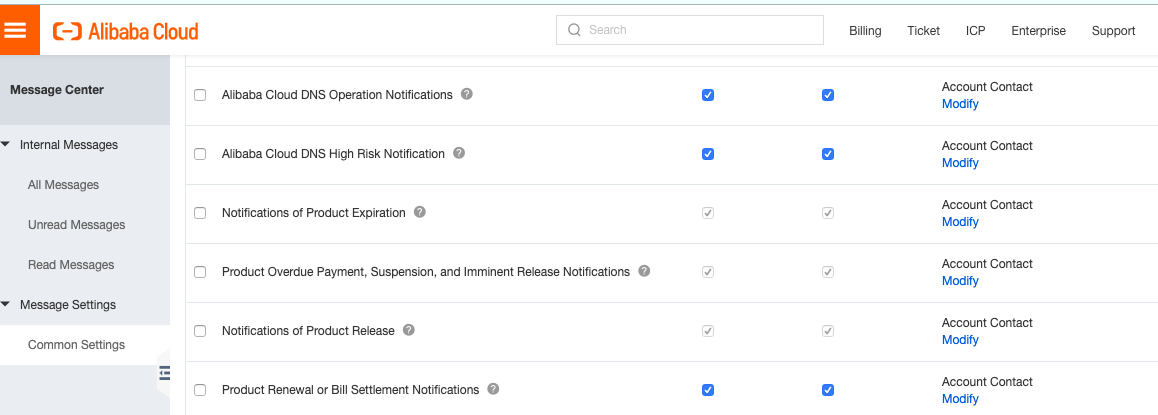
In the left-side navigation pane, click Common Settings.
-
Select Product Overdue Payment, Suspension, and Imminent Release Notifications, then click Modify in the Account Contact column.
-
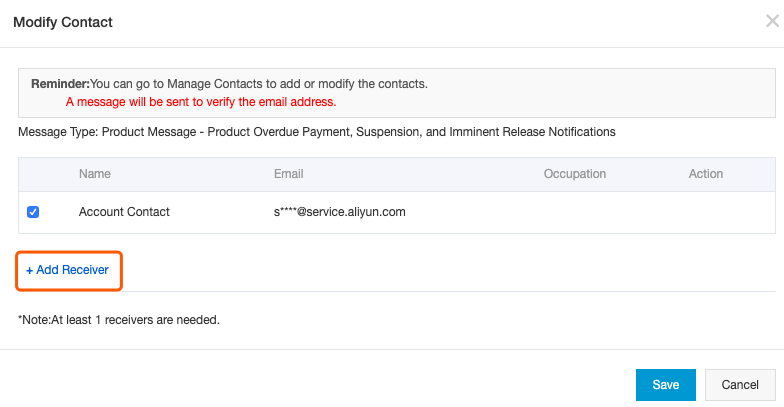
In the Modify Contact dialog box, add the recipient:
-
Existing user: Select the user and click Save.
-
New user: Click Add Receiver
 , specify Name and Email, click OK
 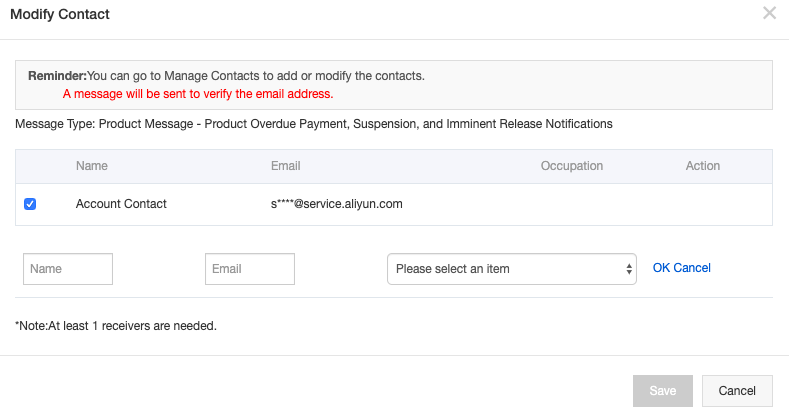 , select the newly added user, and click Save.
-