Go to Seller Portal and click Store on the left bar to provide your company and solution highlights to the users. Click "Go To Your Store" on upper right to check the effect preview.
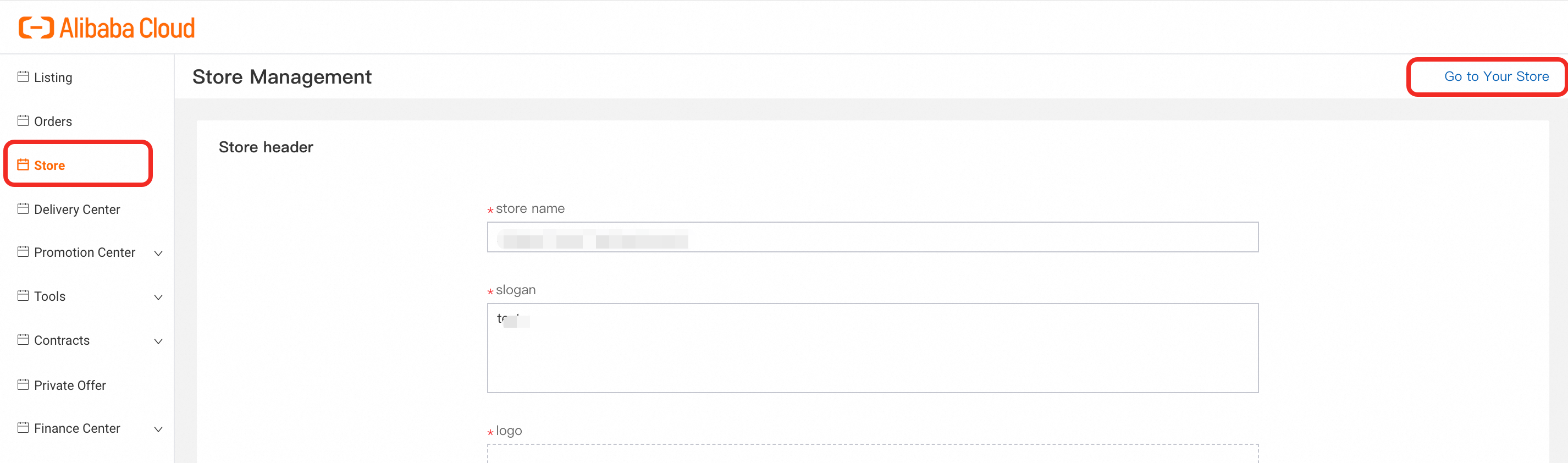
Store Header | Requirements |
Store Name * | Fill in the Branding Name that you wish to display online (Better be aligned with Logo) |
Slogan * | Fill in the Slogan that you wish to display online |
Logo * | Upload the Logo file (PNG, JPEG or GIF only) |
Profile * | Fill in the details of your company profile |
Shop Picture * | Upload other pictures which better illustrate your businesses (PNG, JPEG or GIF only) |
Video | Optional, mp4 format, file size no larger than 10M |
Company Logo * | Upload File |
About Seller (Product Functions) | Requirements |
Title * | Short Title of your solution features |
Describe * | Short Description of your solution features |
Add upto 4 entries by clicking "+" / "-" on the right side of the bar. | |
Products (Recommended) | Requirements |
Popular Products | Optional |
Choose from the published products and display with recommendation priority. | |
Contact Information | Requirements |
Email * | Presales & Support Email |
Phone * | Presales & Support Hotline |
Website * | Official Website |