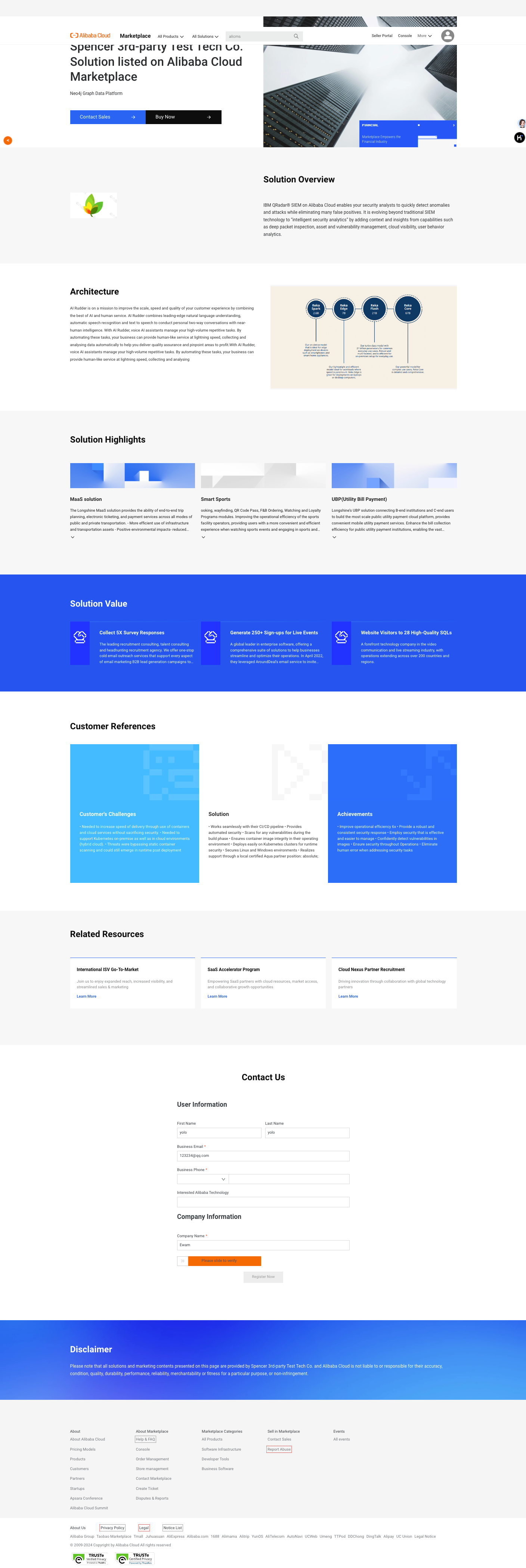
Create a professional solution page on the Alibaba Cloud Marketplace by filling out a form in the Seller Portal. This streamlined process helps ISVs showcase their products, improve engagement, and drive sales growth.
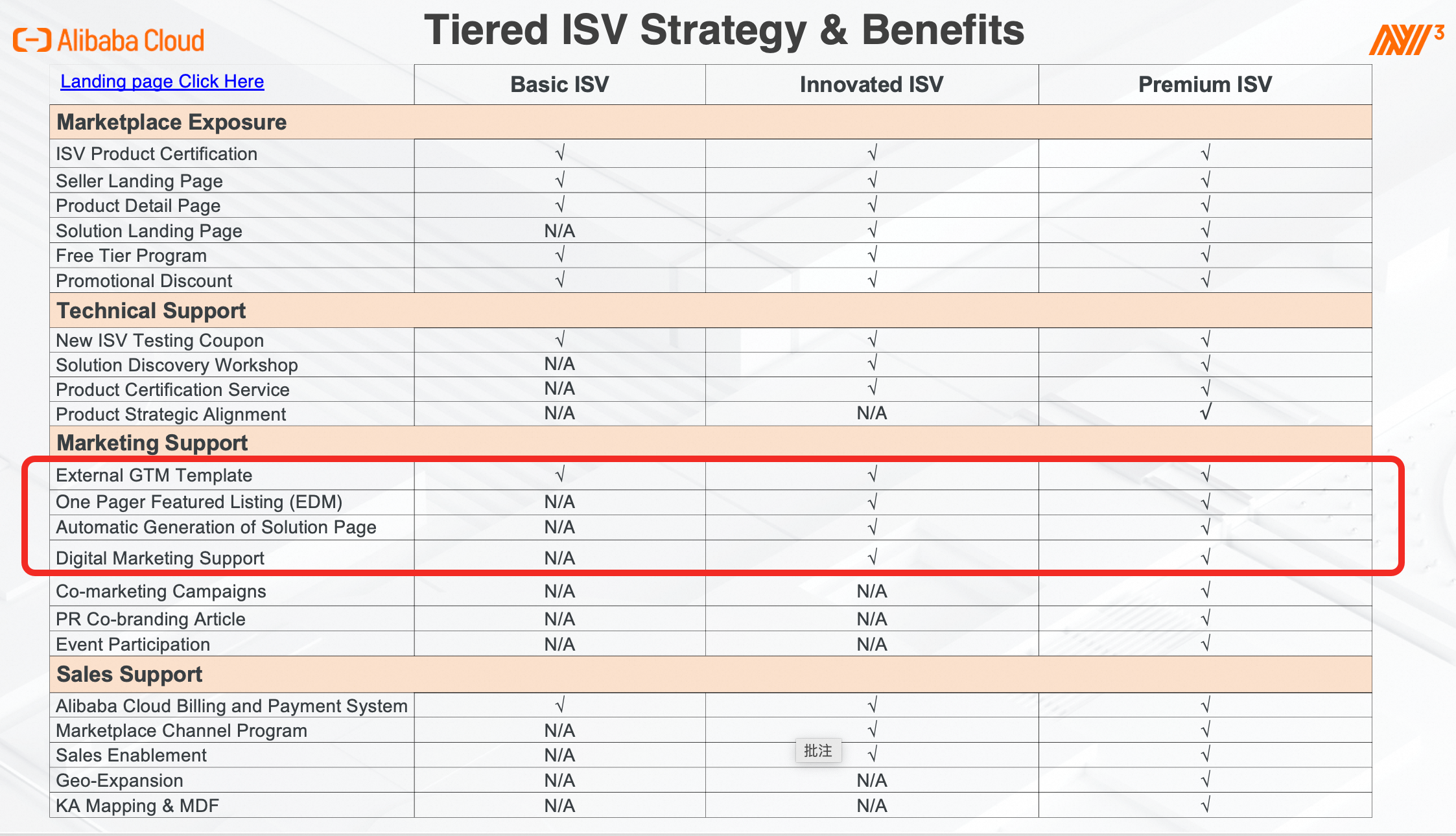
Tired ISV Strategy & Benefits
Strategic benefits are tailored to ISVs at different stages of growth. The following figure outlines the benefits available at each ISV level. For more information, click here.
Here's What You Can Expect
-
Easy-to-use interface: Fill out the simple form in your seller portal with your solution's information.
-
Comprehensive information: The solution page includes essential details like basic information, featured solution highlights & values, and customer references.
-
Professional Page Layout: Well-structured solution pages that effectively communicate product value.
-
Time and Effort Reduction: Automates page creation so you can publish faster with less manual work.
-
Enhanced Engagement: Increases engagement through clear and concise presentation of solutions.
-
Potential Sales Growth: Increases visibility and sales opportunities by showcasing solutions on the Alibaba Cloud Marketplace.
How to Access to Solution Set Up Feature
-
Log in to your Alibaba Cloud Marketplace Account.
-
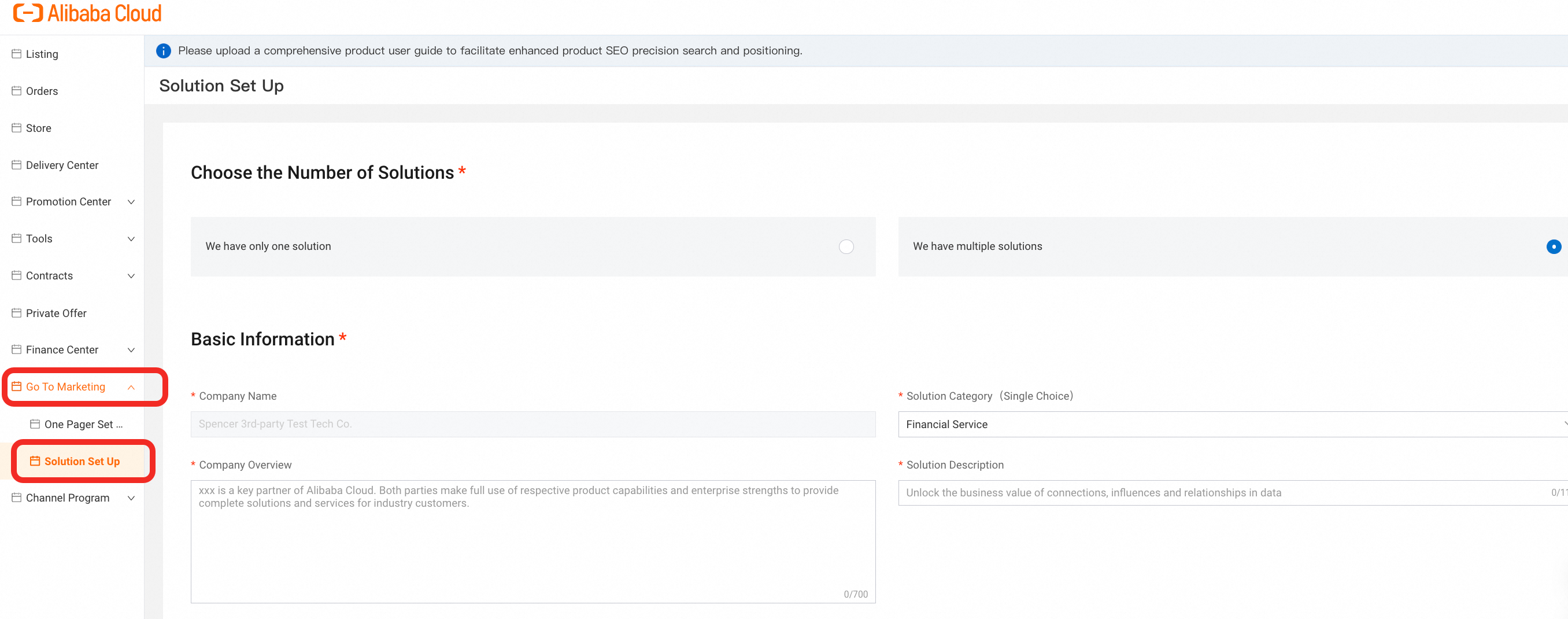
Access the Seller Portal and navigate to Go To Marketing in the left navigation bar, find Solution Set Up below.
-
Fill out the required information, submit your solution page for review, and we'll take care of the rest.
How to Create Solution Page
Step 1: Fill Out the Information Form - Complete the required fields, providing information about your solutions.
1. For the first step, choose the Number of Solutions.

2. If you choose 'We have only one solution', then you need to fill out the following information.
a) Basic Information
b) Solution Highlights & Values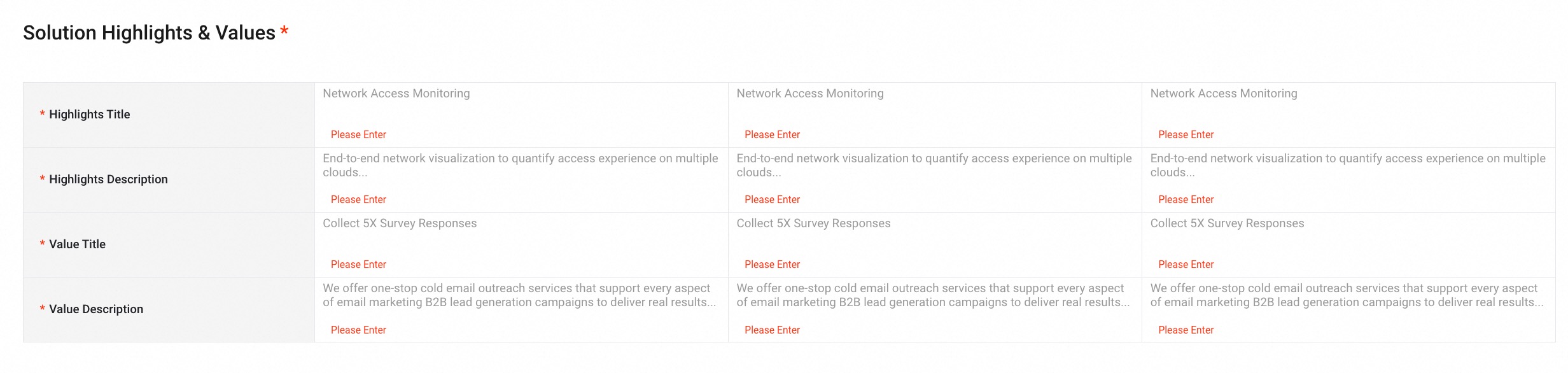
c) Solution Architecture
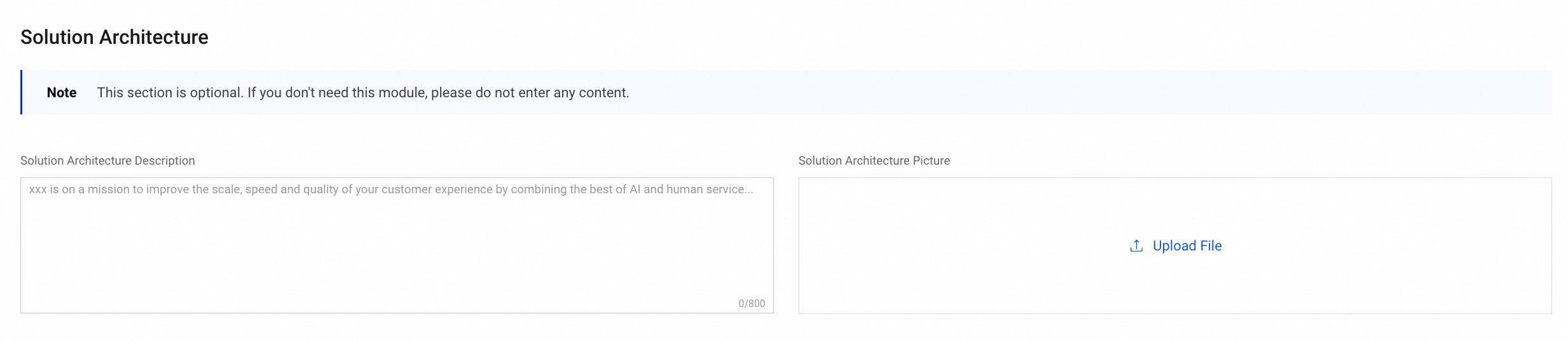
d) Customer References
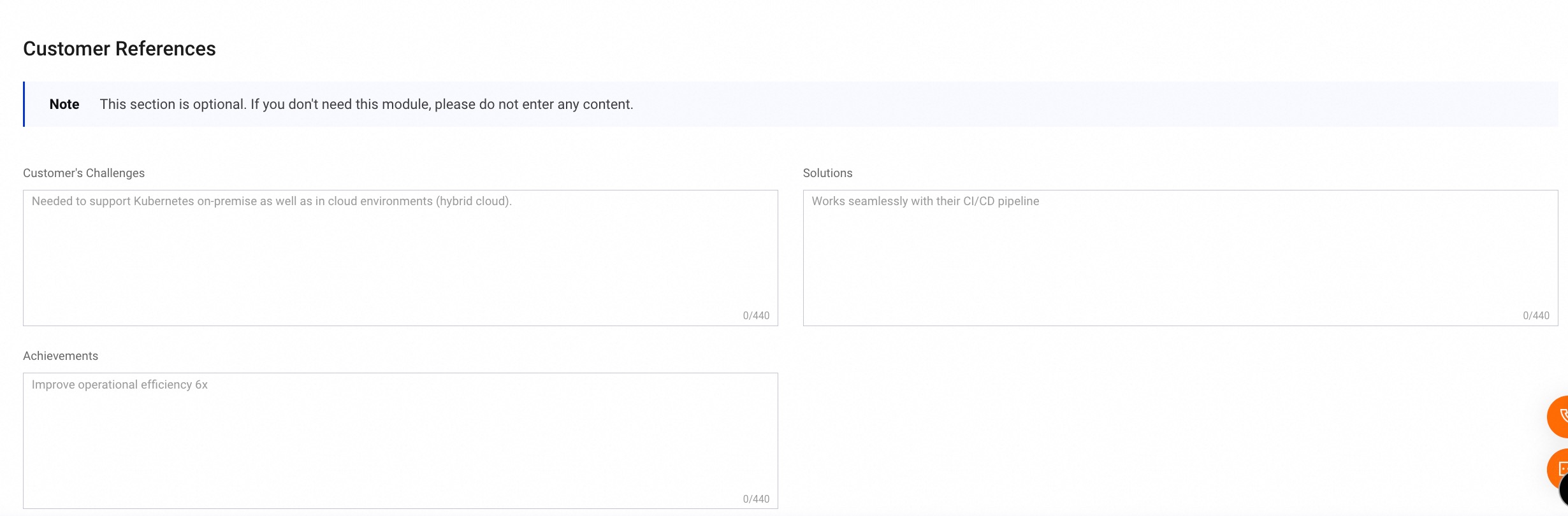
3. If you choose 'We have multiple solutions', then you need to fill out the following information.
a) Basic Information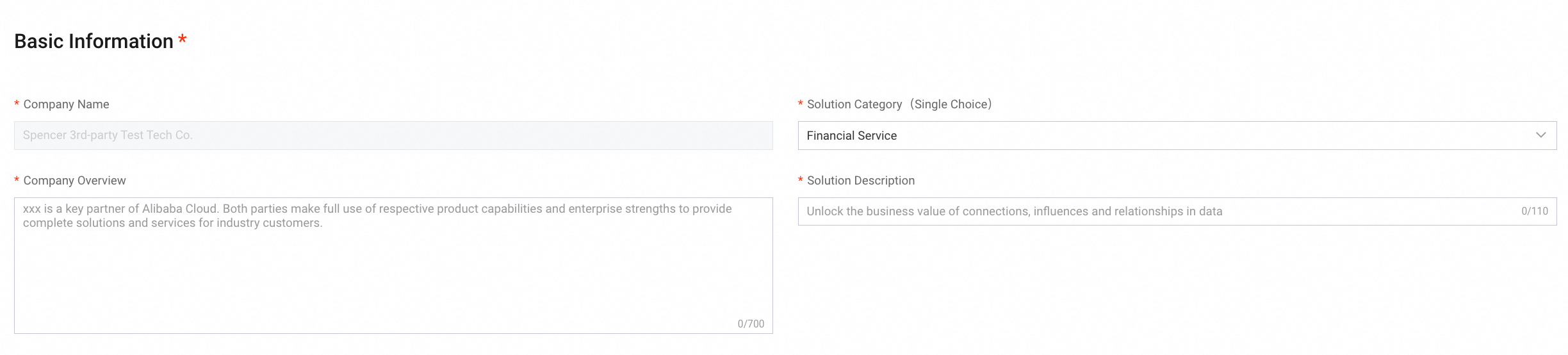
b) Featured Solution Highlights & Values
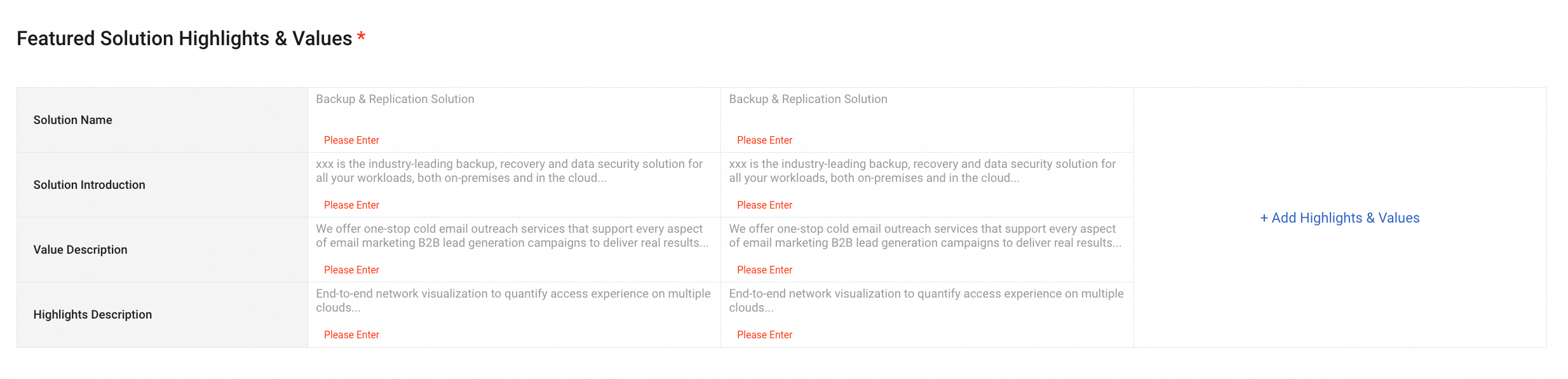
c) Customer References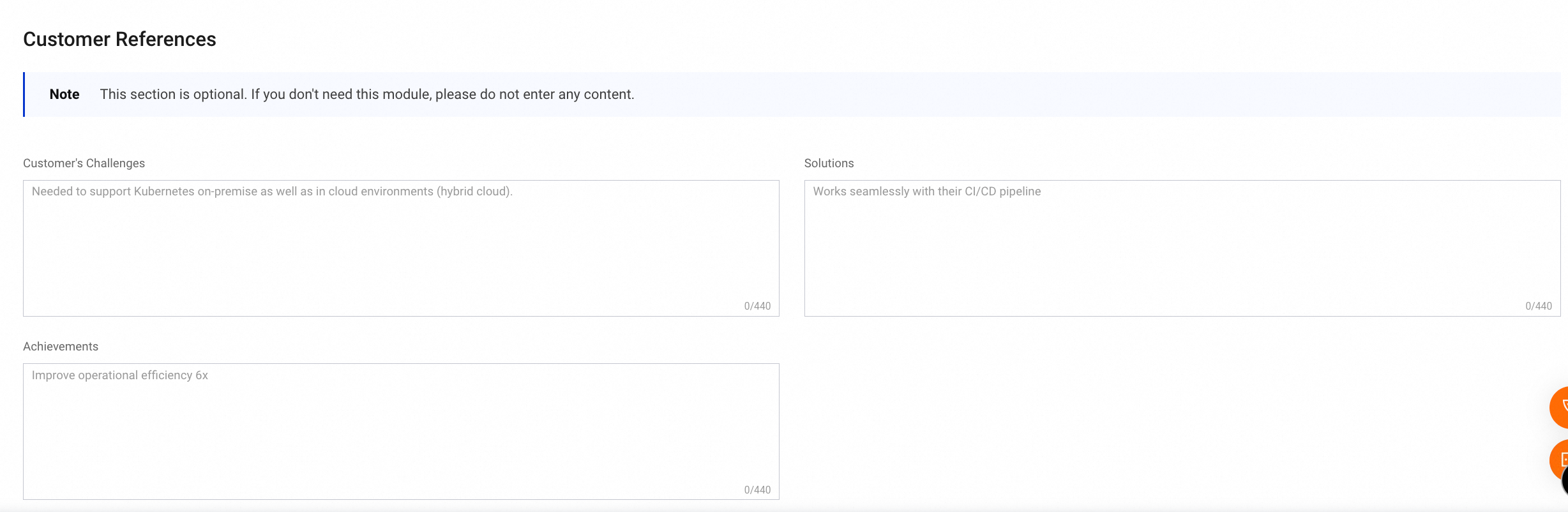
Step 2: After you complete all parts, you can Preview first, then Submit.
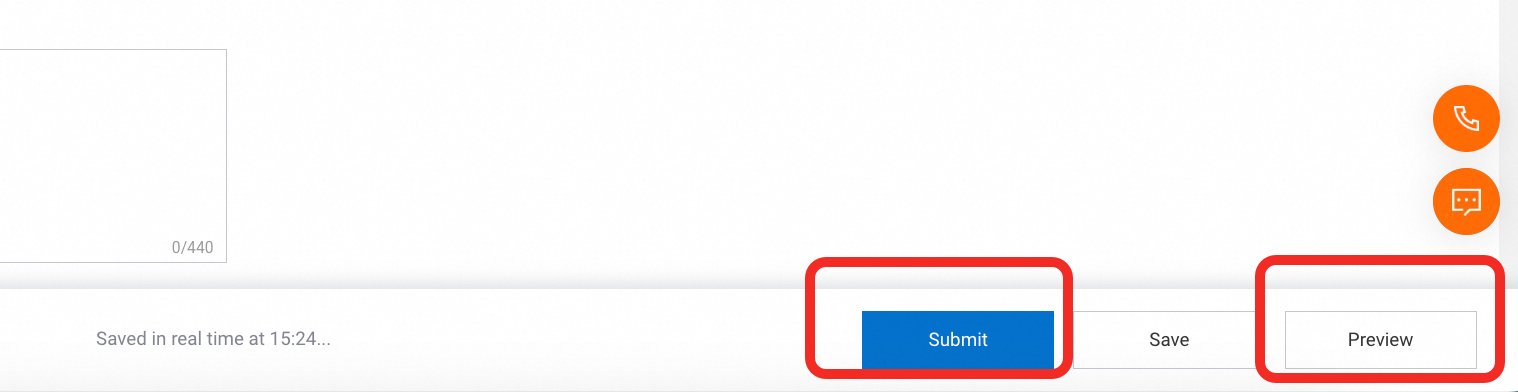
Step 3: After your submission, it will undergo an internal review by our PR, Legal, and Marketplace Operation teams. Once approved, it will be automatically published on marketplace platform.
The following figure shows a preview of the solution page.