If you enable IPv6, clients that support IPv6 can access live streams over this protocol. This topic introduces how to enable IPv6 for an ingest domain.
Before you begin
Only Alibaba Cloud points of presence (POPs) deployed in the Chinese mainland support IPv6. POPs in regions outside the Chinese mainland, including China (Hong Kong), China (Macao), and China (Taiwan), do not support it.
After you enable IPv6 for a domain name, clients in IPv6 environments can send requests over IPv6 to the nearest POP that supports IPv6. If the nearest POP does not support it, the clients can still send the requests to the POP over IPv4.
Procedure
- Log on to the ApsaraVideo Live console.
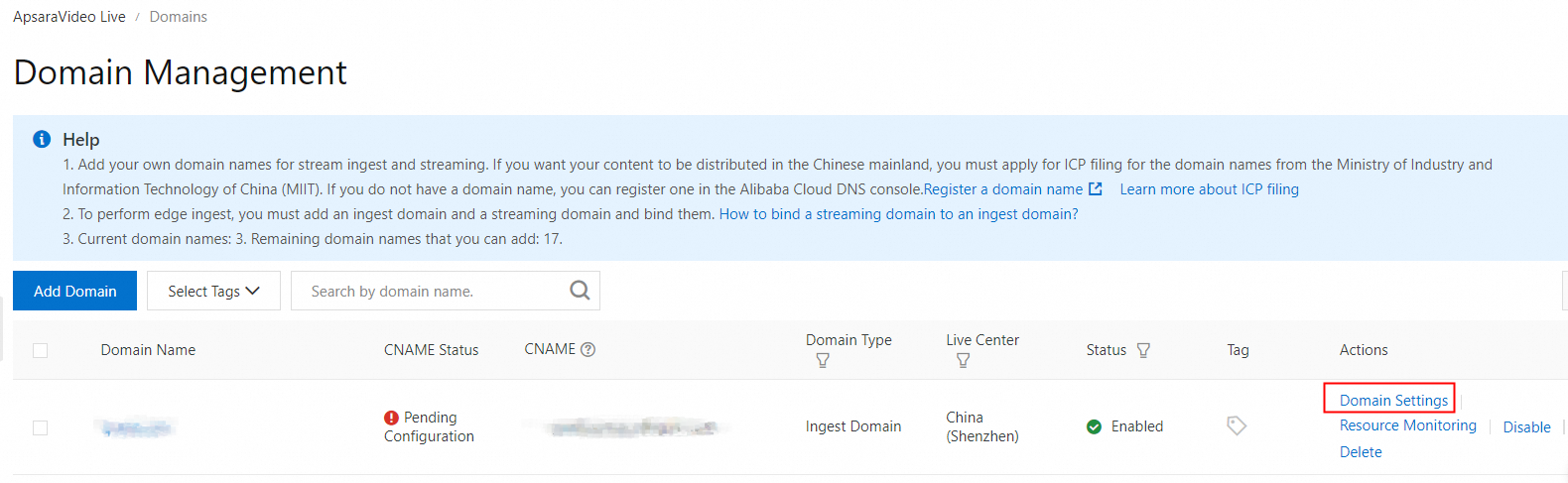
In the left-side navigation pane, click Domain Names. The Domain Management page appears.
Find the ingest domain that you want to configure and click Domain Settings in the Actions column.
Choose .
Click the IPv6 tab, and then enable IPv6.
