The Quality Monitoring dashboard displays key application-level metrics, such as Video Stuttering Rate and Audio Stuttering Rate, to help you quickly assess the quality of your ApsaraVideo Real-time Communication service.
Feature overview
Quality Monitoring offers a dashboard to monitor and analyze application-level data. Use this dashboard to assess the quality of your live audio and video services, validate the stability of new versions, and troubleshoot common stuttering issues, as it provides the basis for optimizing your service.
Use cases
Development and debugging: After SDK integration, use this feature to verify that the quality of audio and video streaming and playback meets expectations.
Version validation: Use this feature to compare key quality metrics before and after a new version release to assess its stability.
Issue identification: When users report stuttering or connection failures, use this feature for troubleshooting.
Trend monitoring: Use this feature to track the overall quality and health of your application over the long term.
Prerequisites
Integrate the ApsaraVideo Live Push SDK (Interactive Edition) or the ARTC SDK.
Ensure that the log reporting feature of the ApsaraVideo Live Push SDK (Interactive Edition) is enabled. Usually it is enabled by default.
Steps
Log on to the ApsaraVideo Live console.
In the left-side navigation pane, choose .
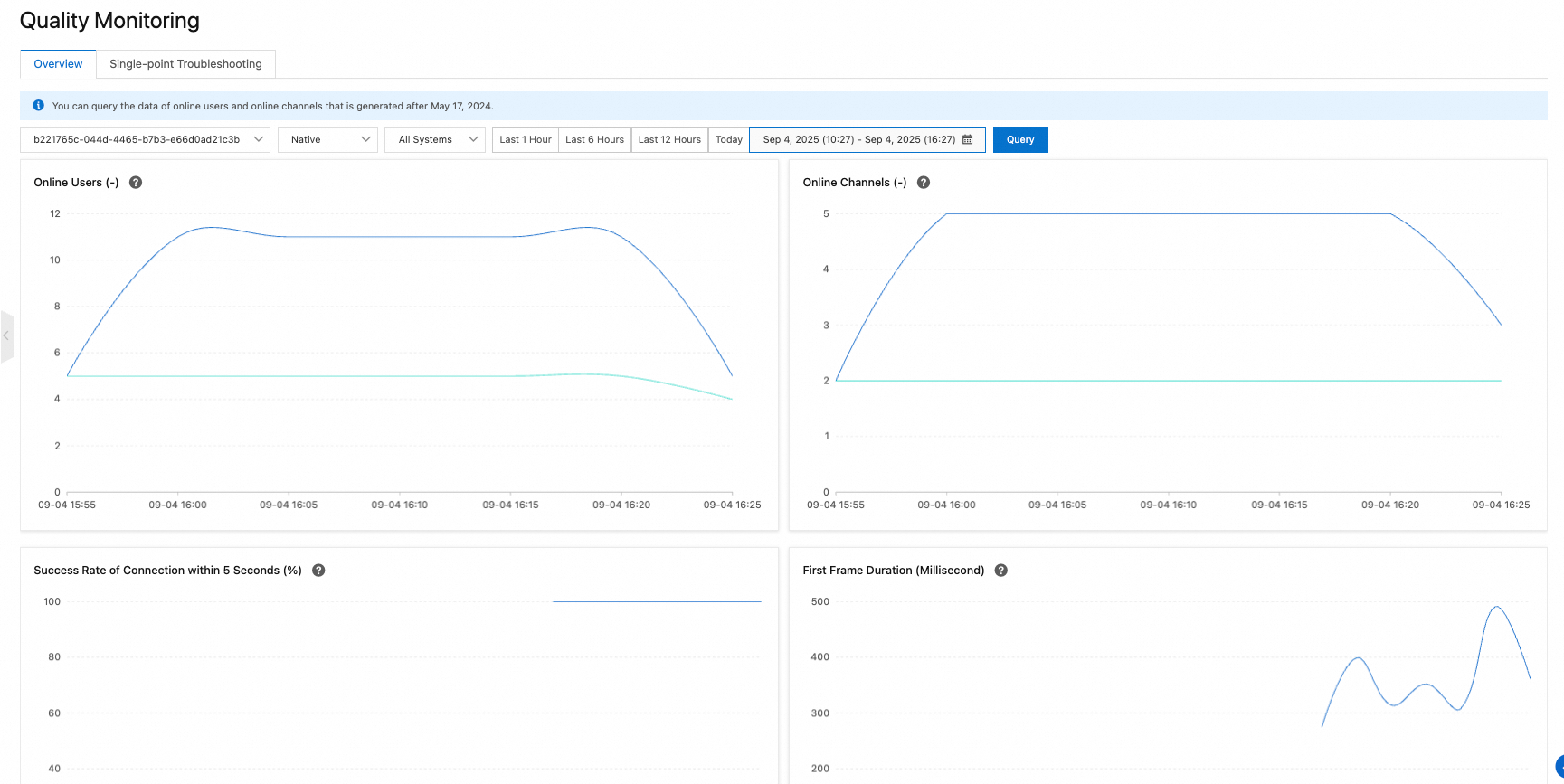 Note
NoteSelect your ApsaraVideo Real-time Communication application by ID to view its quality metrics. (The application ID and name are listed on the Live Show+ > ApsaraVideo Real-time Communication > Applications page in the ApsaraVideo Live console.) Data is collected at 5-minute intervals, and each data point represents the average value for that period.
The following dimensions are supported for data filtering:
Client type: Currently, only native clients are supported. Web client support is not yet available.
Operating system: Android, or iOS.
Time range: Query data from the last hour up to the last 3 days. The default view displays data from the last hour.
The global overview displays key quality metrics for your ApsaraVideo Real-time Communication application. The metrics are defined as follows:
Metric | Definition | ||||||
Success rate of connection within 5 seconds | The percentage of join attempts completed successfully within 5 seconds from initiation. Formula: (Number of Successful Joins within 5 Seconds / Total Join Attempts) × 100% | ||||||
First frame duration | The time from a subscribe request to the first frame being rendered, measured in milliseconds (ms). | ||||||
Audio stuttering rate | The percentage of total playback time that audio is stuttering. Formula: (Total Audio Stuttering Duration / Total Audio Playback Duration) × 100% | ||||||
Video stuttering rate | The percentage of total playback time that video is stuttering. Formula: (Total Video Stuttering Duration / Total Video Playback Duration) × 100% | ||||||