You can create a personal access token to authenticate API calls.
|
Applicable editions |
Enterprise Dedicated Edition |
A token inherits all the permissions of its creator. Use tokens with caution.Obtain an access token
Procedure
-
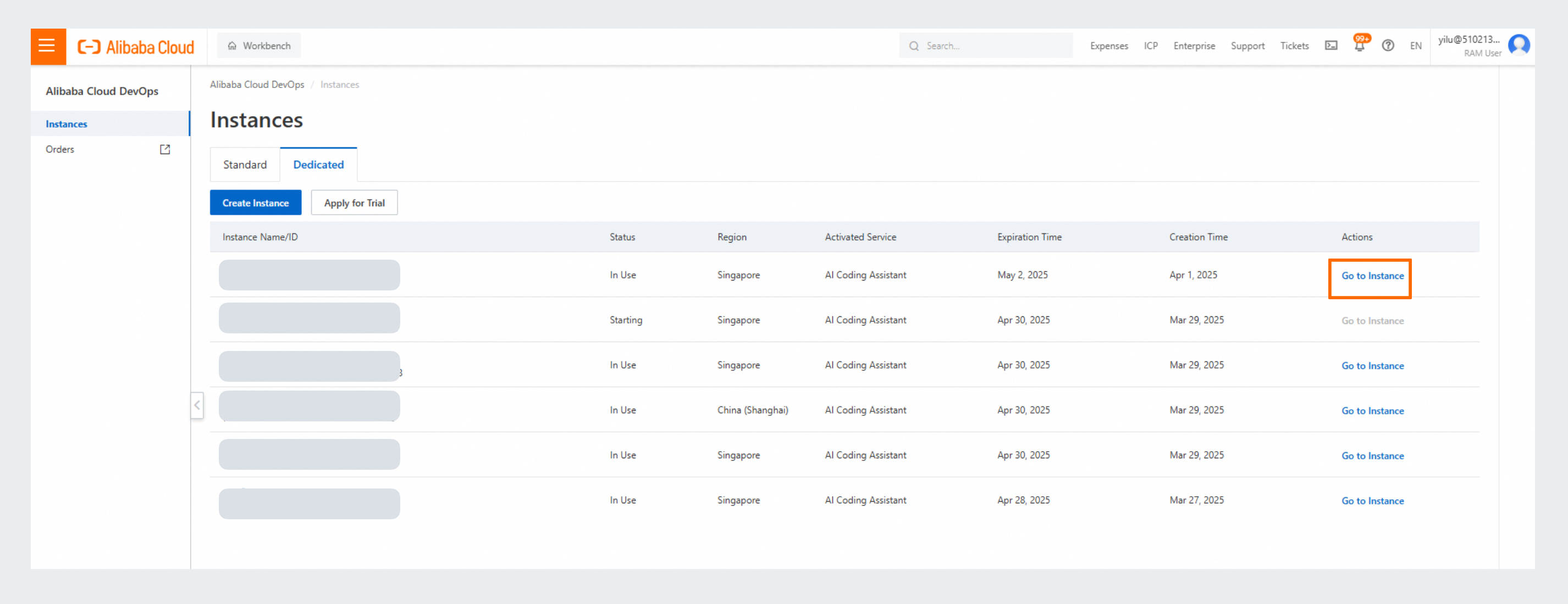
Log on to the console. Select Dedicated. In the Actions column of the target instance, click Go to instance.
-
Click your profile picture in the upper-right corner of the page and then click Personal Settings to go to the Personal Settings page. Alternatively, go to
https://{your-organization-domain}/users/settings/personalAccessToken.
-
In the left-side navigation pane, click Personal access token. On the page that appears, configure the token name, description, and expiration time, and select the required permissions. Then, click Create.

Parameter
Description
Token name
A custom name for the token. The name can contain up to 64 characters.
Description
An optional description for the personal access token.
Expiration time
WarningOnce expired, the token can no longer be used to call APIs.
Select permissions
Configure permissions as needed.
-
The Select permissions options are described below.
Category
Object
Permissions
Description
basic services
organization members
read-only, inaccessible
organization departments
read-only, inaccessible
Tongyi Lingma
developer usage statistics
read-only, inaccessible
department usage statistics
read-only, inaccessible
knowledge base
read-only, read/write, inaccessible
knowledge base members
read-only, read/write, inaccessible
knowledge base files
read-only, read/write, inaccessible