To operate the General Virtual Security Modules (GVSM) management tool on a remote Elastic Compute Service (ECS) instance through Remote Desktop Protocol (RDP), you must enable USB Key (UKey) redirection. Follow these steps in your local Windows RDP client:
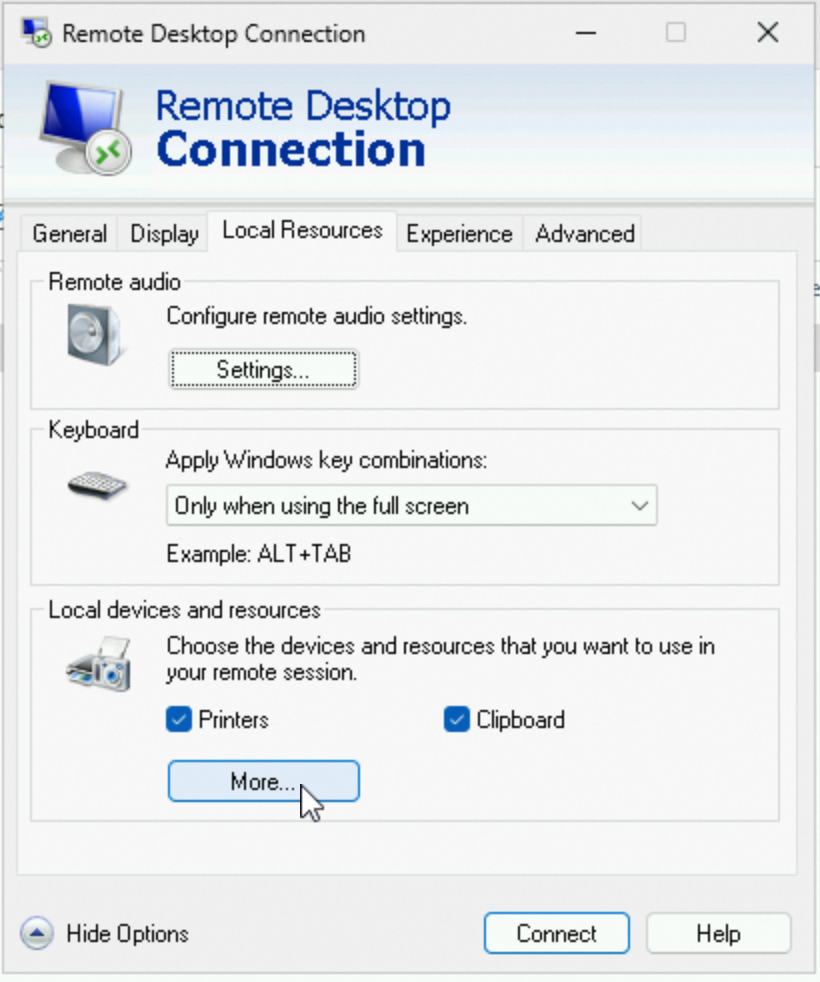
Open the remote desktop connection. In the Local Resources tab, click More.
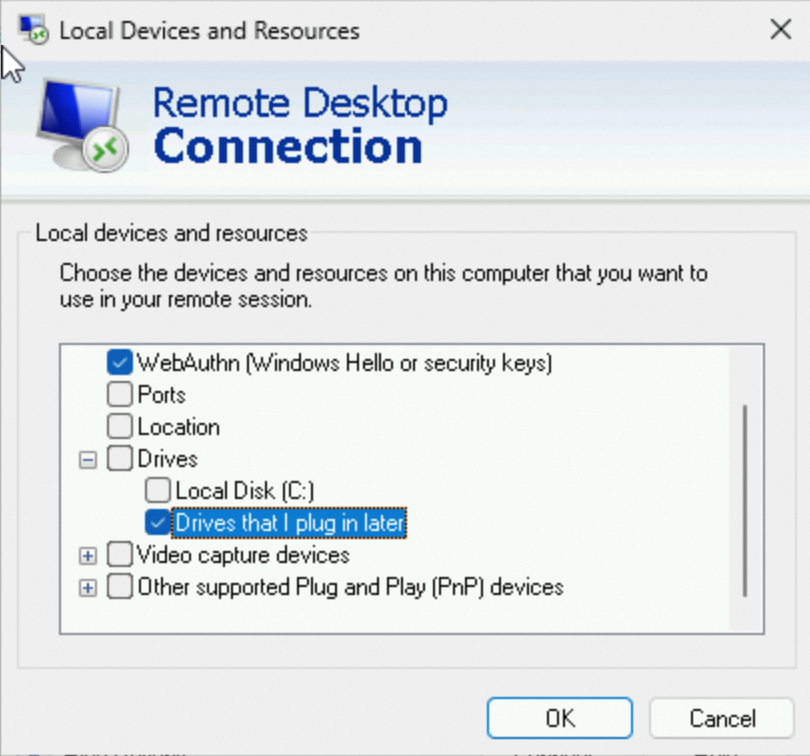
In the Local devices and resources area, select Drives that I plug in later, and click OK.
Insert the UKey into the local Windows client.