Scene orchestration is a visual programming method used to develop automated business logic for message forwarding. You can visually define interaction rules between devices and deploy these rules to the cloud or the edge.
Go to the Message Forwarding > Scene Orchestration page in the IoT Platform console to create scene orchestration rules. Each scene orchestration rule follows the TCA model, which consists of three parts: a Trigger, a Condition, and an Action.
The scene orchestration feature is currently available only for Enterprise instances and new public instances in the China (Shanghai) region.
For more information about instances, see View instance endpoints.
When the event specified by the trigger occurs or a property's value changes (excluding properties of the `date`, `enum`, `struct`, or `array` types), the system checks if the condition is met. If the condition is met, the system executes the action defined in the rule. Otherwise, the action is not executed.
For example, you arrive home from work at 18:00 every day. On a hot summer day, you want your home to be cool and comfortable when you arrive. You can create a rule to automate your air conditioner to achieve this.
The parameter settings are shown in the following figure.
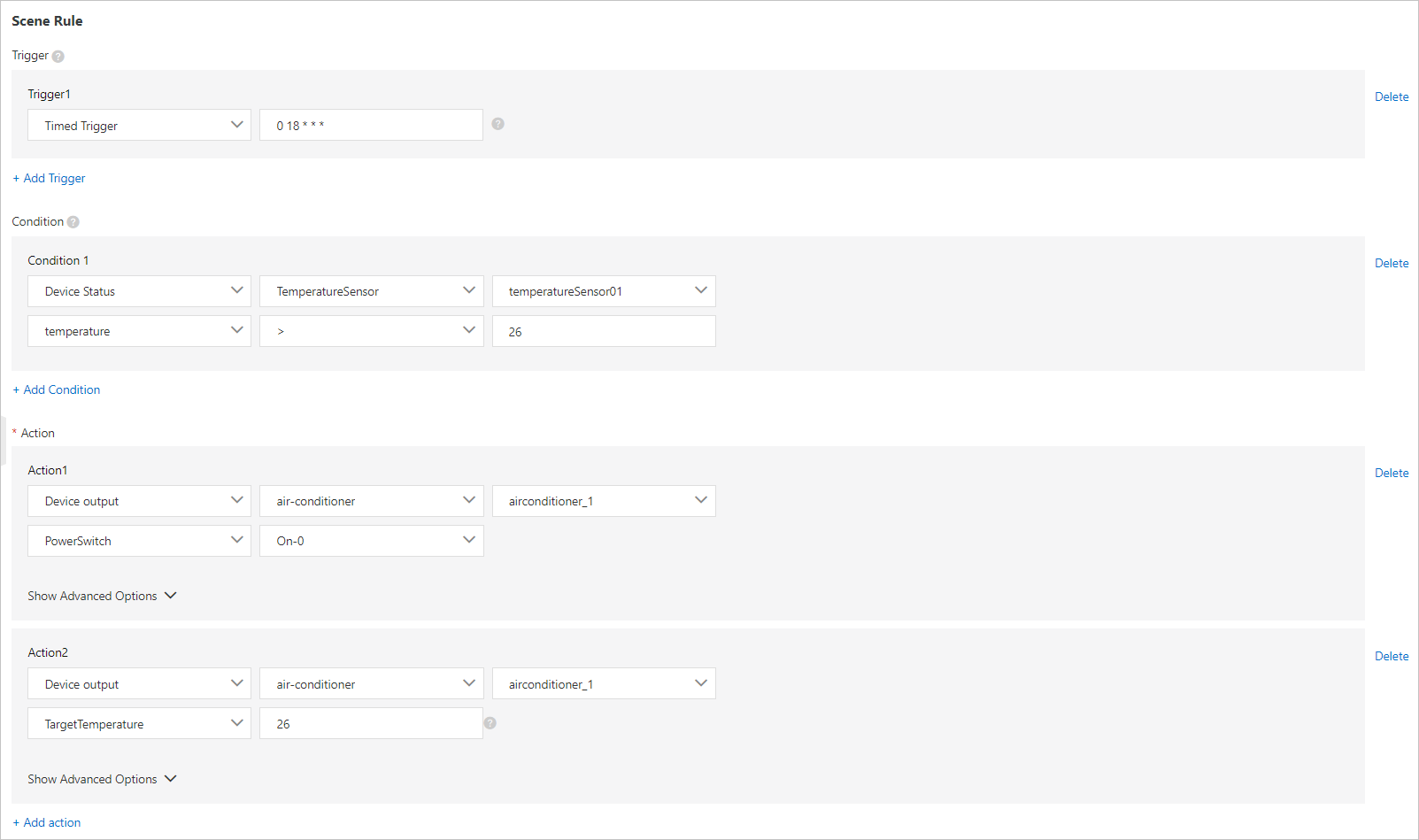
The following describes the parameters:
Parameter | Description | Parallelism |
Trigger | The rule is triggered by a timer at 18:00 every day. For more information about how to write cron expressions, see the CRONTAB website. | OR (||) |
Prerequisites | Retrieves data from the temperature sensor. If the indoor temperature is higher than 26 degrees Celsius, the action is executed. | AND (&&) |
Action | Turns on the air conditioner and sets its target temperature to 26 degrees Celsius. | AND (&&) |
For more information about how to create scene orchestration rules, see Cloud-based scene orchestration.