You can push firmware files to devices in the IoT Platform console by adding an update package, verifying it, and starting a batch update.
Prerequisites
-
The Perform OTA updates feature is supported on the devices to be updated.
Only devices with the OTA service enabled can report firmware versions, receive update messages from IoT Platform, download firmware, and perform OTA updates.
-
A firmware file is generated based on your business requirements. For more information, see Configure device OTA update.
Procedure
-
Log on to the IoT Platform console.
On the Overview page, find the instance that you want to manage and click the instance ID or instance name.
-
In the left-side navigation pane, choose .
-
On the OTA Update page, click Add Update Package.
-
Set the required parameters, upload the firmware file as the update package, and then click OK.
The following table describes some parameters. For more information, see OTA update overview.
Parameter
Value
Types of Update Packages
Full
Update Package Module
default
Update Package Version
2-0-0
Signature Algorithm
MD5
-
On the Update Package tab, click Verify in the Actions column of the update package. IoT Platform verifies the update package by using a device. For more information, see OTA update overview.
If the device is updated successfully, the Batch Update button becomes available.
-
Click Batch Update, configure the required update scope and update policy, and then click OK to push update notifications to devices in batches. For more information, see OTA update overview.
View device logs
After IoT Platform pushes OTA update notifications, you can view the update details in the device logs, including notifications, processing details, firmware information, update progress, and reporting time.
-
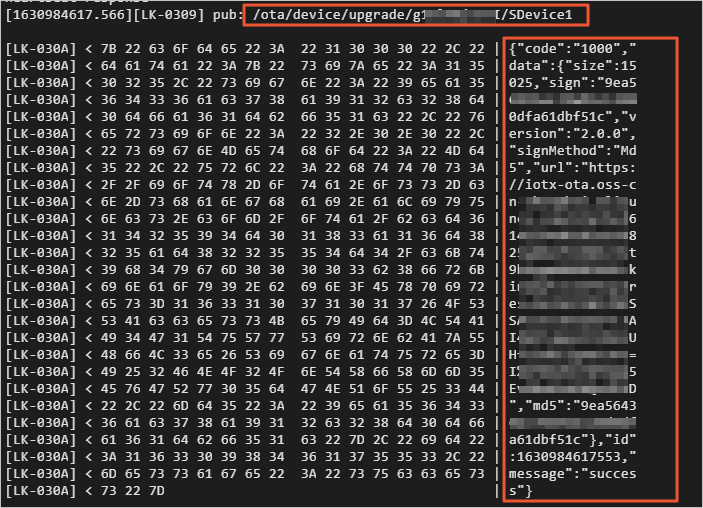
The following log example shows an update notification received by a device.
-
The following log example shows information about a new firmware version and details about how a device connects to the firmware download link.

-
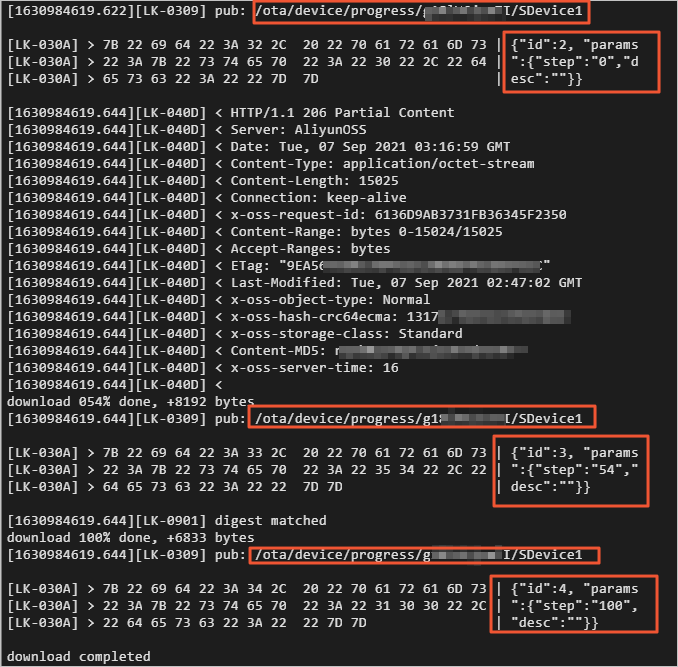
The following log example shows how a device downloads a firmware file and reports the progress.