Obtain device verification information before you configure Link SDK.
Prerequisites
A product is created and the Authentication Mode parameter of the product is set to Device Secret. For more information, see Create a product. 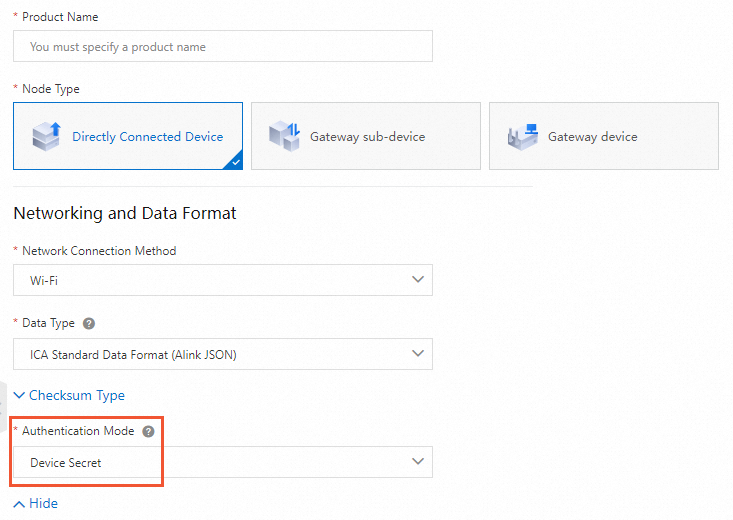
Background information
A device must pass identity verification before it can connect to IoT Platform. For more information, see Device verification overview.
IoT Platform supports the following verification methods:
-
Unique-certificate-per-device verification
For more information, see Unique-certificate-per-device verification.
-
Unique-certificate-per-product verification
For more information, see Unique-certificate-per-product verification.
Obtain information for unique-certificate-per-device verification
We recommend that you use the unique-certificate-per-device verification method because the method provides high security.
Use one of the following methods to obtain the ProductKey, DeviceName, and DeviceSecret.
-
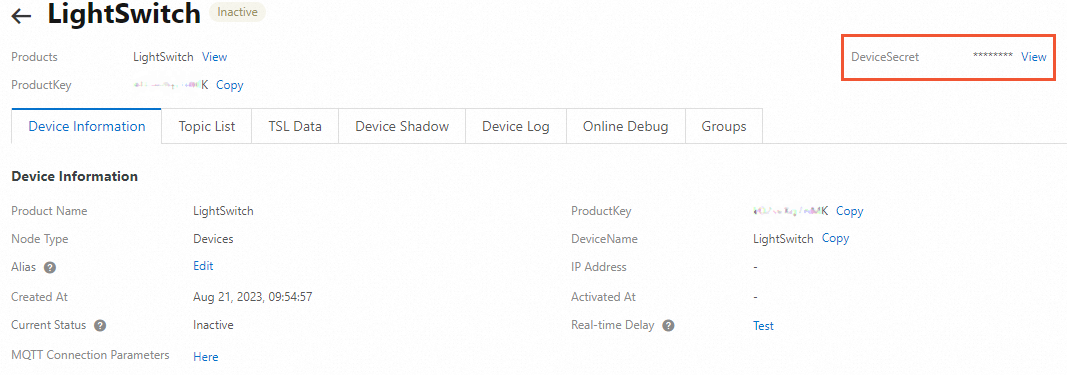
Create a device in the IoT Platform console and obtain the device verification information. For more information, see Create a device and Create multiple devices at a time.
After you create a device, click View next to DeviceSecret on the Device Details page to view the verification information.
-
Call the API operation to create a device and obtain the device verification information. For more information, see RegisterDevice.
After you create a device, query the verification information. For more information, see QueryDeviceDetail.
Obtain information for unique-certificate-per-product verification
Perform the following steps to obtain device verification information.
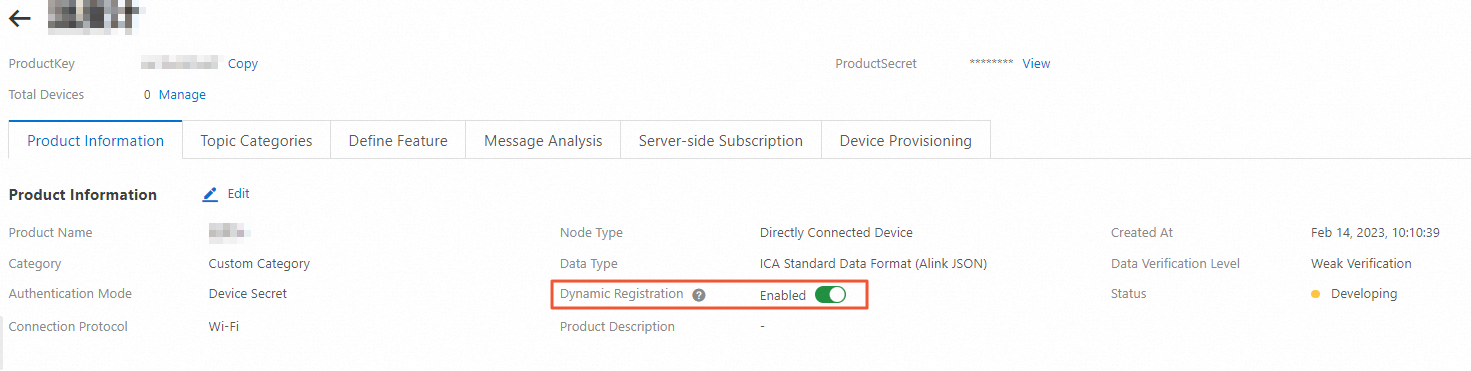
- Enable dynamic registration. On the Product Details page of an existing product, turn on Dynamic Registration. IoT Platform sends an SMS verification code to verify your identity.Note If dynamic registration is disabled when devices initiate activation requests, IoT Platform rejects the requests. Activated devices are not affected.
-
Obtain device verification information based on the verification method.
-
Pre-registration unique-certificate-per-product verification
Add a device to a product in IoT Platform, and then obtain the verification information. The procedure is the same as unique-certificate-per-device verification. For more information, see Obtain device verification information.
-
Preregistration-free unique-certificate-per-product verification
You do not need to add a device to a product in IoT Platform. The device uses Link SDK to initiate a dynamic registration request with ProductKey, ProductSecret, and DeviceName. IoT Platform returns ClientID and DeviceToken as the verification information.
For more information, see Overview of MQTT-based dynamic registration and Overview of HTTPS-based dynamic registration.
-