PAI-Lingjun AI Computing Service (Lingjun) provides unified API operations to query the network communication distance (NCD) between GPU edge zones (or network interface cards). This helps you implement efficient job scheduling and obtain optimal training performance. This topic describes the basic concepts of NCD, the reasons for using NCD, and how to use NCD.
Usage Notes
-
NCD represents the relative forwarding overhead across the underlying physical network between GPU-accelerated instances (nodes or NICs), not an absolute forwarding latency value.
-
If a GPU-accelerated node has multiple NICs, the NCD between two nodes equals the minimum NCD across all NIC pairs. The NCD is calculated by using the following formula:
NCD(Node1, Node2) = Min(NCD(Node1.LNI_i, Node2.LNI_j)). In this formula, i is the number of NICs on Node1, and j is the number of NICs on Node2. -
NCD reflects the network forwarding latency across physical switches and does not account for factors such as NVLink. If a GPU node connects to multiple leaf switches through multiple NICs (multi-rail connection), the NCD between different NICs on the same GPU node is 2.
-
The NCD treemap in the console displays only the NICs used for data plane communication, excluding the first NIC (or Elastic Network Interface).
NCD Terms
NCD abstracts the physical communication distance between NICs on GPU nodes across physical networks. A smaller NCD value between two GPU nodes (or network cards) indicates lower network latency and less communication overhead. The following figure shows a typical three-layer physical network architecture:

Where:
-
Core layer: A core switch forwards traffic between the spine switches connected to it.
-
Spine layer: A spine switch forwards traffic between the leaf switches connected to it. Each spine switch connects to a core switch.
-
Leaf layer: A leaf switch connects GPU edge zone network interface cards. Each leaf switch connects to a spine switch.
-
Each additional physical switch layer that GPU edge zone nodes (or network interface cards) traverse for communication increases the NCD by 1.
Based on the preceding graph, the NCD between GPU edge zone nodes (or network interface cards) is calculated as follows:
-
NCD(Node1, Node2) = 1.
-
NCD(Node1, Node3) = 2.
-
NCD(Node1, Node5) = 3.
-
The NCD between GPU nodes that communicate across core layer switches is 10.
Special cases:
In non-multi-rail scenarios, the NCD between GPU nodes equals the NCD between their NICs. In a multi-rail connection scenario, the NICs of a single GPU node connect to different groups of ASWs (for example, eight uplinks). As a result, the NCD between two GPU nodes may differ from the NCD between individual Lingjun NICs. For example: NCD(GPU1.bond0, GPU2.bond0) = 1, NCD(GPU1.bond0, GPU2.bond1) = 2.
To simplify this, the reduction principle applies: NCD(GPU1, GPU2) = min(NCD(GPU1.anyLNI, GPU2.anyLNI)). The NCD between two GPU nodes equals the minimum NCD across any pair of Lingjun NICs between them.
Why NCD Is Used
-
Issues
In a given physical network topology, communication performance between GPU nodes can vary significantly due to latency differences and uneven hash distribution caused by traffic forwarding across multiple switch hops. This results in throughput variations during model training.
-
Solution

As shown in the preceding figure, assuming the communication order is Node1→Node2→Node3→Node4, Placement-1 outperforms Placement-2 because traffic in Placement-1 crosses the spine layer only once, whereas Placement-2 requires three cross-spine-layer forwards.
To address these requirements, PAI Lingjun provides a unified NCD query interface that lets you query the communication distance between GPU nodes (or NICs) for more efficient job scheduling and optimal training performance.
Query NCD in the console
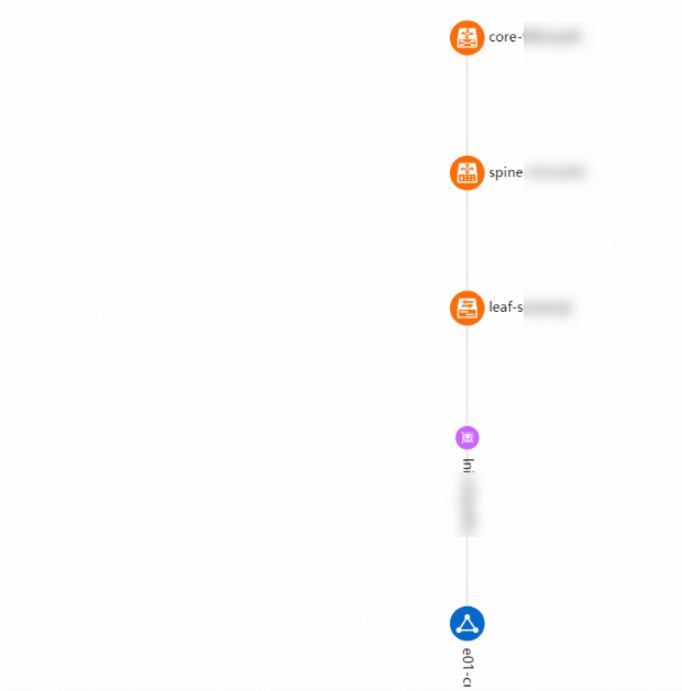
The Lingjun console provides an NCD treemap of all GPU nodes in the cluster. The treemap visualizes the physical network topology in a concise and readable format. To query the treemap:
-
Log on to the Lingjun console.
-
In the left-side navigation bar, choose Network Resources > Resource overview.
-
In the Physical Topology section, select a Lingjun CIDR block from the dropdown list, and click Search to view the corresponding NCD treemap.
NoteThe NCD treemap displays only the tail NICs, which are all NICs except the first one.
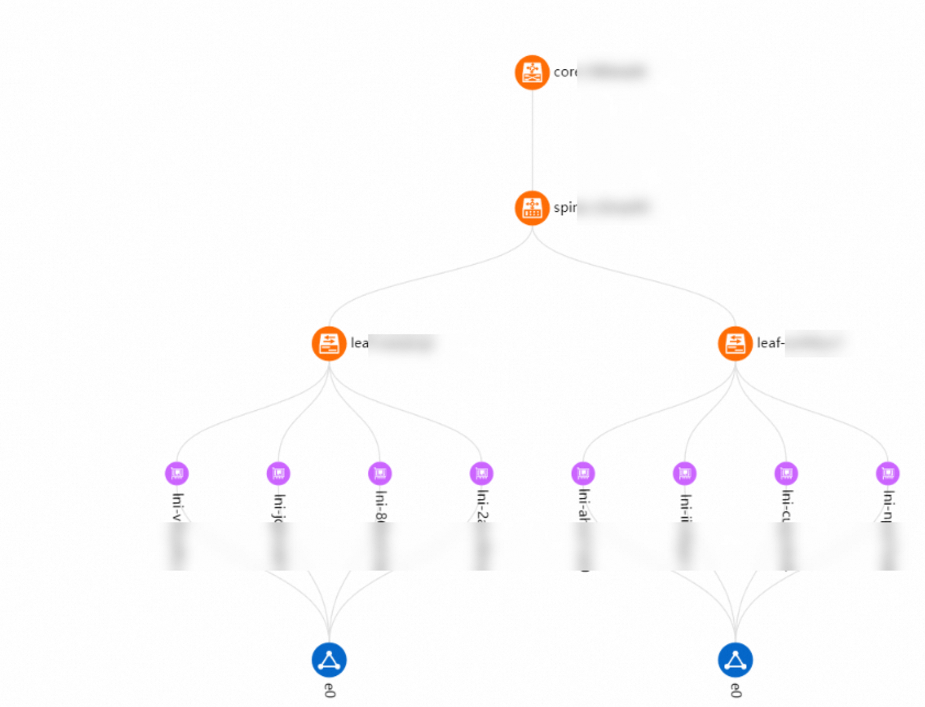
You can also select a Lingjun NIC from the dropdown list and click Search to view the NCD treemap containing only that NIC.