Each column in the input list provides key details about your MediaLive inputs, such as type, source URL, and channel association.
Input ID/Name
The input ID is a system-generated unique identifier in MediaLive. The input name is specified when you create the input and cannot be modified.
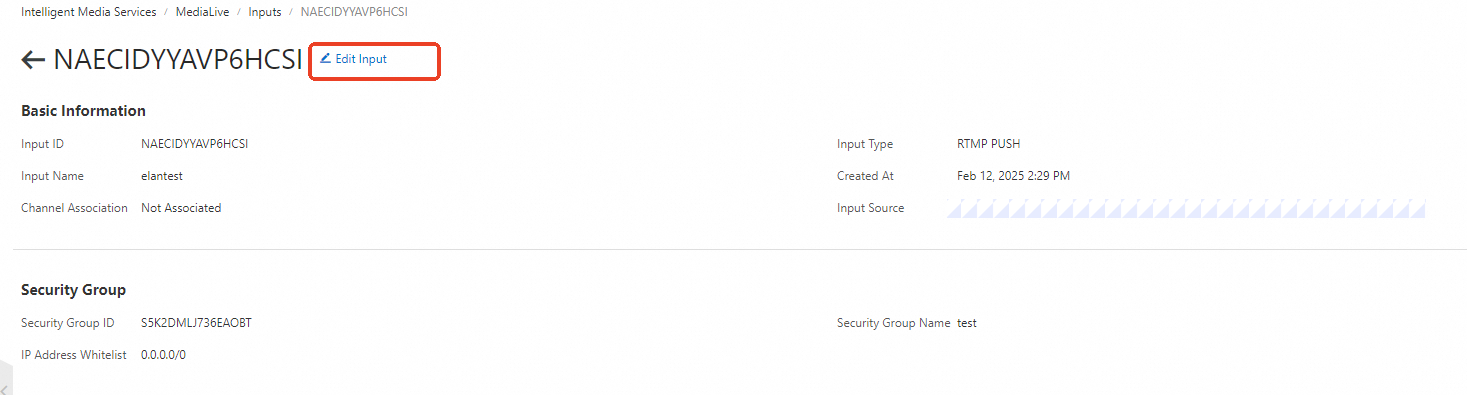
Click an input ID to view its details. For inputs that are not associated with a channel, click Edit Input on the input page to modify input settings.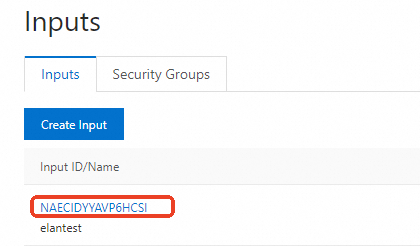
Input Type
MediaLive supports RTMP PUSH, RTMP PULL, SRT PUSH, and SRT PULL input types. Click the filter icon next to the Input Type column to filter by type.
Input Source
The source URL that you provide for PUSH inputs or that the system generates for PULL inputs.
The URL starts with srt://, rtmp://, or http(s)://.
Channel Association
Shows whether the input is associated with a channel. Valid values: Associated and Not Associated.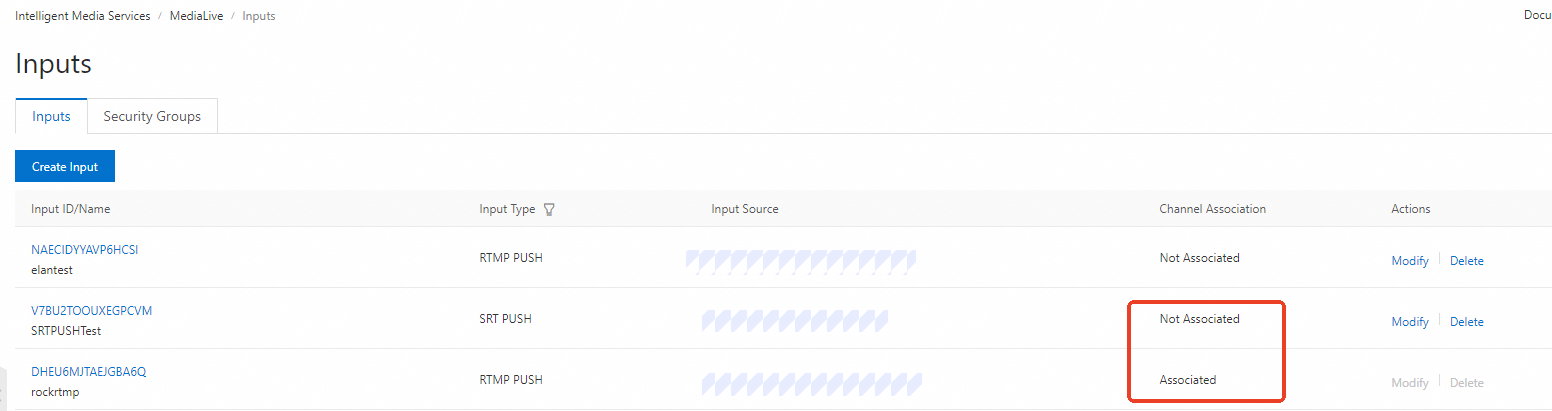
-
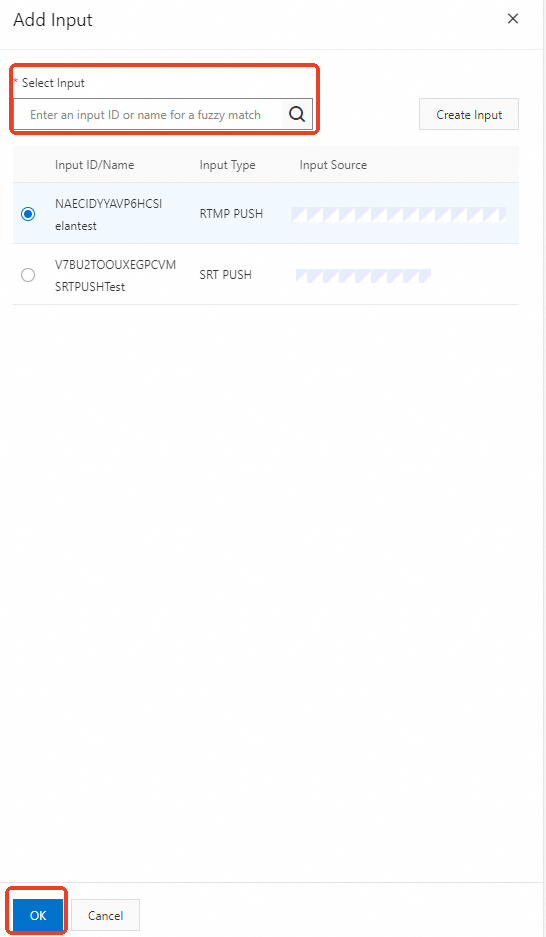
To associate an input with a new channel, go to the Channels page, click Create Channel, click Add next to Added Inputs, and then select an input on the Add Input panel. To associate an input with a created channel, find the channel, click Modify in the Actions column, click Add next to Added Inputs, select an input on the Add Input panel, and then click OK.
-
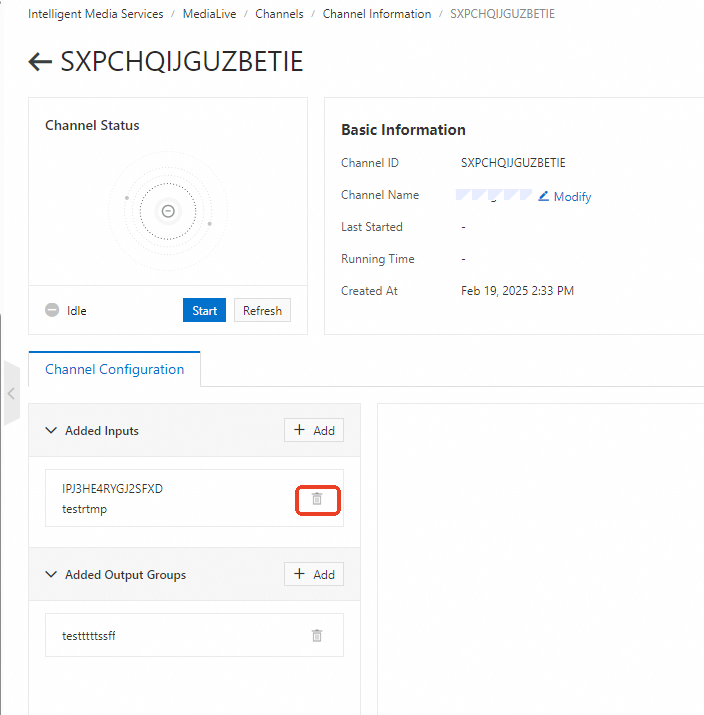
To disassociate an input from a channel, go to the channel page, and click the delete icon next to the input.
Actions
Use this column to modify or delete an input.
-
You can click Create Input on the Inputs tab to create an input.
-
For created inputs, you can click Modify or Delete in the Actions column to modify or delete an input.
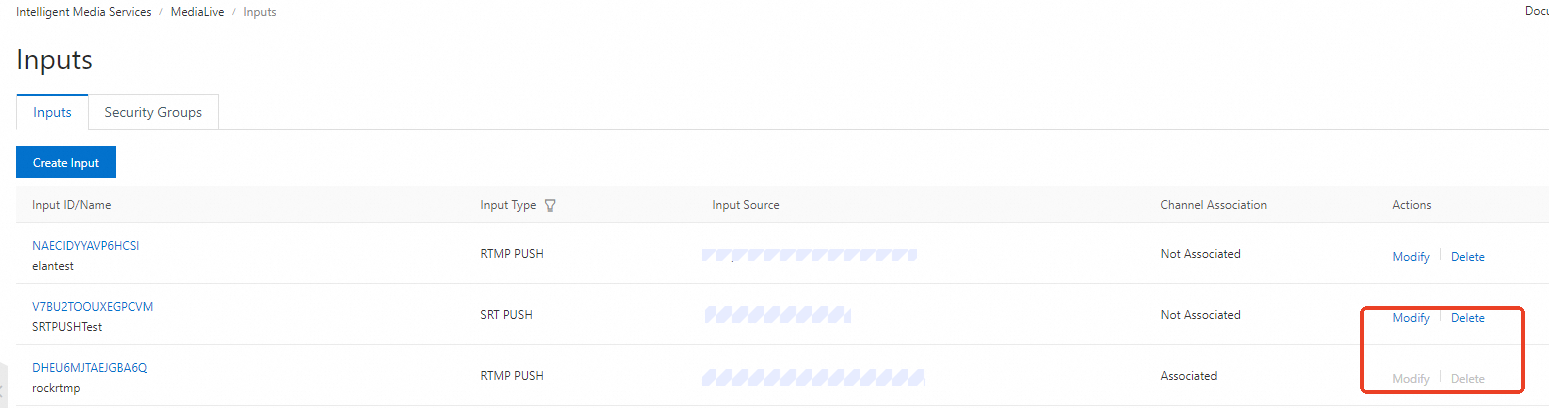
You can modify or delete an input only when it is not associated with a channel.