This topic describes how to configure role-based single sign-on (SSO) for Tencent Cloud in the Identity as a Service (IDaaS) console. Role-based SSO eliminates the need to create a Cloud Access Management (CAM) user for every member of your enterprise or organization.
Procedure
Step 1: Add an application in the IDaaS console
Log on to the IDaaS console.
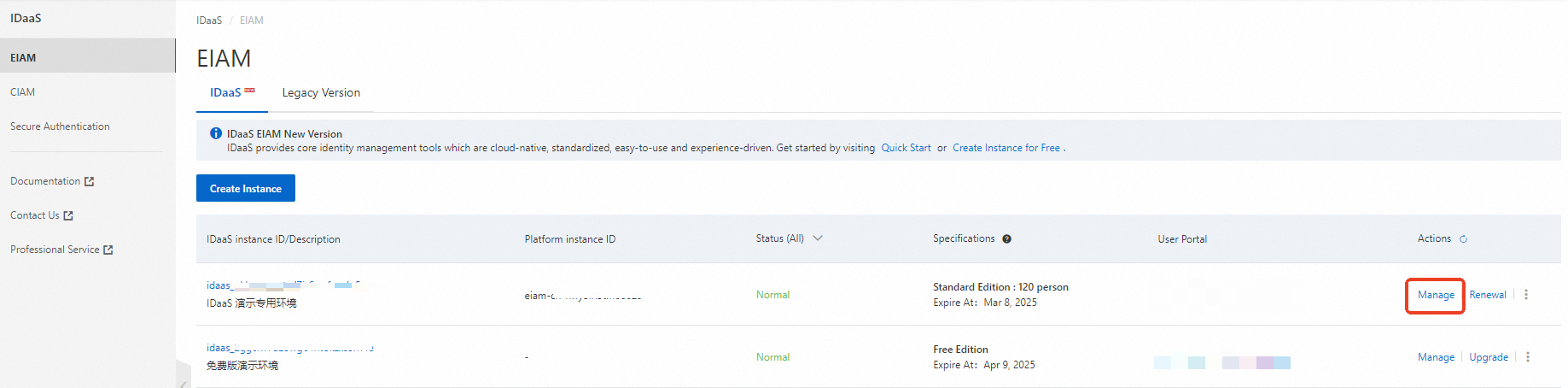
On the EIAM page, find an instance and click Manage in the Actions column.
In the left-side navigation pane, click Applications. On the Applications page, click Add Application to go to the Marketplace tab. Then, search for Tencent Cloud Role-based SSO and click Add Application.
Confirm the application name and click Add. The application is added.
Step 2: Configure SSO for the application
After you add the application, you are automatically redirected to the SSO tab. You can configure SSO on this tab.
Enter the ID of your Tencent Cloud account. You can move the pointer over the profile picture on the homepage of the Tencent Cloud console or go to the account center to obtain the ID.
Enter the name of the identity provider (IdP) that you want to create on Tencent Cloud. The name must be 3 to 128 characters in length and can contain letters, digits, and the following special characters: + = , . @ _ -. The name must be the same as the name that you enter in Step 3.
Select an attribute from the Application Username drop-down list. This attribute is used as the primary key for SSO to Tencent Cloud. You must set this attribute to the prefix of Tencent Cloud CAM users.
For testing purposes, we recommend that you set the Authorize parameter to All Users to skip the step of granting permissions to IDaaS accounts.
In the Application Settings section, download the IdP metadata file to your computer. This file is used to establish the trust relationship between Tencent Cloud and IDaaS.
On the tab, click Add Application User.
Select the IDaaS account that you want to use to initiate role-based SSO for Tencent Cloud and add an application account for the account. The name of the application account must be the same as the name of the Tencent Cloud role. If you assign multiple Tencent Cloud roles to an IDaaS account, you can create multiple application accounts.
Step 3: Configure role-based SSO in Tencent Cloud
Log on to the Tencent Cloud CAM console.
In the left-side navigation pane, choose .
On the Role SSO page, click Create a new identity provider.
Enter the IdP name and make sure that the name is the same as the name that you entered in Step 2. Upload the IdP metadata file that you downloaded from IDaaS in Step 2 and click Next step.
Step 4: Grant permissions to the IdP in the Tencent Cloud CAM console
In the left-side navigation pane, click Role.
Click Create a new role and select Identity Provider.
Select the IdP that you created in Step 3, configure other parameters based on your business requirements, and then click Next step.
Grant permissions to your role. All IDaaS accounts that assume this role to log on to Tencent Cloud have the same permissions. Click Next step.
Enter the basic information such as the role name and check the input. The name must be the same as the name of the application account that is added in Step 2.
Step 5: Test role-based SSO
After you perform the preceding steps, you can test role-based SSO.
Log on to the IDaaS application portal by using an IDaaS account that is authorized to initiate role-based SSO for Tencent Cloud. Click the Tencent Cloud Role-based SSO icon to initiate SSO.
If the IDaaS account is configured with two or more application accounts or Tencent Cloud roles, select only one application account to initiate SSO.
Select an application account based on your business requirements and click OK. Then, you can initiate role-based SSO for Tencent Cloud.