Introduction
This topic describes how to enable DoH, obtain the integration URL, and verify the URL in the console. Before you start, review the DoH Integration Guide for use cases and integration steps.
-
Enable DoH
-
Obtain the integration URL
-
Verify the integration URL
Prerequisites
You have configured the domain name resolution scope as described in Domain Name Integration.
Enable DoH and obtain the integration URL
-
Log on to the EMAS Management Console.
-
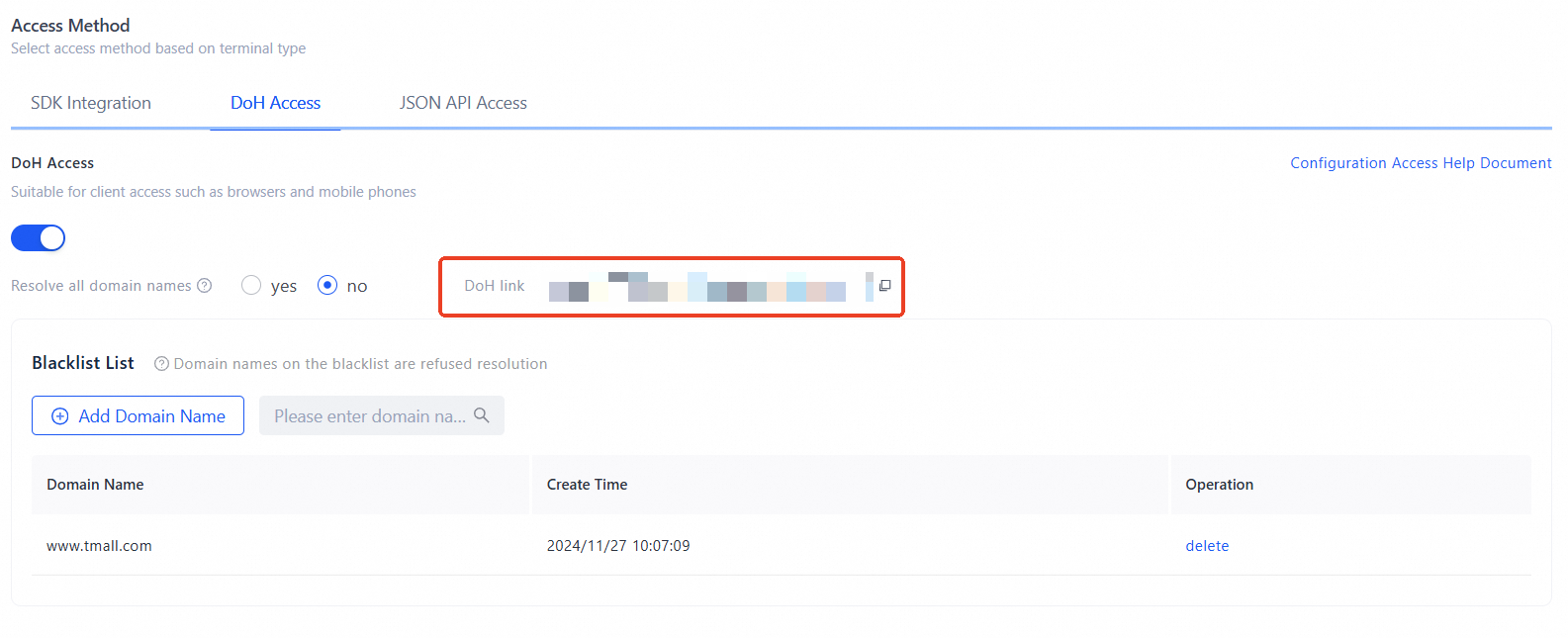
In the left navigation pane, choose Integration Configuration > Development Configuration. Enable DoH and copy the DoH URL.
 Note
Note-
Each DoH query counts as one HTTP-based DNS query for billing purposes. Billing.
-
Verify the integration URL
To verify DoH resolution, resolve www.aliyun.com with kdig:
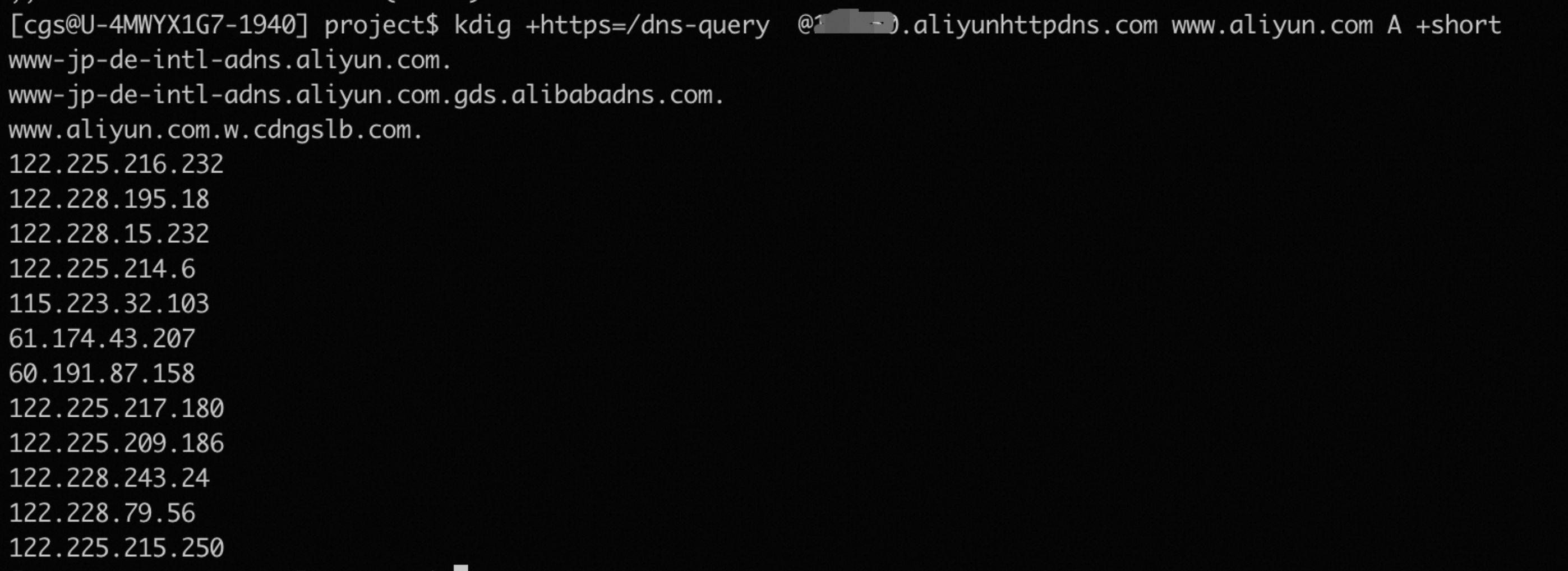
Replace $doh_host and $domain with your DoH host and target domain.
Configuration changes — such as enabling or disabling DoH, updating the resolution scope, or modifying the domain list or blacklist — take effect within one minute.
What to do next
After you configure DoH, use a DoH-capable networking library to replace local DNS and prevent DNS hijacking, or call the DoH API directly to retrieve resolved IP addresses.
-
Option 1: Apply DoH to a networking library or browser
-
Option 2: Call the DoH API directly