Redash is an open source Business Intelligence (BI) tool for data visualization, with built-in support for alerts and subscriptions. Because Hologres is PostgreSQL-compatible, you can connect Redash directly using the PostgreSQL driver. This topic shows you how to add Hologres as a data source in Redash and run your first visualization.
Prerequisites
Before you begin, ensure that you have:
-
A running Redash instance. For setup instructions, see the official Redash documentation
-
A Hologres instance with at least one database created
-
An Alibaba Cloud AccessKey ID and AccessKey secret. For more information, see Create an AccessKey pair
Gather connection details
Before configuring Redash, collect the following values from the Hologres console. On the instance details page, find the values in the Network Information section.
| Parameter | Description |
|---|---|
| Host | Public endpoint of the Hologres instance |
| Port | Port of the Hologres instance |
| Database Name | Name of the database to connect to |
| User | Your Alibaba Cloud AccessKey ID |
| Password | Your Alibaba Cloud AccessKey secret |
Connect Redash to Hologres
-
Log on to Redash. In the upper-right corner, click the
 icon and select Data Sources.
-
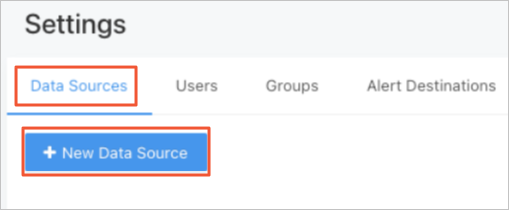
Go to the New Data Source tab and click +New Data Source.
-
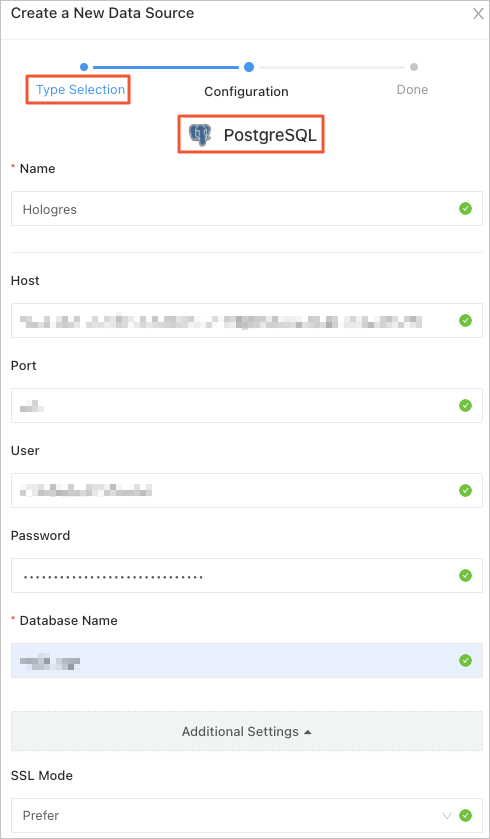
Under Type Selection, search for and select PostgreSQL. Under Configuration, enter the connection details you gathered, then click Create. Hologres uses the PostgreSQL driver because it is PostgreSQL-compatible.
Query and visualize data
-
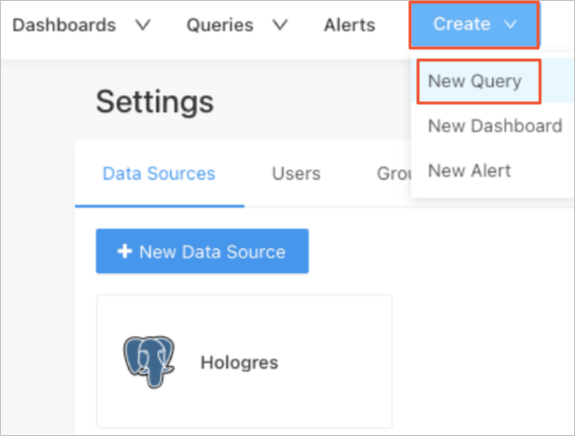
At the top of the page, choose Create > New Query. Write your SQL statement in the editor.
-
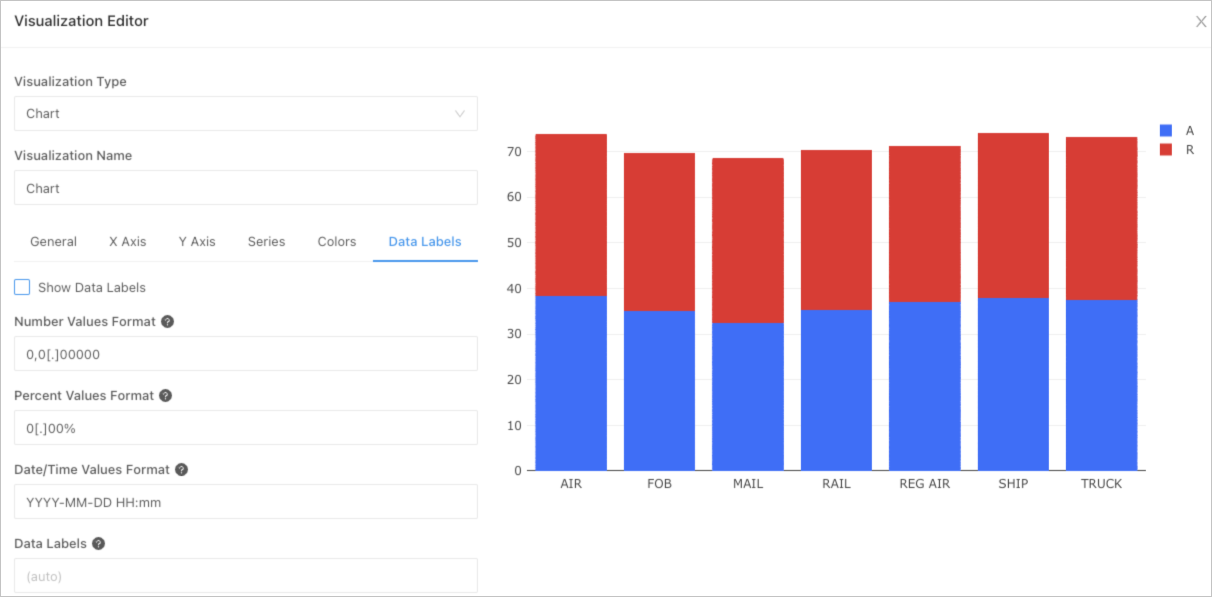
After writing the SQL statement, create a visualization chart.
For more information about queries and visualizations, see the official Redash documentation.