With the Hologres AI Function, you can generate themed character images, ad storyboards, and 10-second promo videos from raw game assets entirely through SQL. The Three Kingdoms tower defense game Arrow Tower: Defend Hanzhong is used as an example.
Background
Ad creative production is central to user acquisition and version launches in the gaming industry. In performance marketing, teams must rapidly produce creatives across styles, themes, and selling points to test click-through rates, conversion rates, and user preferences.
Traditional ad production relies on manual asset collection, creative planning, poster design, storyboard writing, and video editing. This approach has several pain points:
-
Scattered raw assets: Character art, scene images, item icons, game descriptions, and ad copy are spread across different systems, making centralized management difficult.
-
Low creative efficiency: Each ad requires brainstorming a theme, selecting assets, writing a script, and producing a video from scratch.
-
High cost of multi-version testing: Performance marketing ads require extensive A/B testing, and manual methods cannot support high-frequency iteration.
-
Disconnect between creatives and performance: Without a unified system to track ad creatives, script versions, and campaign performance data, building an optimization loop is difficult.
The Hologres AI Function connects the entire pipeline — from game asset management and creative generation to ad content production and performance analysis — into a unified, AI-powered video creation workflow.
Advantages
This solution uses Hologres as an AI creative production hub, integrating multiple model capabilities to automate ad creative generation.
-
End-to-end SQL workflow: Data engineers can call AI models, integrate assets, and generate marketing content entirely through SQL in Hologres, significantly lowering the technical barrier.
-
Unified game asset management: Store multimodal game assets — images, videos, and audio — in Hologres tables and analyze them alongside ad performance data.
-
End-to-end automation: The workflow covers character variation generation, storyboard creation, and video synthesis, producing output in minutes.
-
High scalability: Batch-generate ad content for multiple scenarios to improve content production and ad delivery efficiency.
Workflow
The end-to-end workflow for generating game ad videos with the AI Function is as follows:
-
Store raw game assets and metadata in Hologres.
-
Use a qwen-image model to generate a library of themed images from the raw assets.
-
Based on a prompt, retrieve themed images and use a qwen3.5-plus model to generate a storyboard.
-
Use a wan model to generate an ad video from the themed images and the storyboard.
-
Select a suitable ad video for your campaign.

Prerequisites
-
You have created a Hologres instance of V3.2 or later.
-
You have deployed the required AI models in Hologres, including an image generation model (such as the qwen-image series), a text generation model (such as the qwen series), and a video generation model (such as the wan series). For more information, see AI models and deployment.
-
You have an Object Storage Service (OSS) bucket to store the generated images and videos, and have configured the required RAM role authorization (for more information, see Preparations). If you have not activated OSS, see Activate OSS. The OSS bucket must be in the same region as your Hologres instance. Otherwise, the
to_file()function cannot access OSS through an internal endpoint. For more information about the ai_gen and to_file() functions, see Use AI Function to generate images or videos.The OSS internal endpoint used in the examples in this topic is
oss-cn-hangzhou-internal.aliyuncs.comfor the China (Hangzhou) region. If your instance is in a different region, replace the endpoint with the one for your region. The format isoss-cn-<region>-internal.aliyuncs.com. For example, the endpoint for the China (Shanghai) region isoss-cn-shanghai-internal.aliyuncs.com. -
The model names used in the examples in this topic, such as
qwen_image_2_pro,qwen3_5_plus, andwan26_r2v_flash, are the deployment names configured in the Hologres console. Replace them with your actual deployment names. You can run the following SQL statement to query the list of deployed models in the current instance:SELECT * FROM pg_catalog.hg_ai_models;
The RAM role must meet the following conditions. For more information, see RAM role authorization modes.
-
Trust policy: The trust policy must allow the Hologres service to assume this role. Edit the trust policy of the role in the RAM console to ensure it includes the following content:
{ "Statement": [ { "Action": "sts:AssumeRole", "Effect": "Allow", "Principal": { "Service": [ "hologres.aliyuncs.com" ] } } ], "Version": "1" } -
Permission policy: The role must have permissions to access OSS. You can either attach the system policy
AliyunOSSFullAccessor create a custom policy to grant only read and write permissions on a specific bucket:{ "Version": "1", "Statement": [ { "Effect": "Allow", "Action": [ "oss:GetObject", "oss:PutObject", "oss:GetBucketInfo" ], "Resource": [ "acs:oss:*:*:<BucketName>", "acs:oss:*:*:<BucketName>/*" ] } ] }
Step 1: Prepare game assets
Create a table in Hologres to store game metadata and raw asset paths.
-- Create the game information table
DROP TABLE IF EXISTS game_info;
CREATE TABLE game_info(
    name TEXT,
    intro TEXT,
    motivation TEXT,
    art_style TEXT,
    material_list TEXT[]
);

-- Insert the game information
INSERT INTO game_info (name, intro, motivation, art_style, material_list)
VALUES (
    'Arrow Tower: Defend Hanzhong',
    'Arrow Tower: Defend Hanzhong is a casual tower defense game set in the Three Kingdoms period. In this turbulent era, you will take on the role of a commander responsible for defending your territory!
    Gameplay:
    1. Drag and drop various defense towers onto the preset paths.
    2. Click to upgrade existing towers to increase their power.
    3. At critical moments, click to release hero skills to instantly turn the tide of battle.',
    'Strategy Tower Defense',
    'Flat, Chinese style, minimalist characters',
    ARRAY[
        'oss://<BucketName>/images/liubei.png',
        'oss://<BucketName>/images/lvbu.png'
    ]
);
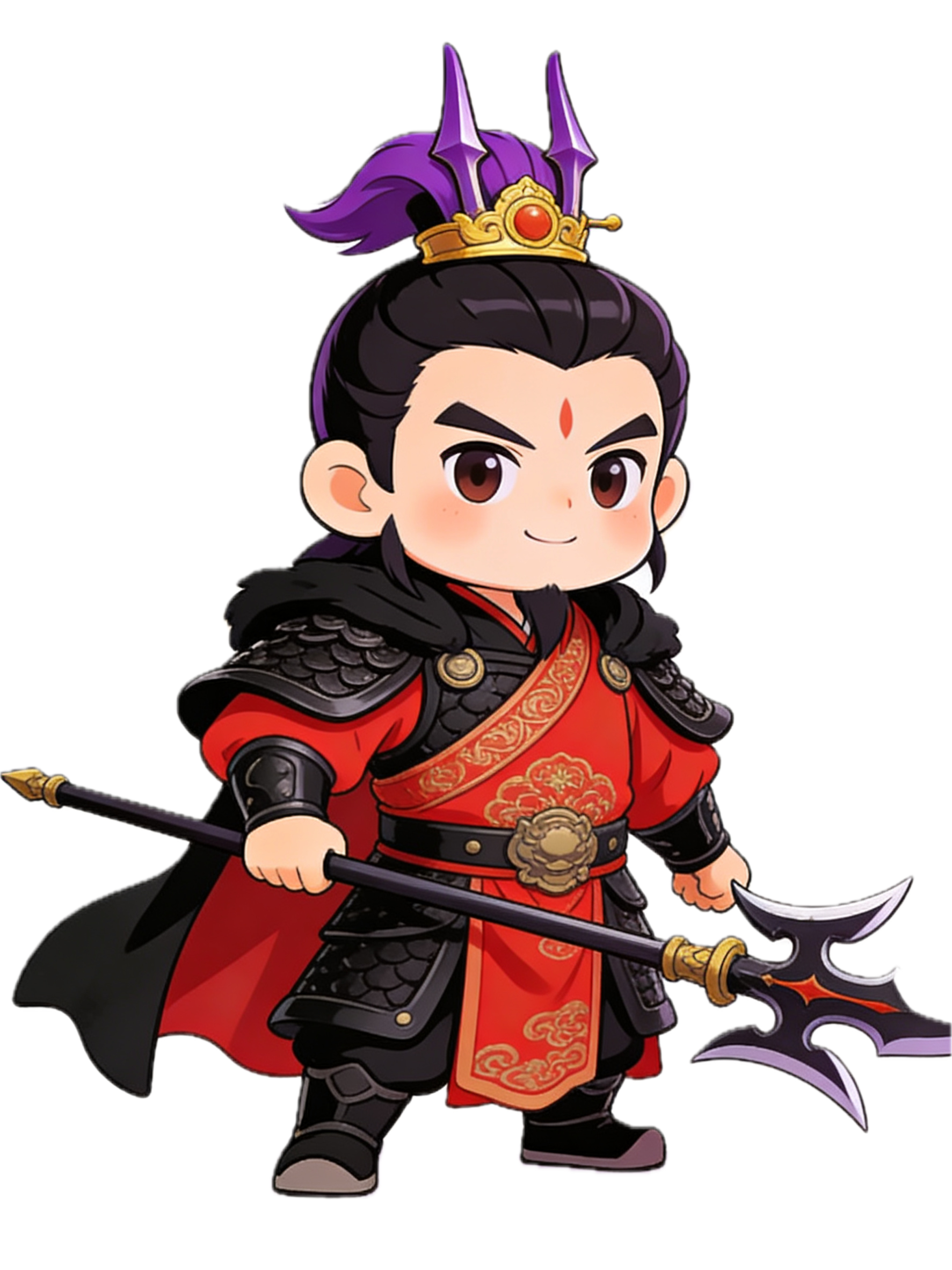
The material_list column stores the OSS paths of the raw character images.
Asset examples: Actual in-game images of characters, backgrounds, and other elements.
|
oss://<BucketName>/images/liubei.png |
oss://<BucketName>/images/lvbu.png |
|
|
|
|
Liu Bei |
Lü Bu |

Step 2: Create theme prompts
Generate themed variations of the original character images for use as ad creatives.
-- Create the theme style prompt table
DROP TABLE IF EXISTS video_style;
CREATE TABLE video_style(
    name TEXT PRIMARY KEY,
    prompt TEXT
);

-- Insert prompts for different themes
INSERT INTO video_style VALUES
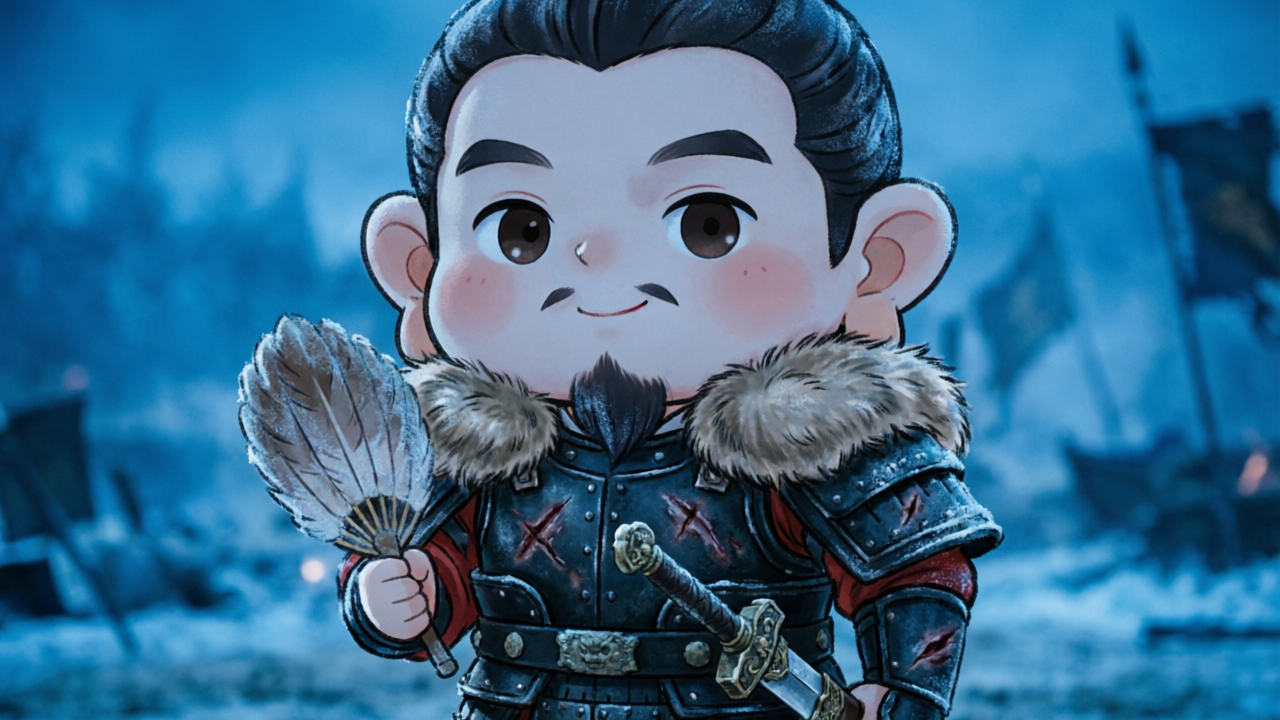
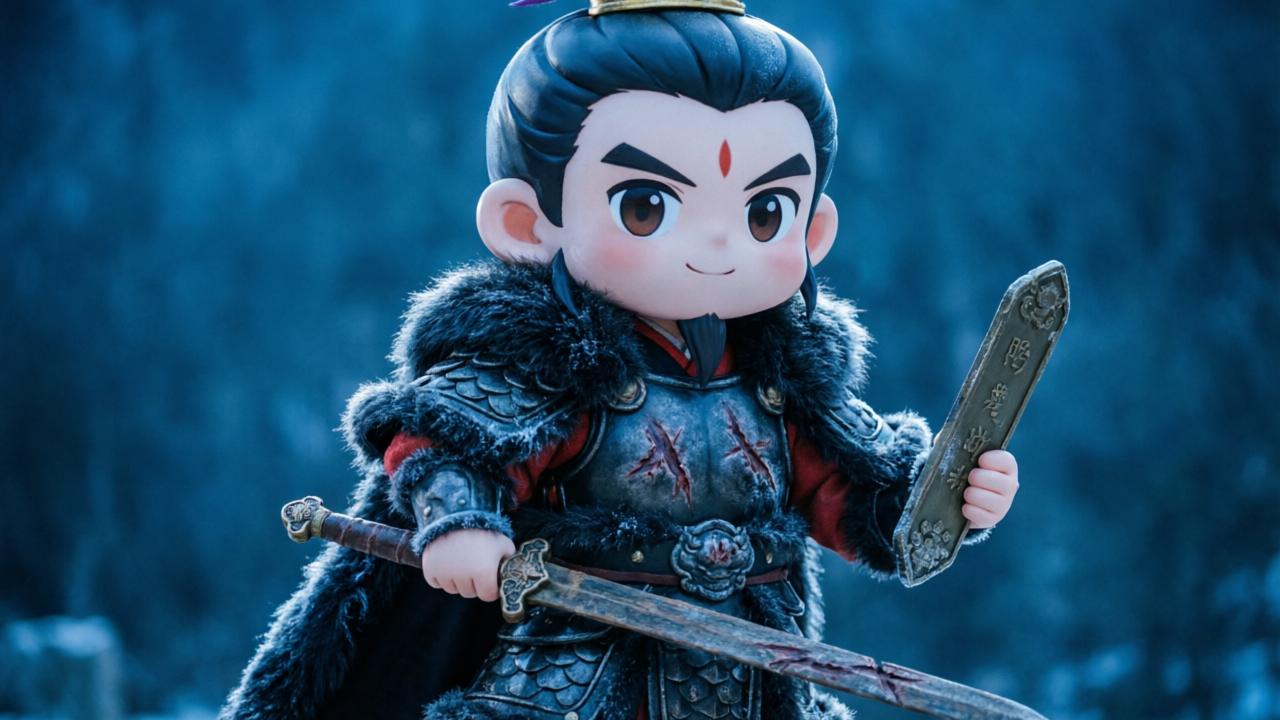
('Northern Warlord', 'Keep the character portrait unchanged, and generate a Q-style character wearing heavy, black, fur-collared metal armor with frost and battle scars. Use cold blue lighting, an epic cinematic feel, and stunningly detailed Q-style characters.'),
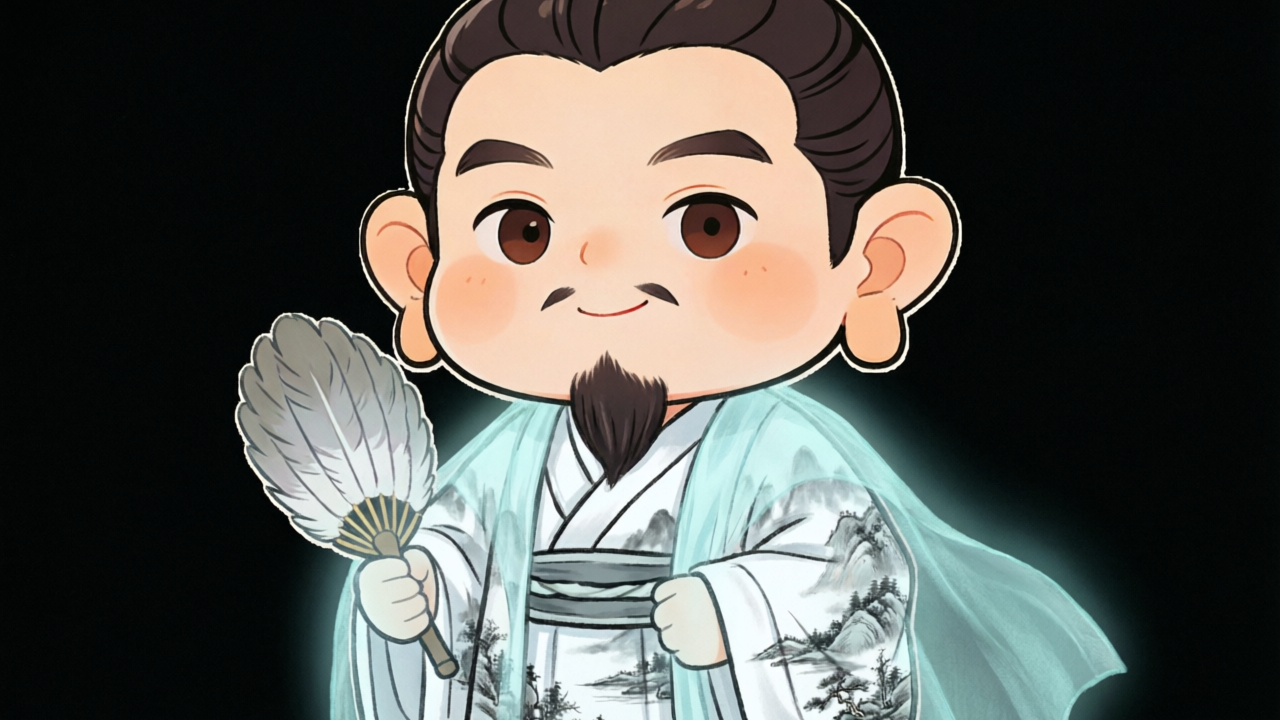
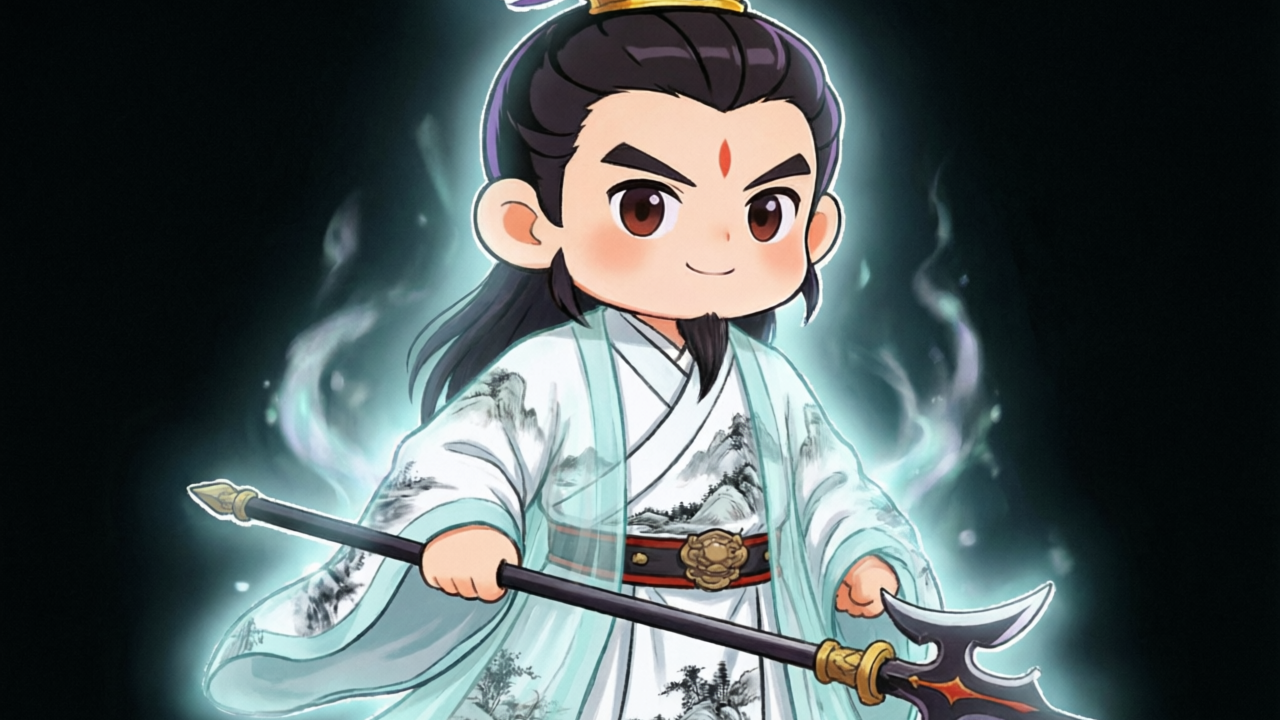
('Cloud Sea Sword Immortal', 'Keep the character portrait unchanged, and transform an elegant Three Kingdoms strategist into an ethereal sword immortal. The Q-style character wears a moon-white, wide-sleeved robe with faint ink-wash landscape patterns.'),
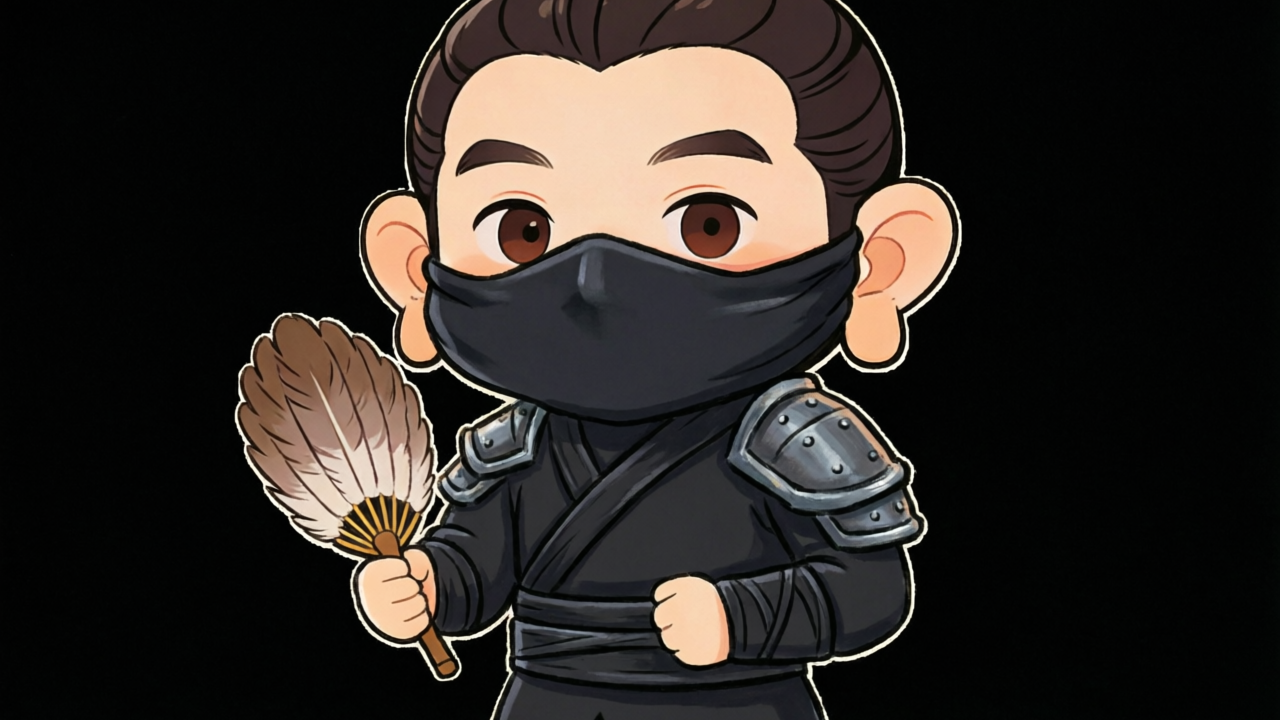
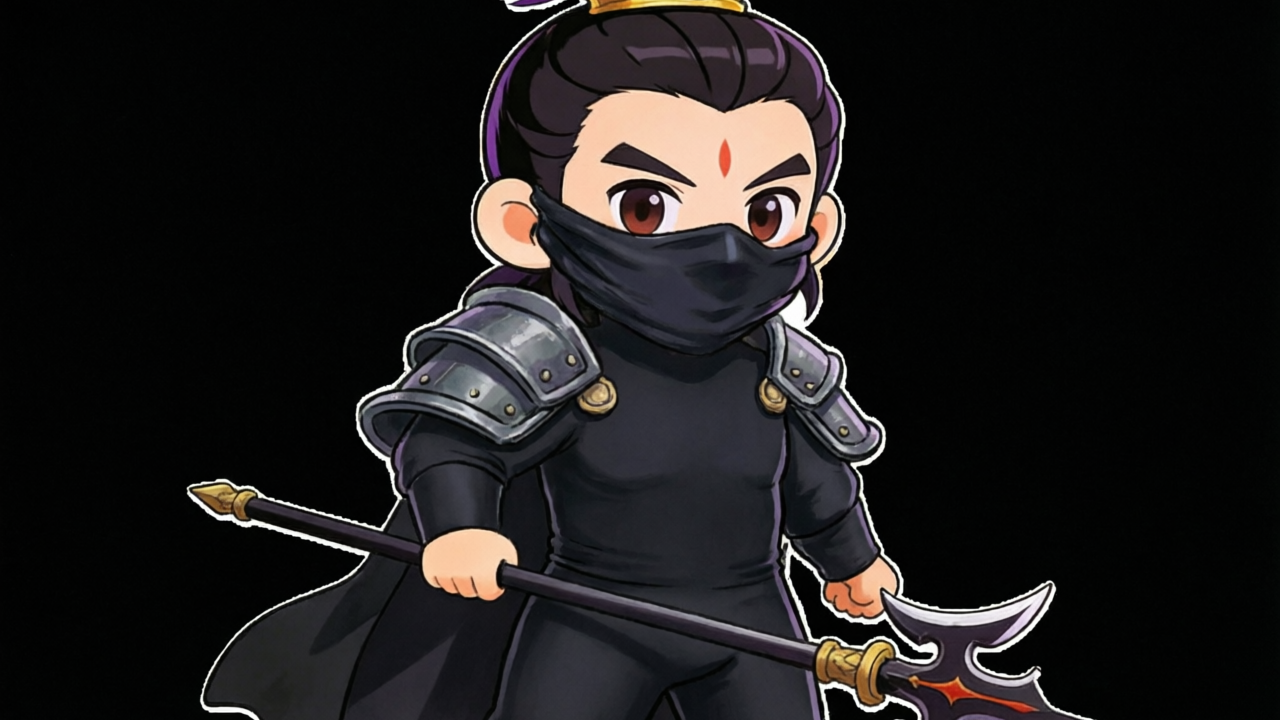
('Netherworld Nightwalker', 'Keep the character portrait unchanged, and transform the character into a mysterious shadow assassin. The Q-style character wears matte black, form-fitting night gear and a mask that covers half of their face.'),
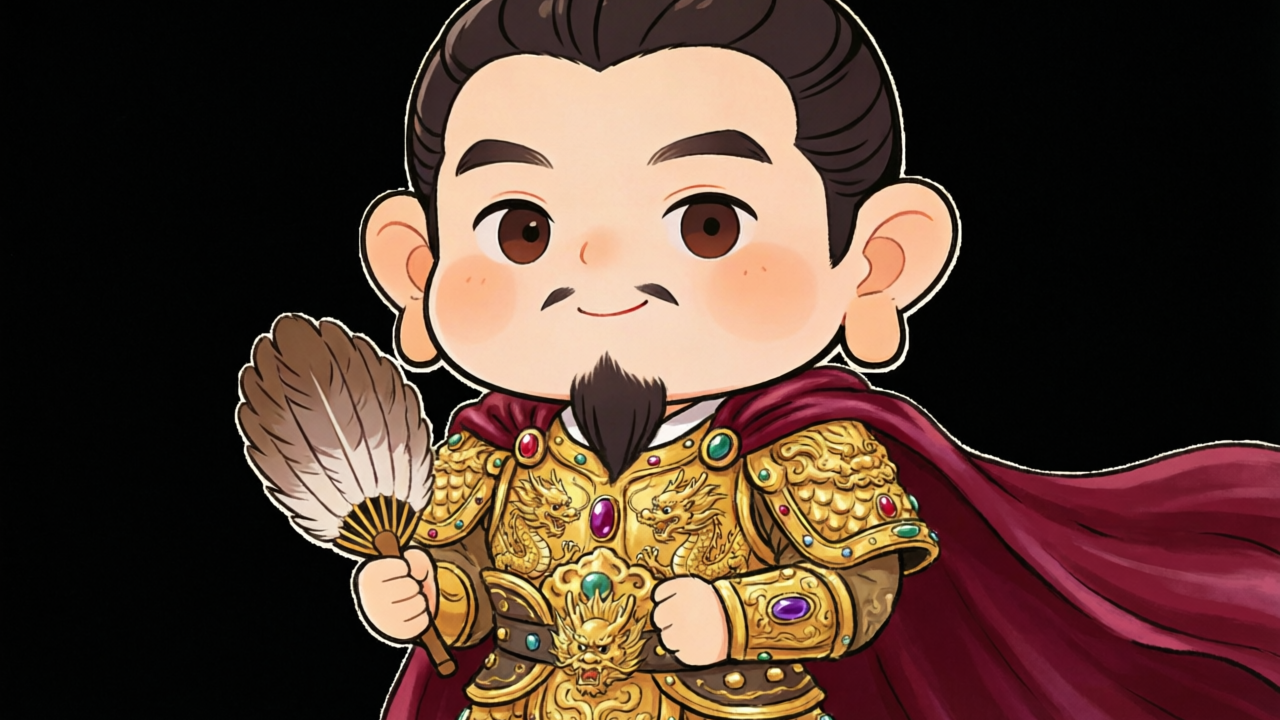
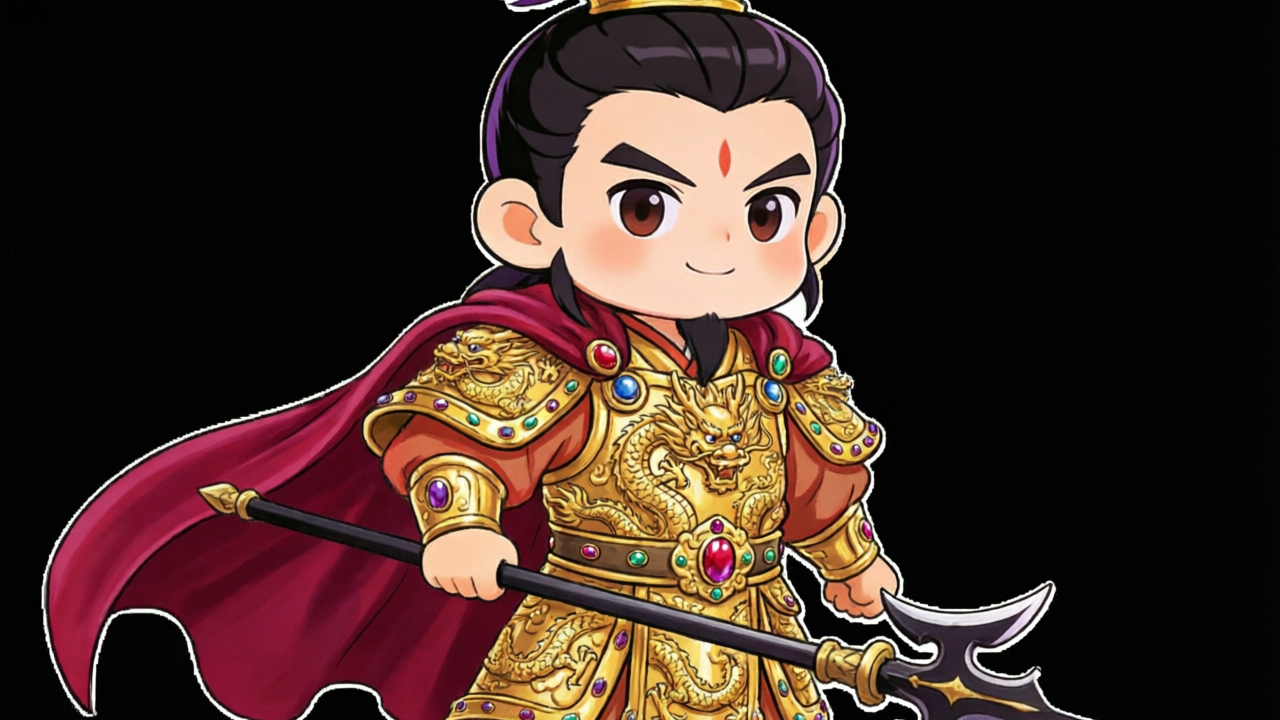
('Golden Armor', 'Keep the character portrait unchanged, and generate a Q-style character wearing a magnificent suit of golden armor adorned with dragon motifs and jewels, with a crimson silk cape.');
Step 3: Generate themed images
Generate themed images for each character. This example produces four themed images per character by calling the ai_gen() function with the qwen_image_2_pro model.
-- Create a results table for the generated images
DROP TABLE IF EXISTS generated_images;
CREATE TABLE generated_images(
    game_name TEXT,
    style_name TEXT,
    style_desc TEXT,
    character1 TEXT,
    character2 TEXT
);

-- Batch generate themed images and store the results
WITH person_prompt AS (
    SELECT game_info.name AS game_name,
           video_style.name AS style_name,
           material_list[1] AS character1,
           material_list[2] AS character2,
           prompt
    FROM game_info, video_style
    WHERE game_info.name = 'Arrow Tower: Defend Hanzhong'
),
gen_image AS (
    SELECT game_name, style_name, prompt AS style_desc,
        ai_gen('qwen_image_2_pro', json_build_object(
            'prompt', prompt,
            'reference_urls', array[character1],
            'parameters', json_build_object(
                'size', '1280*720',
                'n', 1,
                'watermark', false
            ),
            'output_dir', 'oss://<BucketName>/images/'
        )::text, to_file(character1, 'oss-cn-hangzhou-internal.aliyuncs.com',
            'acs:ram::<AccountId>:role/<RoleName>')) AS obj1,
        ai_gen('qwen_image_2_pro', json_build_object(
            'prompt', prompt,
            'reference_urls', array[character2],
            'parameters', json_build_object(
                'size', '1280*720',
                'n', 1,
                'watermark', false
            ),
            'output_dir', 'oss://<BucketName>/images/'
        )::text, to_file(character2, 'oss-cn-hangzhou-internal.aliyuncs.com',
            'acs:ram::<AccountId>:role/<RoleName>')) AS obj2
    FROM person_prompt
),
image_urls AS (
    SELECT game_name, style_name, style_desc,
           obj1::json->'image_oss_paths' ->> 0 AS character1,
           obj2::json->'image_oss_paths' ->> 0 AS character2
    FROM gen_image
)
INSERT INTO generated_images SELECT * FROM image_urls;
After the query completes, the generated_images table stores the OSS paths of the generated images for each character and theme.
|
Game name |
Style name |
Style description |
Character 1 |
Character 2 |
|
Arrow Tower: Defend Hanzhong |
Golden Armor |
Keep the character portrait unchanged, and generate a Q-style character wearing a magnificent suit of golden armor adorned with dragon motifs and jewels, with a crimson silk cape. |
oss://<BucketName>/images/142ac543-d241-4127-ad47-75a02d7b8b32.png |
oss://<BucketName>/images/838d2735-e9fa-4a52-9124-880941203103.png |
|
Arrow Tower: Defend Hanzhong |
Cloud Sea Sword Immortal |
Keep the character portrait unchanged, and transform an elegant Three Kingdoms strategist into an ethereal sword immortal. The Q-style character wears a moon-white, wide-sleeved robe with faint ink-wash landscape patterns. |
oss://<BucketName>/images/596bb585-1722-4752-aaa7-a48d53184e2b.png |
oss://<BucketName>/images/1703a30c-be46-4128-88d0-ee3eea0c72a3.png |
|
Arrow Tower: Defend Hanzhong |
Netherworld Nightwalker |
Keep the character portrait unchanged, and transform the character into a mysterious shadow assassin. The Q-style character wears matte black, form-fitting night gear and a mask that covers half of their face. |
oss://<BucketName>/images/914873db-8dd5-47b5-98ed-d5ba1e0cdba0.png |
oss://<BucketName>/images/d09e4316-8f69-4926-b58f-59054b381c6d.png |
|
Arrow Tower: Defend Hanzhong |
Northern Warlord |
Keep the character portrait unchanged, and generate a Q-style character wearing heavy, black, fur-collared metal armor with frost and battle scars. Use cold blue lighting, an epic cinematic feel, and stunningly detailed Q-style characters. |
oss://<BucketName>/images/29a02d94-7da9-43e7-a272-0e7d0bf1b55a.png |
oss://<BucketName>/images/0c41e5a2-2930-4895-a5ee-3bca1e060b2f.png |
|
Liu Bei |
Lü Bu |
|
|
|
|
|
|
|
|
|
|
|
|
Step 4: Generate a storyboard
Use the themed images as video assets and call a large language model (LLM) to generate an ad storyboard.
-- Create the prompt template table
DROP TABLE IF EXISTS prompts;
CREATE TABLE prompts (
    id BIGINT,
    prompt TEXT
);

-- Insert the prompt template for storyboard generation
INSERT INTO prompts VALUES (10,
'Your task is to generate copy for a 10-second video ad creative for a mobile game.

<game_name>{0}</game_name>
<game_intro>{1}</game_intro>
<player_motivation>{2}</player_motivation>
<art_style>{3}</art_style>
<image_assets>{4} {5}</image_assets>

Video creative structure:
1. Opening (2 seconds): Select one image, display the game name, and show exaggerated special effects.
2. Middle (6 seconds): Showcase one core gameplay mechanic. Select two images and describe the character''s actions and effects.
3. Ending (2 seconds): Feature all characters and include a call to action.

Requirements: Focus on the player''s motivation. The script must not exceed 10 seconds. Use the full image paths.');
Call the qwen3_5_plus model with the template to generate a storyboard:
-- Generate the storyboard
WITH game_material AS (
    SELECT * FROM game_info
    LEFT JOIN generated_images ON name = game_name
    WHERE game_name = 'Arrow Tower: Defend Hanzhong' AND style_name = 'Cloud Sea Sword Immortal'
),
tmp_prompt AS (
    SELECT json_build_object(
        'prompt', prompt,
        'args', json_build_array(
            name, intro, motivation, art_style,
            to_file(character1, 'oss-cn-hangzhou-internal.aliyuncs.com',
                'acs:ram::<AccountId>:role/<RoleName>'),
            to_file(character2, 'oss-cn-hangzhou-internal.aliyuncs.com',
                'acs:ram::<AccountId>:role/<RoleName>')
        )
    ) AS prompt, character1, character2
    FROM game_material, prompts WHERE id = 10
),
story_script AS (
    SELECT ai_gen('qwen3_5_plus', prompt::text,
        to_file(character1,
            'oss-cn-hangzhou-internal.aliyuncs.com',
            'acs:ram::<AccountId>:role/<RoleName>')) AS script,
        character1, character2
    FROM tmp_prompt
)
SELECT script FROM story_script;
Example storyboard:
**Video script: 10-second placement creative for “Arrow Tower: Defend Hanzhong”**

**Duration:** 10 seconds
**Core selling points:** Chinese-style strategy, casual gameplay, troop deployment

| Time | Visual | Audio/Copy | Notes |
| :--- | :--- | :--- | :--- |
| **00:00 - 00:02**<br>(Opening) | **Asset:** `oss://<BucketName>/images/b1b4c3a7-ee08-4c2c-9db0-ec33f5d93432.png`<br><br>Show a full-body character shot. Blue VFX bursts outward around the character. Big title text appears in the center: **“Arrow Tower: Defend Hanzhong”**. | **(SFX: deep bass rumble + sword ring)**<br>VO: In the chaos of the Three Kingdoms, who will rise? | Use high-appeal visuals to drive clicks and showcase the game name. |
| **00:02 - 00:08**<br>(Middle) | **Asset:** `oss://<BucketName>/images/a1b3dabc-05b5-4f5c-9907-27fd1818cd45.png`<br><br>The chibi character swings a sword. A sweeping sword wave cuts across the screen. Arrow towers rise in the background to block enemies.<br>On-screen text: **Deploy troops · Casual tower defense** | **(SFX: upbeat percussion + arrow shots)**<br>VO: Deploy with your fingertips—build arrow towers and hold back an army! | Combine the strengths of both images (realistic face + chibi body) to show “strategy” + “casual.” |
| **00:08 - 00:10**<br>(Ending) | Freeze on the chibi character’s sword pose. A button pops up at the bottom: **[Challenge now]**.<br>Multiple chibi silhouettes appear in the background (hinting at a hero roster). | **(SFX: victory horn)**<br>VO: Join “Arrow Tower: Defend Hanzhong” and defend Hanzhong! | Strong call to action (CTA). |
**Video script: 10-second placement creative for “Arrow Tower: Defend Hanzhong”**
**Total duration:** 10 seconds
**Core motivation:** Strategy tower defense / Casual gameplay
---
**[0-2s] Opening: Hook with VFX and brand reveal**
* **Visual:** Use `oss://<BucketName>/images/596bb585-1722-4752-aaa7-a48d53184e2b.png`.
* **Action:** A huge game logo “Arrow Tower: Defend Hanzhong” appears in the center. A strong blue shockwave explodes behind the character. The sword glows to create a “god-tier hero arrives” feel.
* **SFX/VO:** “In the chaos of the Three Kingdoms, who will rise?” (with emphasis)
**[2-8s] Middle: Show the core mechanic (strategic placement)**
* **Visual:** Cut to `oss://<BucketName>/images/1703a30c-be46-4128-88d0-ee3eea0c72a3.png`.
* **Action:**
* **2-5s:** Zoom in on the glowing sword. The sword tip points to the right side of the screen (to suggest incoming enemies). The character’s robe flutters as they take a defensive stance.
* **5-8s:** An ink-wash defensive formation effect appears around the character. A crisp “ding” sound sells the feel of “one-tap deployment.”
* **Text:** “Easy placement, arrow towers strike!”
**[8-10s] Ending: Call to action**
* **Visual:** Freeze on the final sword pose. Overlay a “Download now” button style.
* **Action:** The character looks straight at the camera. A download arrow pops up at the bottom.
* **VO:** “Come to ‘Arrow Tower: Defend Hanzhong’ and defend your city!”Step 5: Generate the video
Pass the storyboard and themed images to a video generation model to create the ad video. This example uses the wan26_r2v_flash model.
-- Generate the ad video (combines storyboard and video generation in one step)
WITH game_material AS (
    SELECT * FROM game_info
    LEFT JOIN generated_images ON name = game_name
    WHERE game_name = 'Arrow Tower: Defend Hanzhong' AND style_name = 'Cloud Sea Sword Immortal'
),
tmp_prompt AS (
    SELECT json_build_object(
        'prompt', prompt,
        'args', json_build_array(
            name, intro, motivation, art_style,
            to_file(character1, 'oss-cn-hangzhou-internal.aliyuncs.com',
                'acs:ram::<AccountId>:role/<RoleName>'),
            to_file(character2, 'oss-cn-hangzhou-internal.aliyuncs.com',
                'acs:ram::<AccountId>:role/<RoleName>')
        )
    ) AS prompt, character1, character2
    FROM game_material, prompts WHERE id = 10
),
story_script AS (
    SELECT ai_gen('qwen3_5_plus', prompt::text,
        to_file(character1,
            'oss-cn-hangzhou-internal.aliyuncs.com',
            'acs:ram::<AccountId>:role/<RoleName>')) AS script,
        character1, character2
    FROM tmp_prompt
)
SELECT character1, character2,
    ai_gen('wan26_r2v_flash', json_build_object(
        'prompt', script,
        'reference_urls', array[character1, character2],
        'parameters', json_build_object(
            'size', '1280*720',
            'duration', 10,
            'shot_type', 'multi',
            'audio', true,
            'watermark', true
        ),
        'output_dir', 'oss://<BucketName>/videos/'
    )::text,
    to_file(character1,
        'oss-cn-hangzhou-internal.aliyuncs.com',
        'acs:ram::<AccountId>:role/<RoleName>')) AS video_result,
    script
FROM story_script;
After the query completes, the video_url field in the result contains the URL of the generated ad video. The video is also saved to the specified OSS directory.
Step 6: Preview videos
Generated videos:
-
Northern Warlord
-
Cloud Sea Sword Immortal