Learn how to encrypt data at rest for your Hologres instance.
Background
Alibaba Cloud's Key Management Service (KMS) creates, stores, and manages encryption keys to protect sensitive data at rest and in transit.
Hologres supports encryption at rest using KMS. When enabled, KMS encrypts data into ciphertext for storage. Only the corresponding key can decrypt the original data. This feature protects data at the storage layer, enhances security against external attacks, and aids in meeting enterprise compliance requirements. Enabling encryption at rest is processing-intensive and may affect query and write performance by 20% to 40%, depending on your query characteristics.
Important notes
Only Hologres V1.1 and later support encryption at rest. If your instance is running an earlier version, upgrade your instance or get online support.
For an instance earlier than V1.3.31, you must add backend configurations to use encryption at rest. We recommend upgrading your instance.
Operations on your Bring Your Own Key (BYOK) in KMS, such as disabling or deleting the key, will affect encryption and decryption in Hologres. Due to caching in Hologres, changes you make in KMS take effect within 24 hours.
Encryption at rest applies only to tables created after you enable the feature. Existing tables are not automatically encrypted.
After you enable encryption at rest, you can still map tables to MaxCompute for data reads and writes.
Disabling encryption at rest using the provided SQL statement does not decrypt existing data. Only new tables created after disabling encryption will be unencrypted.
ALTER DATABASE <database_name> set hg_experimental_encryption_options='';If the KMS key for an encrypted table becomes disabled or invalid, you will be unable to read from or write to that table.
Starting with Hologres V2.0, you can configure separate encryption setting per table.
Encryption at rest is supported for columnar tables and the columnar parts of hybrid row-column store tables. After the feature is enabled, Hologres foreign tables in MaxCompute can still be created for data access, but only data in supported table types will be encrypted.
How it works
The encryption mechanism works as follows:
Hologres encrypts and decrypts data on a per-database basis using keys managed by KMS. This feature requires KMS to be activated in your region.
KMS generates and manages your keys and ensures their security.
Hologres supports AES256, AESCTR, RC4, and SM4 encryption algorithms.
Hologres utilizes a BYOK model, allowing you to use either KMS-generated Customer Master Key (CMK) material or your own imported key material.
You can create a BYOK key in KMS and then select it in Hologres to encrypt a database. For more information, see Create a key.
During data operations, Hologres calls KMS APIs to retrieve key information, which is cached for 24 hours by default. Using this encryption feature incurs KMS fees. See Billing of KMS.
Procedure
Create a custom policy.
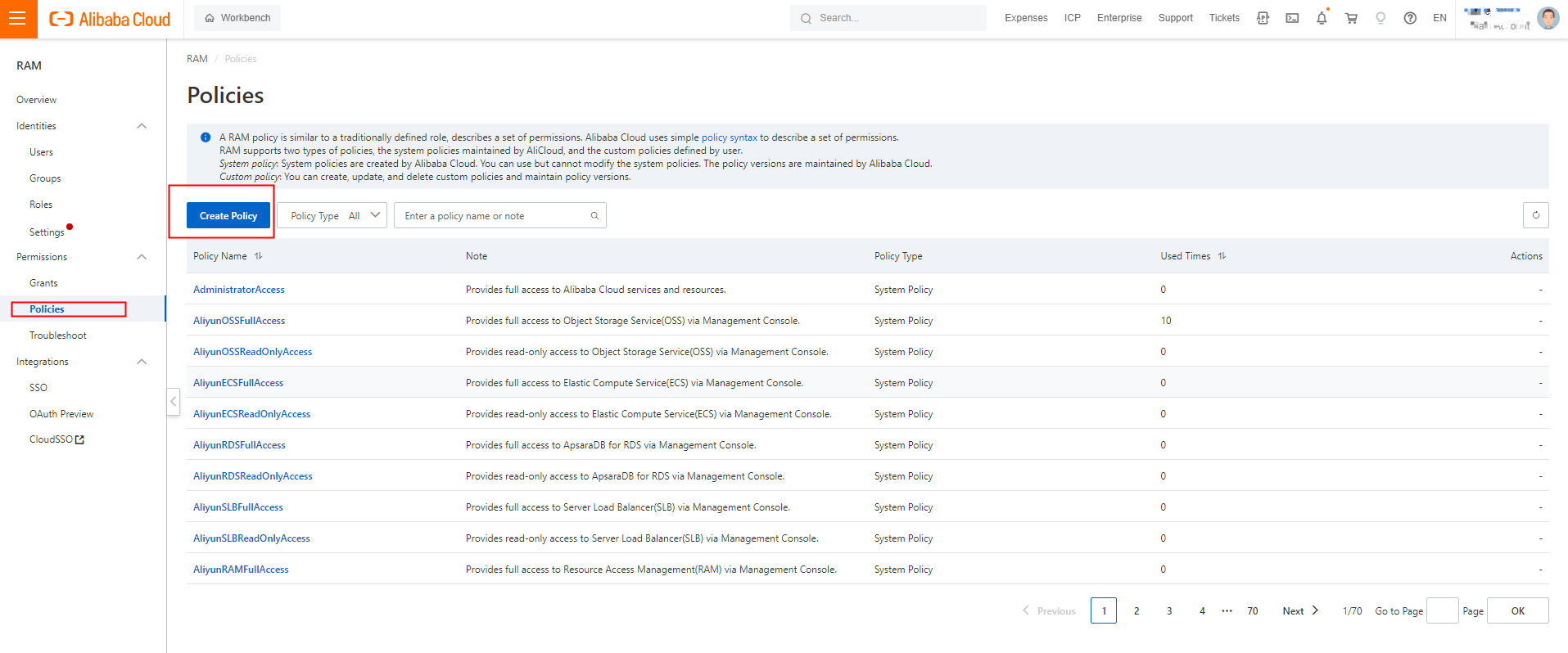
Log on to the Resource Access Management (RAM) console. In the left-side navigation pane, choose Permissions > Policies. On the Policies page, click Create Policy.
On the Create Policy page, click JSON. On the JSON tab, enter the following script in the code editor and set Name to AliyunHologresEncryptionDefaultRolePolicy.
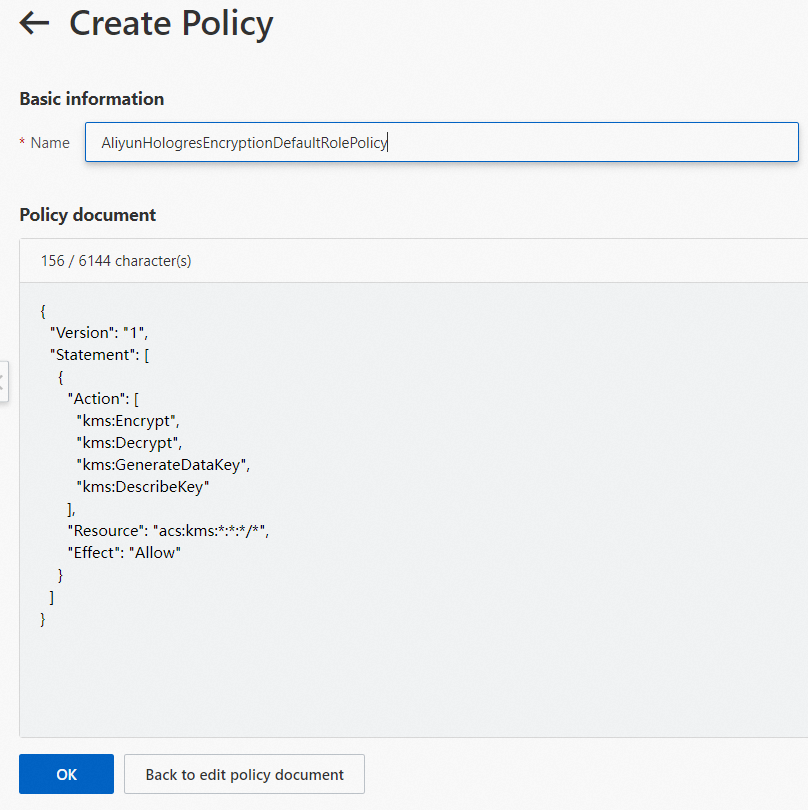
{
    "Version": "1",
    "Statement": [
        {
            "Action": [
                "kms:Encrypt",
                "kms:Decrypt",
                "kms:GenerateDataKey",
                "kms:DescribeKey"
            ],
            "Resource": "acs:kms:*:*:*/*",
            "Effect": "Allow"
        }
    ]
}
Click OK. The custom policy is created.
Create a RAM role and grant permissions to the RAM role.
Log on to the RAM console. In the left navigation pane, choose .
On the Roles page, click Create Role. On the Create Role page, set Principal Type to Cloud Service, and Principal Name to Hologres.
Click OK. In the dialog, enter
AliyunHologresEncryptionDefaultRolein the Role Name field, and click OK.
On the role details page, click Grant Permission.
In the Grant Permission panel, set Resource Scope to Account. For Policy, select the custom policy
AliyunHologresEncryptionDefaultRolePolicycreated in step 1.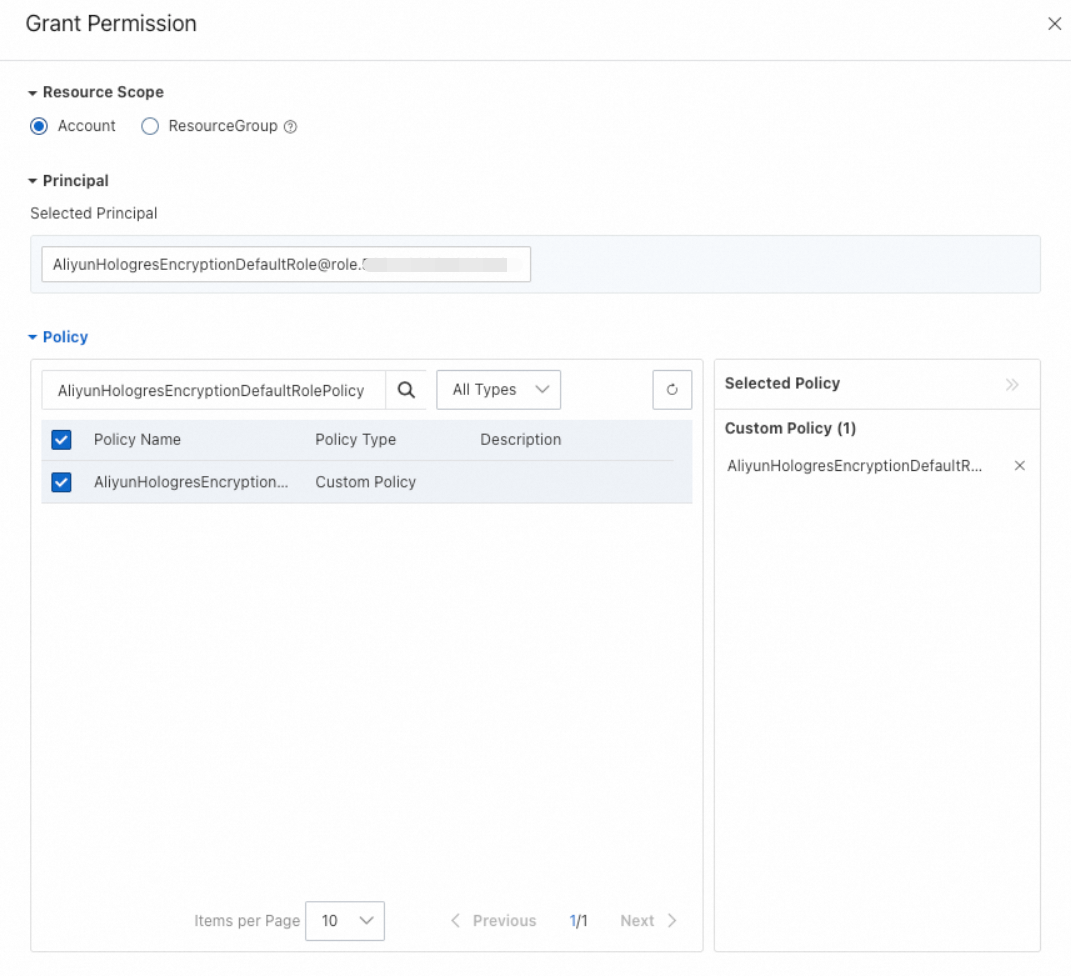
Click OK.
On the role's details page, click the Trust Policy tab to check the trust policy.
Create a key.
For details, see Getting started with keys.
ImportantHologres supports only symmetric keys of the
Aliyun_AES_256type.Enable encryption for a database.
Connect to your Hologres database for which you want to enable encryption at rest. For more information, see Log on to a database.
Choose SQL Editor in the top navigation menu. On the Ad-hoc Query page, set Instance Name and Database. Enter the following statement in the SQL editor and click Run.
ALTER DATABASE <db_name> SET hg_experimental_encryption_options='<encryption_type>,<cmk_id>,<ram_role>,<uid>';Parameter description:
Parameter
Description
db_name
The database name.
encryption_type
The encryption algorithm. Valid values include
AES256,AESCTR, andRC4.cmk_id
The key ID, obtained from the key details page in the KMS console.
ram_role
The RAM role name you created.
uid
Your Alibaba Cloud Account ID. For more information, see View the account ID.
Example:
Enable encryption at rest for the database
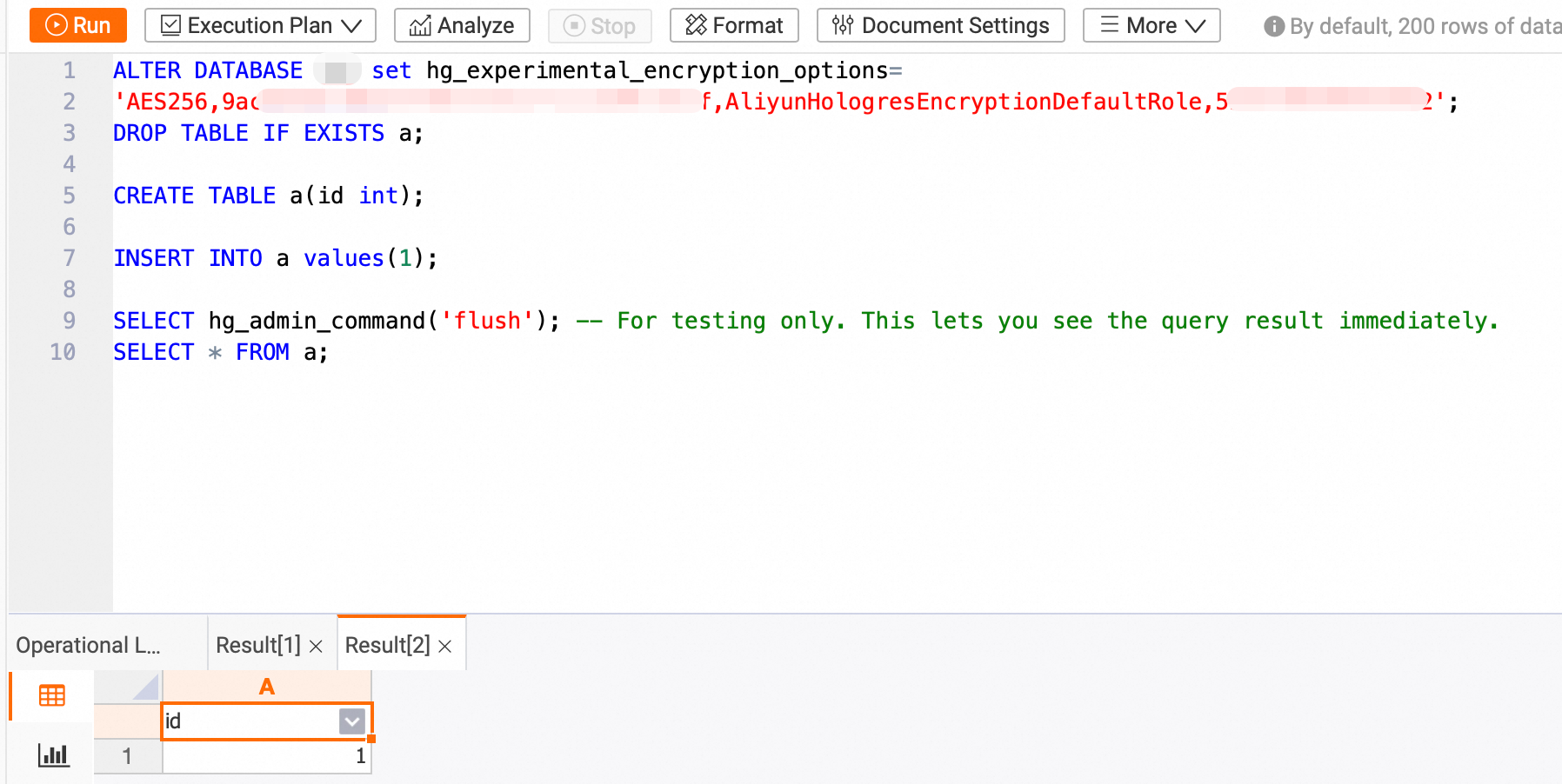
hoxxxx.ALTER DATABASE hoxxxx set hg_experimental_encryption_options= 'AES256,623c26ee-xxxx-xxxx-xxxx-91d323cc4855,AliyunHologresEncryptionDefaultRole,187xxxxxxxxxxxxx';Create a table and insert data.
DROP TABLE IF EXISTS a;

CREATE TABLE a(id int);

INSERT INTO a values(1);

SELECT hg_admin_command('flush'); -- For testing only. This lets you see the query result immediately.
Query the data.
SELECT * FROM a;The following result is returned.
If you disable the key and restart the instance or query table
aafter 24 hours, an error is reported.
Table-level encryption settings
Starting with Hologres V2.0, you can apply distinct encryption policies to individual tables within an encrypted database. This allows for flexibility, enabling you to choose whether certain tables remain unencrypted or are encrypted with a unique KMS key.
Set table-level encryption
Notes:
By default, a table's encryption setting inherits that of the database, specified by
hg_experimental_encryption_options.To configure an independent encryption setting for a table, specify it during table creation. This setting cannot be modified afterward.
Syntax:
CALL SET_TABLE_PROPERTY('<table_name>', 'encryption_options', '<encryption_type>,<cmk_id>,<ram_role>,<uid>');Parameter Description:
Parameter
Description
table_name
The table name.
encryption_type
The encryption algorithm. Valid values include
AES256,AESCTR, andRC4.cmk_id
The key ID. You can obtain the key ID on the key details page in the Key Management Service console.
ram_role
The RAM role name.
uid
Your Alibaba Cloud account ID. For more information, see View the account ID.
Example:
Create a table named
lineitemand encrypt it using the AES256 algorithm and the CMK with the ID623c26ee-xxxx-xxxx-xxxx-91d323cc4855.BEGIN; CREATE TABLE LINEITEM ( L_ORDERKEY BIGINT NOT NULL, L_PARTKEY INT NOT NULL, L_SUPPKEY INT NOT NULL, L_LINENUMBER INT NOT NULL, L_QUANTITY DECIMAL(15,2) NOT NULL, L_EXTENDEDPRICE DECIMAL(15,2) NOT NULL, L_DISCOUNT DECIMAL(15,2) NOT NULL, L_TAX DECIMAL(15,2) NOT NULL, L_RETURNFLAG TEXT NOT NULL, L_LINESTATUS TEXT NOT NULL, L_SHIPDATE TIMESTAMPTZ NOT NULL, L_COMMITDATE TIMESTAMPTZ NOT NULL, L_RECEIPTDATE TIMESTAMPTZ NOT NULL, L_SHIPINSTRUCT TEXT NOT NULL, L_SHIPMODE TEXT NOT NULL, L_COMMENT TEXT NOT NULL, PRIMARY KEY (L_ORDERKEY,L_LINENUMBER) ); CALL SET_TABLE_PROPERTY('LINEITEM', 'encryption_options', 'AES256,623c26ee-xxxx-xxxx-xxxx-91d323cc4855,AliyunHologresEncryptionDefaultRole,153xxxxxxxxxxxxx'); COMMIT;
View encryption settings
Starting from Hologres V2.0, you can use the following SQL statement to view the encryption rule for each table.
SELECT
    *
FROM
    hologres.hg_table_properties
WHERE
    property_key = 'encryption_options';
Sample result: