Go is a statically compiled language and does not support editing code directly in the Function Compute. You must compile your application locally and package it into a .zip file. This topic describes how to package your application with the Function Compute into a .zip file and upload it to Function Compute.
Prerequisites
Install the Go development environment. Function Compute supports Go 1.x. Use Go 1.8 or a later version.
Compile and package on Linux or macOS
Download the Function Compute SDK for Go.
go get github.com/aliyun/fc-runtime-go-sdk/fcCreate a code file, for example,
main.go. In its directory, run the following command to build the binary file.GOOS=linux go build main.goNotemain.gois an example filename. Replace it with the actual name of your file.After the build, a binary file with the same name as your source file is generated in the current directory.
Set the
GOOS=linuxenvironment variable. This ensures the compiled binary is compatible with the Linux-based Function Compute runtime. This step is critical when compiling on a non-Linux operating system.Additional notes:
On Linux, create a statically linked binary by setting
CGO_ENABLED=0. This ensures the binary file has no external dependencies, such as thelibclibrary, which prevents compatibility issues between your build environment and the Go runtime. Example:GOOS=linux CGO_ENABLED=0 go build main.goWhen compiling on an ARM-based machine, such as a Mac with an M1 chip, set
GOARCH=amd64to cross-compile for the x86-64 architecture used by Function Compute. Example:GOOS=linux GOARCH=amd64 go build main.go
Zip the binary file from the previous step.
zip fc-golang-demo.zip main
Compile and package on Windows
Create a code file, such as
main.go, and follow these steps to build the binary file.Press Win+R to open the Run dialog box.
Type cmd and press Enter to open Command Prompt. Then, run the following commands.
set GOOS=linux set GOARCH=amd64 go build -o main main.goNotemain.gois an example filename. Replace it with the actual name of your file.After the build, a binary file with the same name as your source file is generated in the current directory.
Use the build-fc-zip tool to package the binary file from the previous step.
Install the build-fc-zip tool with the go install command.
set GOOS=windows
set GOARCH=amd64
go install github.com/aliyun/fc-runtime-go-sdk/cmd/build-fc-zip@latest
The go install command typically installs the tool to the %USERPROFILE%\go\bin directory.
In your project's root directory, run the following command to package the code.
%USERPROFILE%\go\bin\build-fc-zip.exe -output main.zip main
Create a function and configure the handler
Create an event-triggered function. For Runtime, select Go 1.
Upload your code package and configure the function's handler. For more information, see Create an event function.
Go is a compiled language. You must compile your code locally and upload the executable binary file as a ZIP package. In the Handler configuration on the Function Compute console, the Handler for a Go FC function must be set directly to
[filename]. This filename is the name of the compiled binary file. When the function is invoked, the Function Compute platform directly executes this binary file.If the binary file is in the root directory of the .zip package, set the Handler for the FC to
main.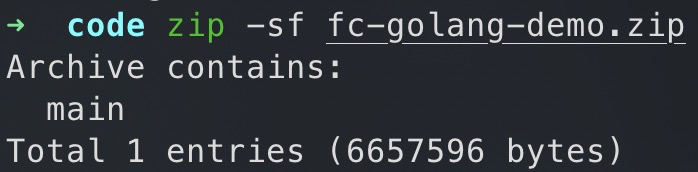
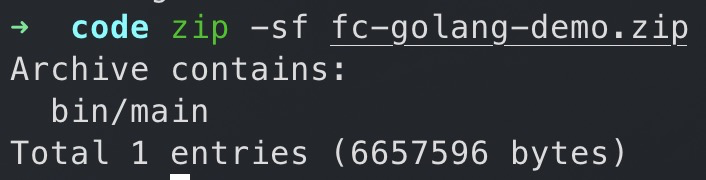
If the binary file is in a subdirectory, such as bin/, set the Handler to the relative path, such as
bin/main.