Query bills
Track Function Compute costs in Expenses and Costs to monitor monthly spending, review billing records and cost breakdowns, and identify resources that are still incurring charges.
View billing records
Log on to Expenses and Costs and open the Overview of Monthly Bill page to see your account's month-to-date spending.

Go to the Bill Details page and click a tab to view the corresponding billing details.
Consumption by bill: Displays each order and its settlement cycle. Filter by the Product Name column to show only Function Compute charges.

Product details: Filter bills by billable item and time period. View product details, consumption types, billable items, prices, and deductions.

Usage records: Export resource usage data to a CSV file for detailed analysis. Set Product to Function Compute, then specify Billable Item, Time Period, and Time Unit. Click Export CSV — the Export Record page appears. When the status changes from Generating to Exported, click Download in the Actions column to save the file.

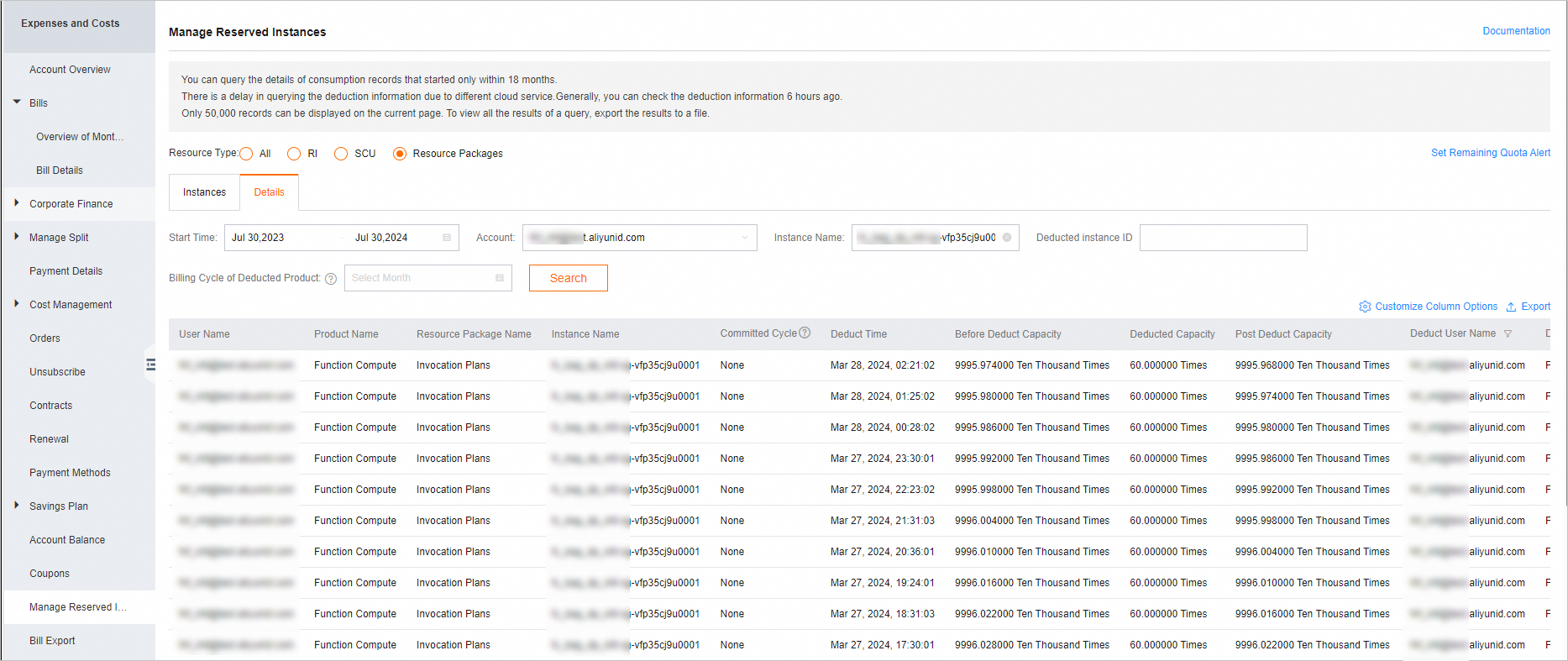
View the usage details of a resource plan
Log on to Expenses and Costs and go to the resource plan usage details page. Enter a resource instance name to view its deduction records.