Environments in Serverless Application Center isolate application deployments across separate regions, virtual private clouds (VPCs), and resource configurations. You can deploy services in isolated environments to achieve high availability or low latency for production services. Each environment scopes resources such as Simple Log Service (SLS), VPC, and File Storage NAS (NAS) independently, so development, testing, and production workloads do not overlap. Different pipeline rules can be associated with each environment -- for example, a commit to a development branch triggers continuous integration (CI) in the test environment, while a merge to the main branch triggers a release in the production environment.
Before you begin
By default, no domain name is assigned to an environment. To use different domain names for different environments, specify the
customDomainsfield in thes.yamlfile of your repository.Hosting Alibaba Cloud resources (SLS, VPC, NAS) in an environment requires the corresponding service permissions. Attach the required policies to the
AliyunFCServerlessDevsRolerole.A service can be deployed in multiple environments. You can determine whether to use the configurations provided by the environment.
Create an environment
Log on to the Function Compute console and open the application details page.
Click Create Environment.

Configure the following parameters:
Parameter Description Environment Name A descriptive name to distinguish this environment. An environment type can have multiple named environments. Environment Type The category for filtering: test, staging, or production. Description Basic information such as region and role name. Region, logging, networking, and storage settings specified here take precedence over s.yaml. For example, ifs.yamlspecifies China (Hangzhou) but the environment is set to China (Beijing), resources deploy to China (Beijing).Pipeline Configurations Each environment maps to one pipeline by default. Configure the pipeline trigger and build steps here.
Branch-to-environment mapping
The recommended workflow maps one branch to one pipeline to one environment:
| Branch | Environment | Trigger |
|---|---|---|
dev | Development | Commit to dev |
test | Test | Commit to test |
main / master | Production | Merge to main |
Use pull requests (PRs) or merge requests (MRs) to promote code from development branches to test branches and then to the main branch.
In some scenarios, multiple applications share the same codebase for different users. A single branch can trigger multiple pipelines, updating multiple environments in one commit.
View environment details
Log on to the Function Compute console.
In the left-side navigation pane, click Applications.
On the Applications page, find your application and click the expand icon on the left side to list its environments.
Click an environment name to open the Environment Details tab. The tab displays: This tab also provides access to cloud-based development and pipeline configuration.
Basic information
Code source configurations
Deployment History
Resources
Roll back an environment
A rollback only affects the business code of the application. Upstream and downstream dependencies -- such as databases -- are not rolled back. For example, if your application cannot connect to a database due to an error, rolling back the application code alone does not resolve the issue.
A rollback redeploys the code and resource configurations (for example, the s.yaml file) captured in the snapshot of a previous deployment.
Open the Environment Details tab for the target environment.
In the Deployment History section, click Roll Back next to the deployment you want to restore.

Manage resources
Serverless Application Center displays resource binding information in read-only mode. To manage resources, use the s.yaml file in your code repository rather than changing settings directly on the resource management page.
Changes made on the resource management page without a corresponding update to s.yaml are overwritten on the next pipeline deployment. For example, if s.yaml sets function memory to 1,024 MB and a developer changes it to 2,048 MB on the management page, the next pipeline deployment resets the memory to 1,024 MB.
Develop in the cloud
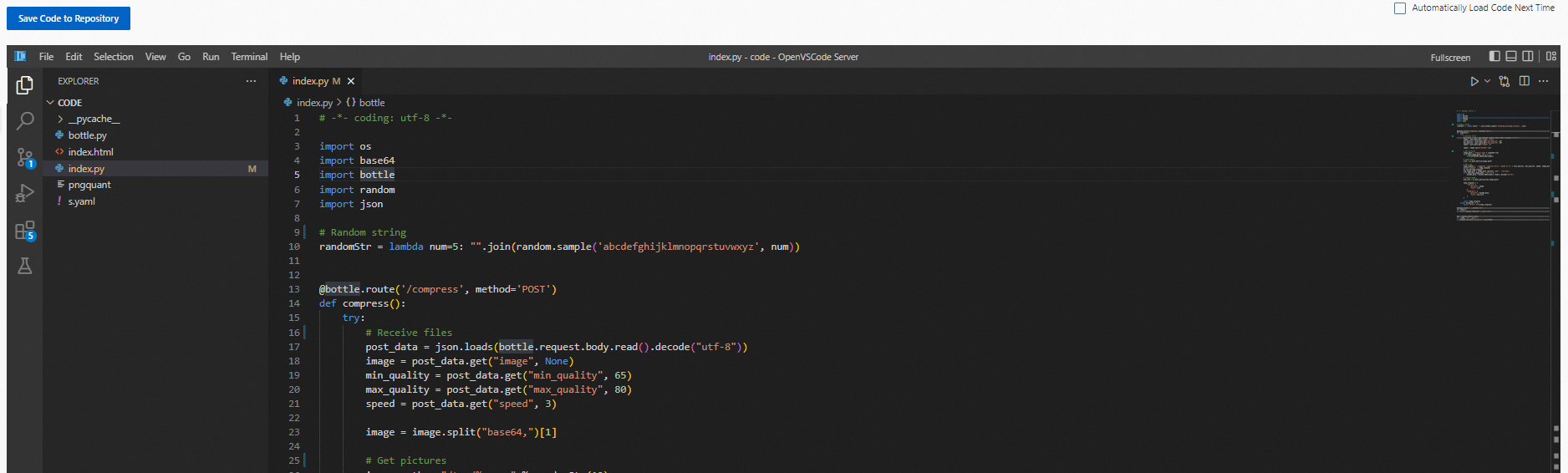
On the application details page, click Cloud Development.
Click Initialize Code Repository to set up the code environment.
After initialization, use WebIDE to view, edit, and debug code.
Push changes to the repository using one of the following methods:
Use the built-in terminal or Git plug-in.
Click Save Code to Repository in the upper-left corner to add, commit, and push in one step.
Configure pipelines
For details on pipeline configuration, see Manage pipelines.
Delete an environment
Log on to the Function Compute console.
In the left-side navigation pane, click Applications.
Find the environment to delete and click Delete in the Actions column.
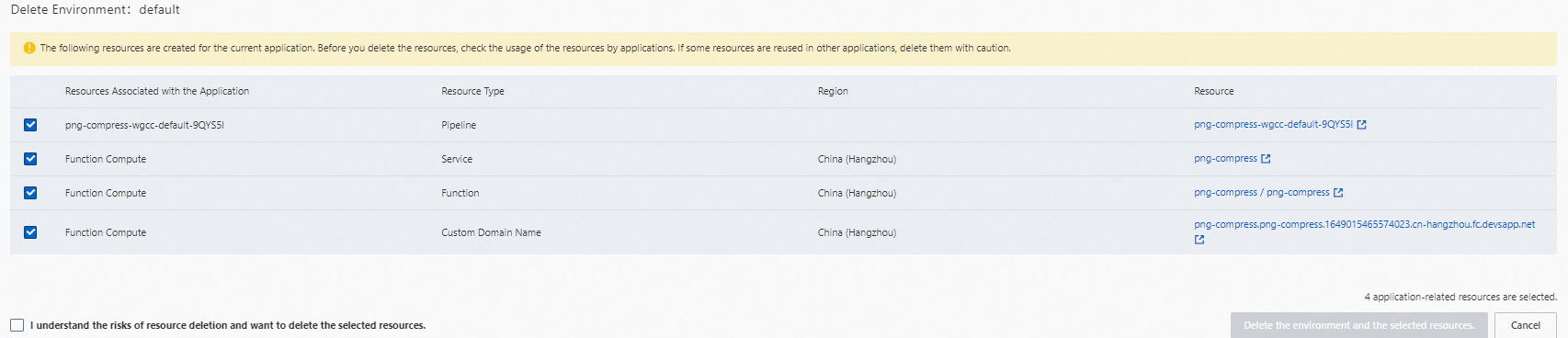
In the confirmation dialog, review the listed resources. Clear the check boxes next to any resources you want to keep.
Deleting an environment may also delete its associated resources. Verify the resource names and types before confirming.
Isolate services across environments
Serverless Application Center follows a GitOps model: Git repositories are the single source of truth for application state, and a YAML file that follows the Serverless Devs YAML specification drives deployments.
In many enterprise settings, R&D and O&M roles have distinct responsibilities. O&M teams manage infrastructure and authorize developers to use it. R&D teams manage application code. If all infrastructure is maintained in a Git repository, O&M personnel must submit code to change the infrastructure, which conflicts with the workflow of most O&M engineers. The following deployment methods address this separation at different scales.
Method 1: Separate YAML files per environment
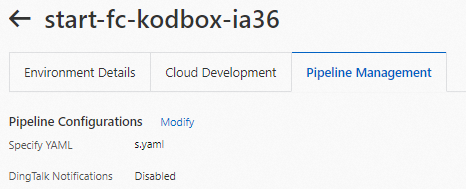
Maintain a dedicated YAML file for each environment and point each pipeline to its corresponding file.
To reduce duplication across YAML files, use YAML inheritance in Serverless Devs.
Method 2: Shared YAML with pipeline environment variables
Use a single YAML file and inject per-environment values through pipeline environment variables using the ${env(VAR_NAME)} syntax.
vars:
  region: ${env(region)}
  service:
    name: demo-service-${env(prefix)}
    internetAccess: true
    logConfig:
      project: ${env(LOG_PROJECT)}
      logstore: fc-console-function-pre
    vpcConfig:
      securityGroupId: ${env(SG_ID)}
      vswitchIds:
        - ${env(VSWITCH_ID)}
      vpcId: ${env(VPC_ID)}
For instructions on setting pipeline environment variables, see the "Pipeline environment variables" section of Manage pipelines.
Method 3: Shared YAML with environment resource outputs
Use a single YAML file and reference the resources bound to each environment through the ${environment.outputs.XXX} syntax.
service:
  logConfig:
    project: ${environment.outputs.slsProject}
    logstore: ${environment.outputs.slsLogStore}
  vpcConfig:
    vpcId: ${environment.outputs.vpcId}
    securityGroupId: ${environment.outputs.securityGroupId}
    vswitchIds:
    - ${environment.outputs.vswitchId}
  nasConfig:
    userId: 10003
    groupId: 10003
    mountPoints:
    - serverAddr: ${environment.outputs.nasMountTargetId}
      nasDir: /fc-deploy-service
      fcDir: /mnt/auto
Choose a method
| Method | Best for | Pros | Cons |
|---|---|---|---|
| 1 -- Separate YAML files | Small teams where all members manage YAML files directly | Most straightforward; each environment is fully self-contained | YAML duplication across environments |
| 2 -- Pipeline environment variables | Teams with distinct R&D and O&M roles and a small number of environments | Clean separation of responsibilities; O&M manages variables, R&D manages code | Hard to scale when infrastructure grows large |
| 3 -- Environment resource outputs | Modern serverless workflows with dynamic environments | Supports on-demand resource provisioning; environments can spin up and tear down automatically during CI; production resource permissions can be granted to R&D on demand | Requires environments to be pre-configured with resource bindings |