Error message
When a function invocation exceeds the configured Execution Timeout Period, Function Compute terminates the execution and returns the following error:
Function time out after
Diagnose the root cause
Before applying a fix, identify why the timeout occurs:
On the Logs tab, click Enable to turn on logging.

Configure request-level metric logs for services to capture per-request duration and status.

Review the logs to determine which operation or logic branch consumes the most time.
Match your findings to one of the causes below.
Cause 1: Function code execution exceeds the Execution Timeout Period
The function takes longer to run than the configured Execution Timeout Period value.
Solution
Increase the Execution Timeout Period value. For instructions, see Update a function.
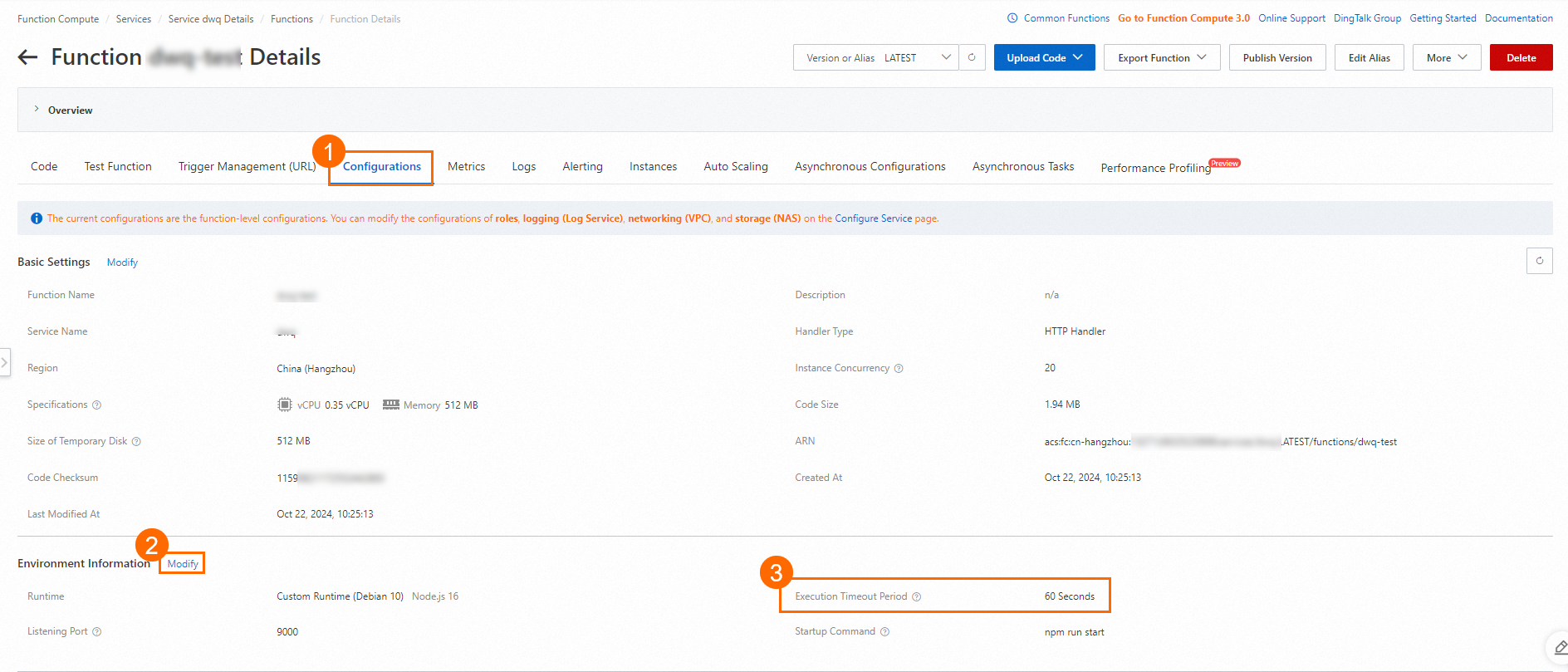
If the function already runs near the maximum allowed timeout, optimize the function code instead.
Cause 2: An external API call blocks execution
The function calls an external API that responds slowly or not at all, causing the total execution time to exceed the Execution Timeout Period.
Solution
Configure request-level metric logs for services to identify which request takes the longest.
On the Logs tab, click Enable to enable logging if not already enabled.
Review the logs to confirm which API call causes the delay.
Increase the Execution Timeout Period if the downstream API legitimately requires more time. For instructions, see Update a function.
Cause 3: A CPU-intensive logic branch is accessed
The function enters a CPU-intensive logic branch, such as a large computation, that prevents it from completing within the Execution Timeout Period.
Solution
Review the function code for CPU-intensive logic branches.
Optimize the identified logic where possible.
If the CPU-intensive work cannot be reduced, increase the Execution Timeout Period to accommodate the processing time. For instructions, see Update a function.
Summary
| Cause | Primary solution | Secondary solution |
|---|---|---|
| Execution time exceeds Execution Timeout Period | Increase the Execution Timeout Period value | Optimize function code |
| External API call blocks execution | Enable logging to identify the slow API call | Increase Execution Timeout Period |
| CPU-intensive logic branch | Optimize or restructure the logic | Increase the Execution Timeout Period value |
For all causes, enable logging and configure request-level metric logs to gain visibility into function execution behavior.