This topic describes how to use Delta Join.
Delta Join: Two-stream join for Fluss
In real-time data warehouse scenarios, you often build a unified wide table from multiple real-time data tables. A real-time data warehouse built on open-source Flink and Kafka must use a Flink streaming join to combine multiple Kafka topics into a wide table. This design updates the entire wide table whenever any topic receives an update.
However, because Kafka is not designed for analytical workloads, this scenario relies on the native streaming join capabilities of Flink. This approach requires both sides of the join to drive updates and cache all upstream data, creating a large state in Flink. This causes high resource costs, complex operations and maintenance (O&M), and low efficiency.
Compared to Kafka, Fluss introduces the Delta Join capability. This new join solution pushes data updates down to the Fluss table while preserving the semantics of a two-stream join. This significantly reduces the resource consumption of Flink and improves job stability and execution efficiency.
Advantages of Delta Join
-
No join state: Eliminates redundant data storage.
-
Low cost: Relies only on Fluss primary key tables and a secondary index.
-
More stable and efficient: Avoids performance bottlenecks caused by large state.

Delta Join limitations
-
Both the left and right tables must be Fluss primary key tables (partitioned tables are supported).
-
The bucket key of the Fluss primary key table must be a prefix of its primary key.
-
The join key for a Delta Join must include the bucket key defined in the Fluss primary key table. If the table is partitioned, the join key must also include the partition key.
NoteFor example, a table is defined with
PRIMARY KEY (user_id, order_id, order_data)and'bucket.key' = 'user_id'.-
Because the bucket key is a prefix of the primary key, you can use
user_idas a secondary index for efficient data lookups. -
Consider the query:
JOIN users u ON o.user_id = u.user_id.In this case, the join key is
user_id, which includes the defined bucket key. Therefore, the optimizer runs the query as a Delta Join.
-
Usage example
An e-commerce platform must join an order stream and an item stream into a wide table for downstream queries.
Step 1: Create the source tables and the result table
The join key must match an index on both source tables. In this example, the join key is (merchant_id, item_id). In the orders table, the join key is a prefix of the primary key and must be declared as the bucket key to serve as an available prefix index. In the items table, the join key is the primary key, so no extra configuration is required.
CREATE TABLE `my-catalog`.`my_db`.`orders` (
  merchant_id BIGINT,                    -- Merchant ID
  item_id BIGINT,                        -- Item ID
  order_id BIGINT,                       -- Order ID
  amount DECIMAL(18, 2),                 -- Current order amount
  PRIMARY KEY (merchant_id, item_id, order_id) NOT ENFORCED
) WITH (
  'bucket.key' = 'merchant_id,item_id'
);

CREATE TABLE `my-catalog`.`my_db`.`items` (
  merchant_id BIGINT,                    -- Merchant ID
  item_id BIGINT,                        -- Item ID
  item_name STRING,                      -- Item name
  PRIMARY KEY (merchant_id, item_id) NOT ENFORCED   -- The join key is the same as the primary key.
);

CREATE TABLE `my-catalog`.`my_db`.`order_item_wide` (
  merchant_id BIGINT,
  order_id BIGINT,
  item_id BIGINT,
  item_name STRING,
  amount DECIMAL(18, 2),
  PRIMARY KEY (merchant_id, order_id, item_id) NOT ENFORCED
);
Step 2: Write the join deployment
USE CATALOG `my-catalog`;
USE `my_db`;

-- Enable Delta Join rewriting.
SET 'table.optimizer.delta-join.strategy' = 'EVENTUAL';

-- A Delta Join statement does not require dedicated syntax.
INSERT INTO order_item_wide
SELECT
  o.merchant_id,
  o.order_id,
  o.item_id,
  i.item_name,
  o.amount
FROM orders AS o
JOIN items AS i
  ON o.merchant_id = i.merchant_id AND o.item_id = i.item_id;
Step 3: Verify that the optimization takes effect
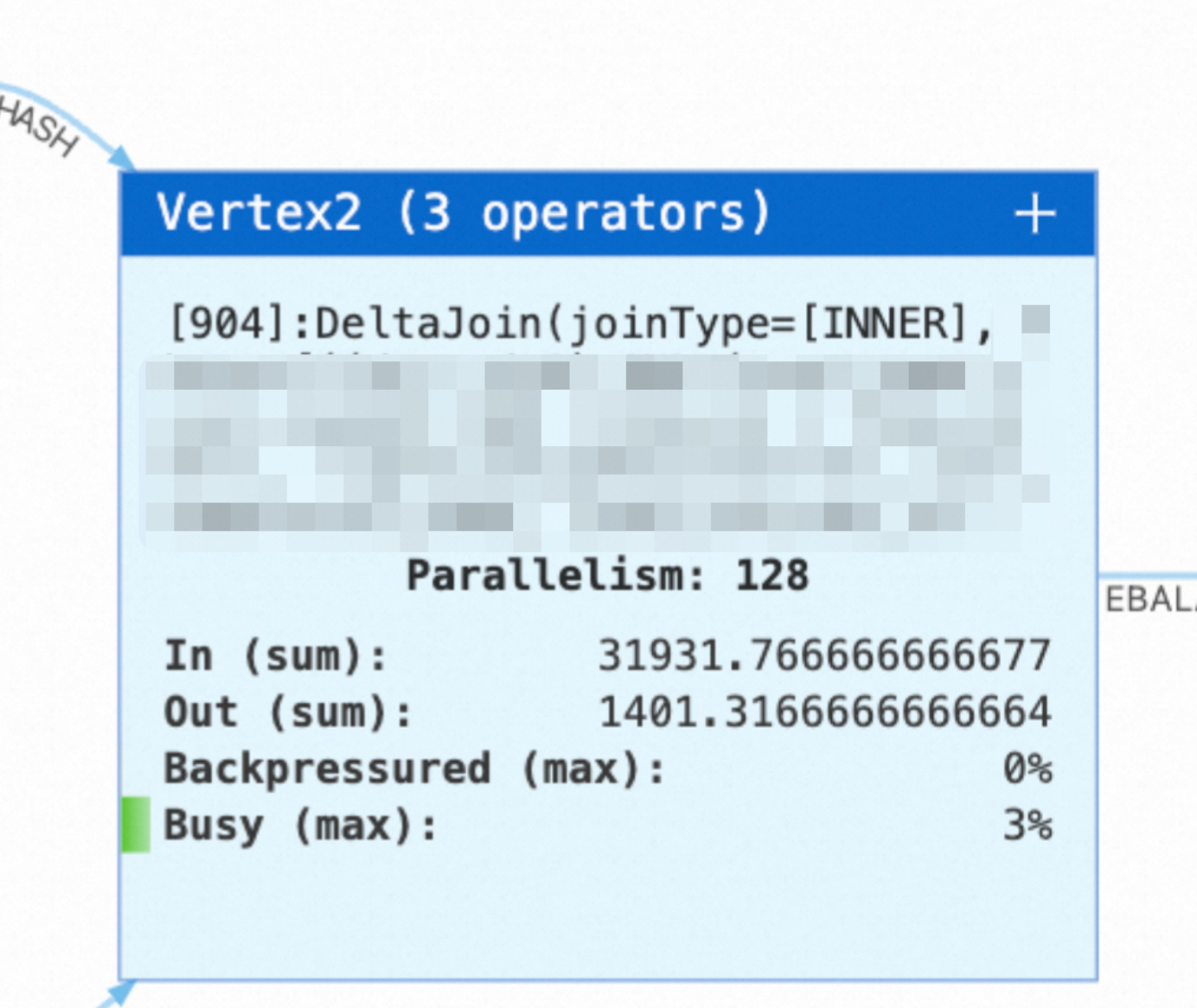
After the deployment is published and started, check the deployment topology on the Status page. If you see the following Delta Join node, the streaming join is rewritten into a Delta Join.
Parameters
Flink deployment parameters
|
Parameter |
Default value |
Description |
Tuning suggestion |
|
|
|
Specifies whether to rewrite the query into a Delta Join. Note
In versions earlier than VVR 11.5, use |
We recommend |
|
|
|
Specifies whether to skip the check on filter conditions that are applied to non-unique keys of the join result. |
Set this parameter to |
|
|
|
Specifies whether to enable the local memory cache. Fluss is not requested when a lookup hits the cache. |
We recommend that you set this parameter to |
|
|
|
The number of keys whose lookup results on the left table are cached. This parameter takes effect only when the cache is enabled. |
Each record that arrives on the right side triggers a lookup on the left table by its join key, and the returned result enters this cache. Therefore, the required capacity depends on the number of hot join keys that drive lookups from the right side. This parameter consumes memory. When you configure it, also consider the size of each record and the memory size of the TaskManager. When memory pressure is low, start with the default value. Decrease the value if garbage collection is frequent. Increase the value if the lookup pressure on the Fluss cluster is high. |
|
|
|
The number of keys whose lookup results on the right table are cached. This parameter takes effect only when the cache is enabled. |
Each record that arrives on the left side triggers a lookup on the right table. Configure this parameter in the same way as the left table cache. |
|
|
|
The number of asynchronous lookup requests that each parallel instance of a Delta operator can process at the same time. |
Increase the value when the pressure on the Fluss cluster and the CPU and memory pressure on the TaskManager are both low. A value of about one thousand is recommended. This parameter takes effect for each parallel instance of each Delta operator. The total number of in-flight requests of a deployment is approximately the parallelism multiplied by the number of Delta operators multiplied by this value. Evaluate the capacity of the Fluss cluster based on the total number before you increase the value. Decrease the value if memory becomes tight or the Fluss cluster is overloaded. |
|
|
|
The timeout period of a single asynchronous lookup request. |
Increase the value if occasional lookup timeouts cause the deployment to fail. A larger value covers normal tail latency. If the Fluss cluster is already overloaded, do not increase this value. Timed-out requests occupy concurrency slots for a longer time and aggravate backpressure. In this case, reduce the lookup pressure or scale out the Fluss cluster first. |
Fluss table parameters
The following parameters are configured in the WITH clause when you create a Fluss table. You can also use SQL hints to adjust them for a single deployment.
|
Parameter |
Default value |
Description |
Tuning suggestion |
|
|
|
The maximum number of pending lookup requests on the client. |
Increase the value if the deployment processes a large volume of data and lookup requests queue up noticeably. Decrease the value if the memory of the TaskManager is tight. |
|
|
|
The maximum number of lookups that are merged into one request. |
Increase the value if the request volume is large and you want to reduce network overhead. Decrease the value if you are sensitive to latency. |
|
|
|
The maximum number of lookup requests that are processed at the same time. |
Increase the value to raise lookup concurrency. Monitor the load of the Fluss cluster at the same time. |
|
|
|
The maximum time to wait for a batch to fill up. The batch is sent immediately after the timeout period elapses. |
Decrease the value if you are sensitive to end-to-end latency. Increase the value if you want a higher batch fill rate. |
When you use hints to adjust these parameters, place the hints after the table that is looked up:
INSERT INTO order_item_wide
SELECT o.merchant_id, o.order_id, o.item_id, i.item_name, o.amount
FROM orders /*+ OPTIONS('client.lookup.queue-size' = '51200') */ AS o
JOIN items /*+ OPTIONS('client.lookup.queue-size' = '51200') */ AS i
  ON o.merchant_id = i.merchant_id AND o.item_id = i.item_id;