Workflows is a fully managed workflow scheduling feature that lets you orchestrate batch deployments through a visual interface, build data warehouses, and unify development, scheduling, deployment, and O&M in the Realtime Compute for Apache Flink console.
-
The Workflows feature is in public preview. The service level agreement (SLA) is not guaranteed in the public preview phase. For more information, see Service Level Agreement (SLA). If you have questions when you use the Workflows feature, submit a ticket.
-
The Workflows feature is supported only in the China (Shanghai), China (Hangzhou), China (Beijing), China (Shenzhen), China (Zhangjiakou), Singapore, Germany (Frankfurt), and Japan (Tokyo) regions.
Features
-
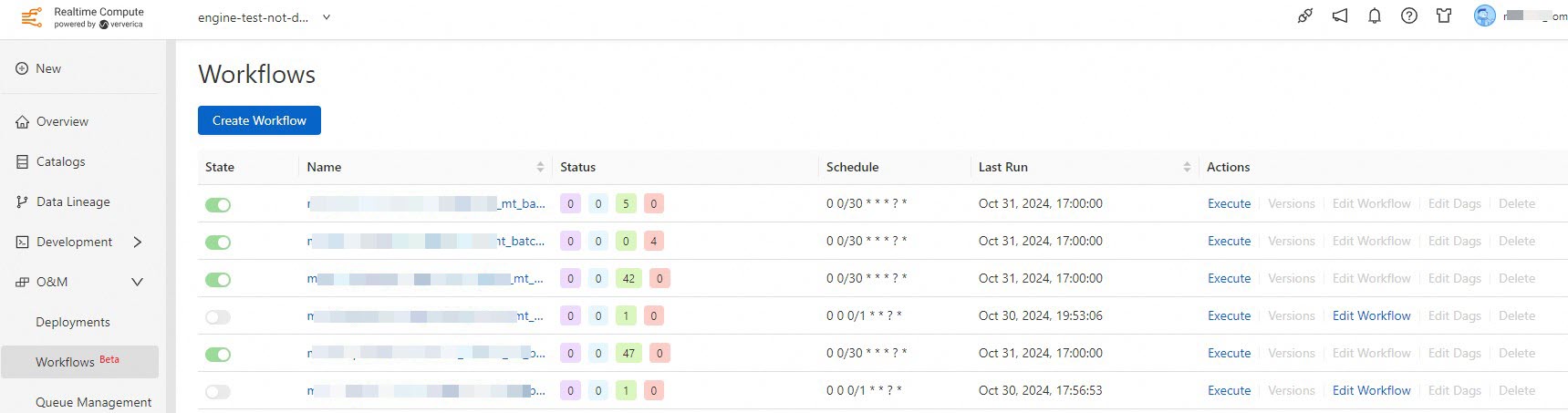
Visual management: create and manage workflows through a visual interface.
-
Scheduling: supports both manual and periodic scheduling.
-
Scheduled management: use cron expressions to define complex scheduling rules.
-
Queue management: configure different queues for workflows and tasks.
Terms
-
Workflow
A workflow is a directed acyclic graph (DAG) that you can create based on the Workflows feature. Configure tasks and scheduling policies in the workflow to run tasks at specified points in time.
-
Task
A task runs in a workflow. Each task must be associated with a deployment.
-
Workflow instance
Each time a workflow runs, a workflow instance is generated.
-
Task instance
Each time a workflow runs, task instances are generated from the tasks in the workflow.
-
Dependency
A dependency indicates the relationship between tasks. For example, if Task A -> Task B is shown on the task editing page, Task A is the upstream task on which Task B depends. Task B runs only after Task A completes and the conditions specified for Task B are met.
-
Workflow version
A workflow version is created each time you modify the workflow, such as adding or removing a task or changing a dependency.
Procedure
