This topic describes how to run and debug jobs that contain Realtime Compute for Apache Flink connectors in a local developer environment. This approach helps you quickly verify code correctness, locate and resolve issues, and reduce cloud costs.
Background information
When you run or debug a Flink job in IntelliJ IDEA that includes a dependency on a commercial connector for Realtime Compute for Apache Flink, you may encounter a runtime error indicating that a connector-related class cannot be found. For example, when you run a job that contains the MaxCompute connector, the following exception occurs:
Caused by: java.lang.ClassNotFoundException: com.alibaba.ververica.connectors.odps.newsource.split.OdpsSourceSplitSerializer
	at java.net.URLClassLoader.findClass(URLClassLoader.java:387)
	at java.lang.ClassLoader.loadClass(ClassLoader.java:418)
	at sun.misc.Launcher$AppClassLoader.loadClass(Launcher.java:355)
	at java.lang.ClassLoader.loadClass(ClassLoader.java:351)
This exception occurs because some runtime classes are missing from the default connector JAR package. You can follow the steps below to add these missing classes and successfully run or debug the job in IntelliJ IDEA.
Workaround for local debugging issues
Step 1: Add dependencies to the job configuration
First, download the uber JAR package that contains the required runtime classes from the Maven Central Repository. For example, for the ververica-connector-odps dependency used by MaxCompute, if the version is 1.17-vvr-8.0.11-1, you can find the ververica-connector-odps-1.17-vvr-8.0.11-1-uber.jar file—identified by the -uber.jar suffix—in the corresponding directory of the Maven repository. Download it to a local directory.
When you create the environment in your code, add the pipeline.classpaths configuration and set it to the path of the uber JAR. If you have multiple connector dependencies, separate their paths with a semicolon (;). For example, file:///path/to/a-uber.jar;file:///path/to/b-uber.jar. On Windows, you must include the disk partition. For example, file:///D:/path/to/a-uber.jar;file:///E:/path/to/b-uber.jar. For a DataStream API job, use the following code to add the configuration:
Configuration conf = new Configuration();
conf.setString("pipeline.classpaths", "file://" + "absolute path of the uber jar");
StreamExecutionEnvironment env =
  	StreamExecutionEnvironment.getExecutionEnvironment(conf);
For a Table API job, use the following code to add the configuration:
Configuration conf = new Configuration();
conf.setString("pipeline.classpaths", "file://" + "absolute path of the uber jar");
EnvironmentSettings envSettings =
  	EnvironmentSettings.newInstance().withConfiguration(conf).build();
TableEnvironment tEnv = TableEnvironment.create(envSettings);Remove the
pipeline.classpathsconfiguration before you package the job and upload it to Realtime Compute for Apache Flink.Due to version differences, if you use an older version of ververica-connector-odps, download the
1.17-vvr-8.0.11-1uber package for local debugging. When packaging the job, you can still use the older JAR version, but avoid using parameters introduced in the newer version.To debug the MySQL connector, you must also configure the related Maven dependencies. For more information, see Debug a DataStream job that uses the MySQL connector.
For local debugging, ensure network availability for upstream and downstream storage. You can use local storage or cloud services with public network access enabled. Also, add the public IP address of your local machine to the whitelists of the corresponding upstream and downstream services.
Step 2: Configure the ClassLoader JAR package required for the runtime
To allow Flink to load the connector’s runtime classes, you must also add the ClassLoader JAR package. First, download the appropriate ClassLoader JAR based on your Ververica Runtime (VVR) database engine version. The download links are as follows:
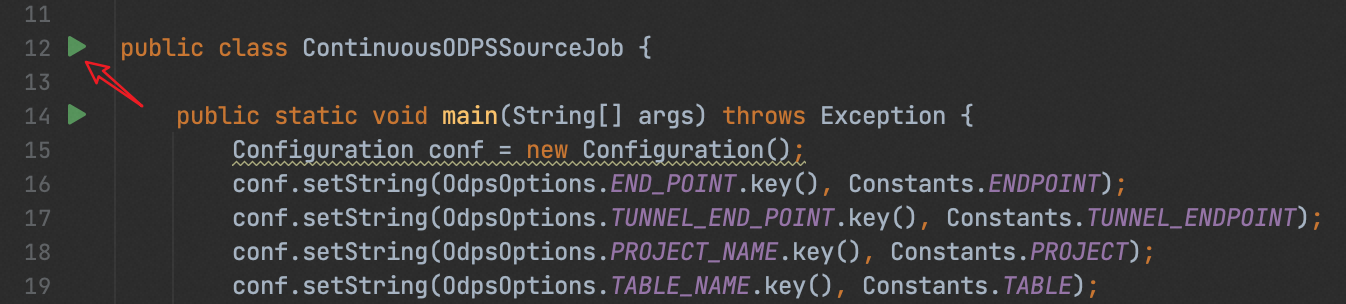
As an example, modify the local run configuration for the job in IntelliJ IDEA. Click the green icon to the left of the entry class to expand the menu bar, and select Modify Run Configuration...:
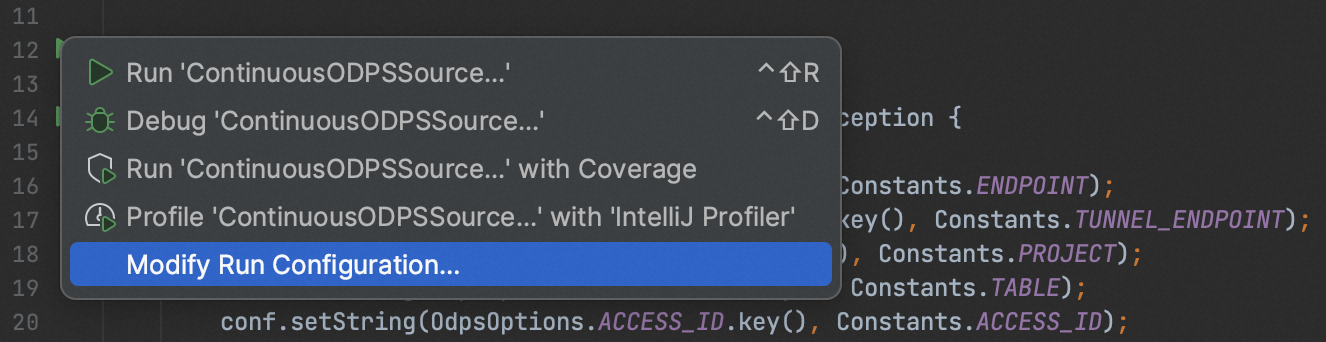
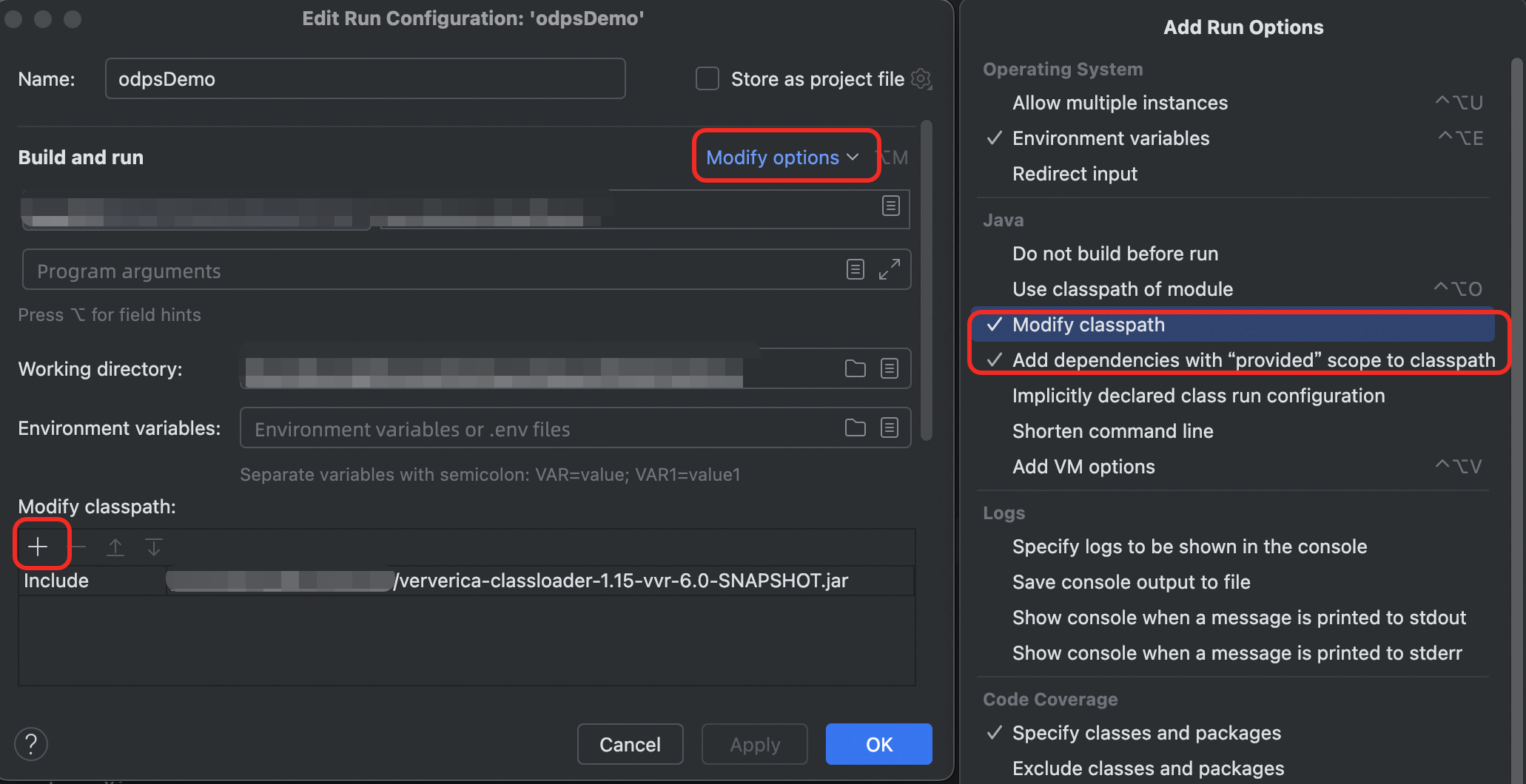
In the run configuration window that opens, click Modify options and select Modify classpath. A Modify classpath section appears at the bottom of the window. Click the + icon, select the ClassLoader JAR package that you downloaded, and save the run configuration. If an error message indicates that common Flink classes such as org.apache.flink.configuration.Configuration are missing and the job fails to execute, select Add dependencies with provided scope to classpath under Modify options.
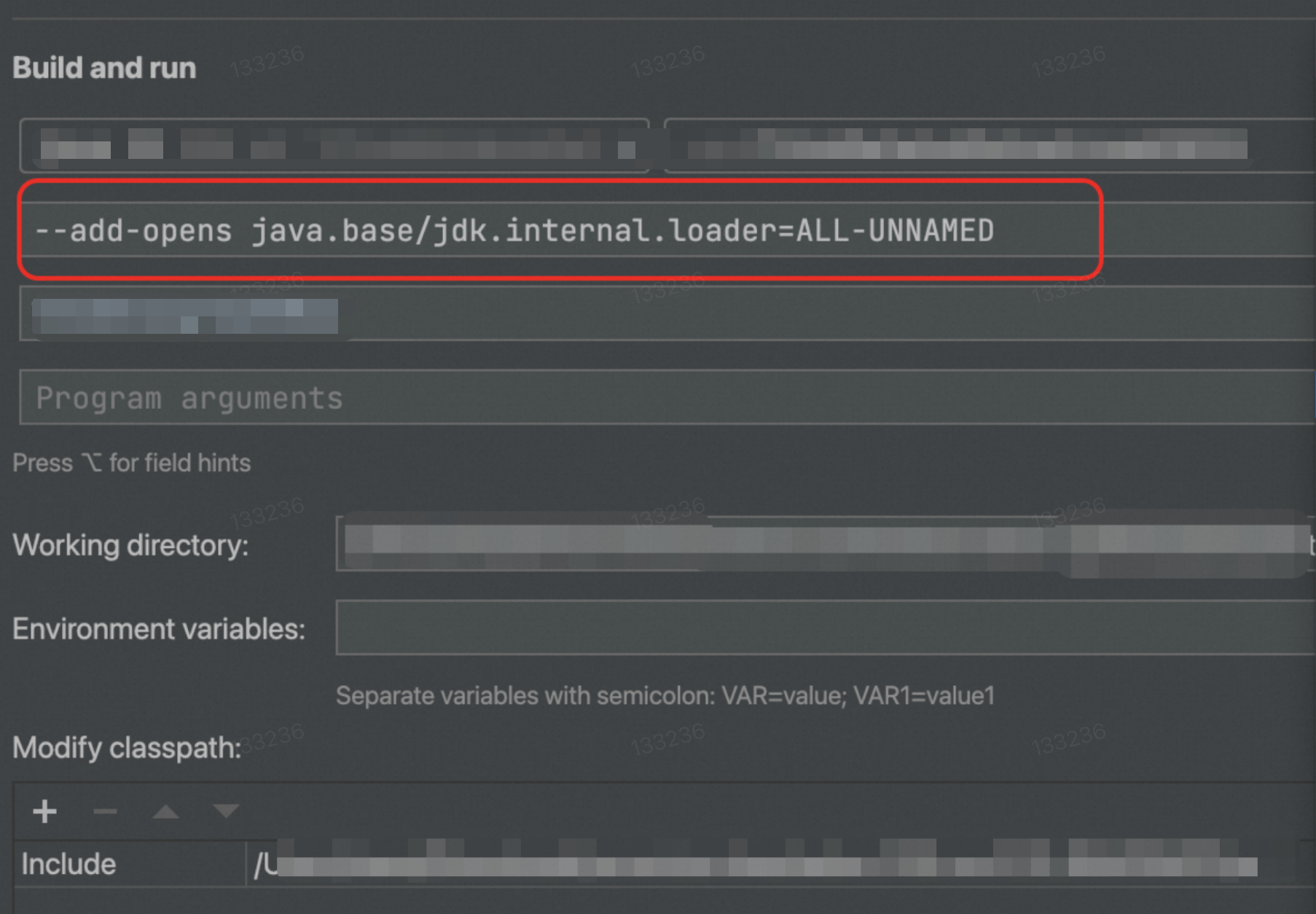
Starting with VVR 11.1, the VVR engine uses JDK 11. You must add the --add-opens java.base/jdk.internal.loader=ALL-UNNAMED option in the JVM Options, as shown in the following figure:
Solution for locally debugging Table API jobs
Starting with VVR 11.1, Ververica connectors are no longer fully compatible with the community version of the flink-table-common package. You may encounter runtime errors, including but not limited to the following:
java.lang.ClassNotFoundException: org.apache.flink.table.factories.OptionUpgradabaleTableFactoryTo resolve this issue, update your pom.xml file. Replace the org.apache.flink:flink-table-common dependency with the corresponding version of com.alibaba.ververica:flink-table-common.
References
To debug the MySQL connector locally, see Debug a DataStream job that uses the MySQL connector.
To read and write data using DataStream, use the corresponding DataStream connector to connect to Realtime Compute for Apache Flink. For more information about methods and precautions for using DataStream connectors, see Develop JAR jobs.
For information about developing and debugging Python jobs, see Develop Python jobs.