ID Recognition uses intelligent algorithms to detect and extract information from identity documents. It supports remote identity authentication, automatic data entry, and other scenarios to reduce labor costs and improve processing efficiency.
The following figure shows the ID Recognition UI. Automatic capture is on the left and manual capture is on the right.
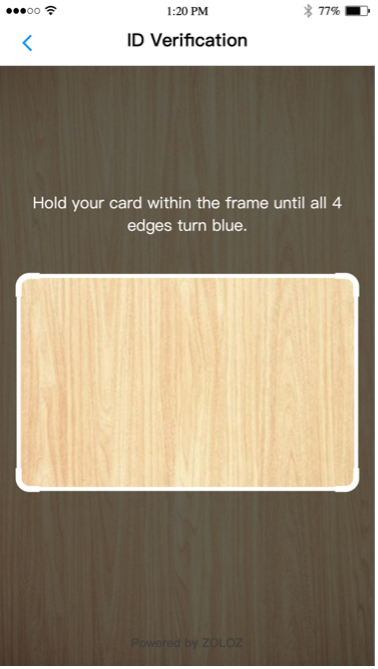
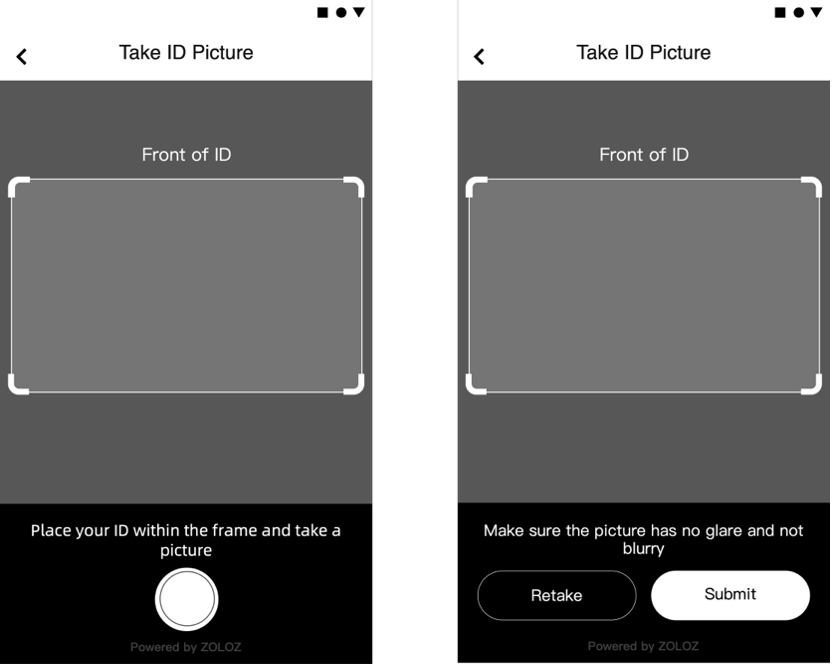
Figure 1: Automatic capture on the left, manual capture on the right
Features
Document capture
Document capture takes a photo of the user’s ID and checks image quality and ID type.
ZOLOZ provides two capture methods: automatic capture and manual capture.
-
Automatic capture (recommended): The algorithm detects image clarity and automatically captures and uploads an eligible ID picture. No user tap is required.
-
Manual capture: The user taps the capture button and confirms whether the picture is clear enough.
Document anti-spoofing
Anti-spoofing detection analyzes the document image to determine whether it is genuine and identifies fraud risks such as photo prints, screen remakes, or masks. For specific ID types (such as Hong Kong China ID card and Malaysia ID card), ZOLOZ also checks security features to detect high-quality imitations.
Document OCR
Document OCR (Optical Character Recognition) extracts key fields from a document, such as the document number, name, and date of birth.
Integration modes
ID Recognition supports three integration modes. Understand integration modes.
-
Native App SDK Mode: Provides a native SDK and server-side API for Android and iOS apps.
-
Web SDK (H5) Mode: Provides a web SDK and server-side API for mobile browsers on Android and iOS, and desktop browsers on Windows and macOS.
-
API Mode: Upload document images directly through the server-side API for detection.
Workflow
The following diagram shows the ID Recognition workflow.
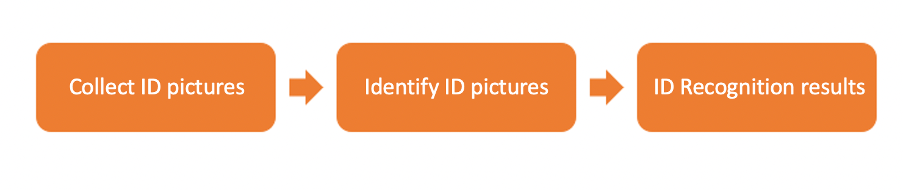
Figure 2: ID Recognition use flow illustration
-
Capture an ID picture. The user aligns their ID document with the frame guide box in the capture interface and takes a clear, complete photo. ZOLOZ supports two capture methods: automatic and manual. Note: Automatic capture provides a better user experience and captures more image data, which strengthens anti-spoofing detection. Use automatic capture if anti-spoofing is a priority.
-
Automatic capture (recommended): The algorithm checks photo clarity in real time and prompts the user to adjust the document if needed. When an eligible ID picture is detected, it is automatically captured and uploaded. No user tap is required.
-
Figure 3: Automatic capture
-
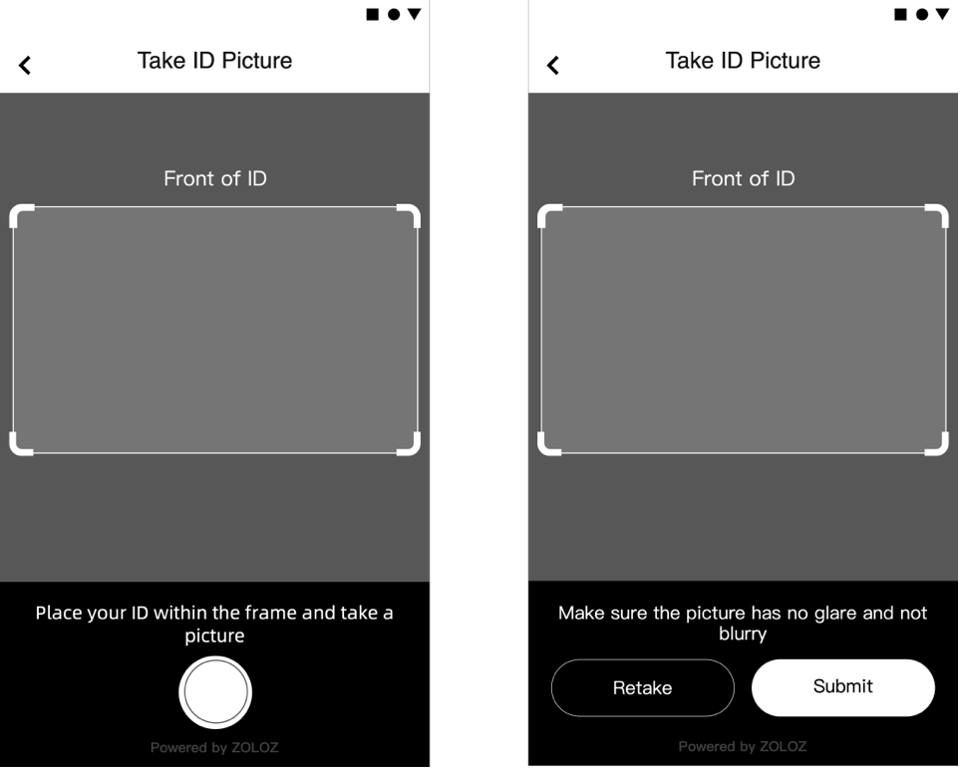
Manual capture: The user taps the capture button and confirms photo clarity. If the photo quality is inadequate, a pop-up prompts the user to re-capture.
Figure 4: Manual capture
-
ID picture identification. After capture, ID pictures are uploaded to the ZOLOZ server. ID Recognition runs quality, anti-spoofing, and fraud detection algorithms to verify that the pictures are clear, complete, and genuine. It also provides OCR to extract key fields such as document number, name, and date of birth.
-
Recognition results. ID Recognition returns document identification and anti-spoofing results.
ID Recognition results
|
Field name |
Meaning |
Description |
|
ExtIdInfo.recognitionResult |
Overall document identification result |
Returns Y or N.
|
|
ExtIdInfo.spoofResult |
Document anti-spoofing results |
Anti-spoofing detection results. The returned values vary by document type. ZOLOZ supports the following detection types:
|
|
ExtIdInfo.recognitionErrorCode |
List of document recognition errors |
|
ID Recognition supports Deepfake detection and full-chain AIGC detection. What is Deeper.
To learn more about ZOLOZ, contact us:https://www.zoloz.com/zoloz/getInTouch