In event-driven architectures, tracing how events flow across services, identifying failures, and inspecting message payloads typically requires building custom data pipelines or processing events offline. EventBridge event analysis lets you trace, query, analyze, and process events published to your event buses. Results are displayed in charts and tables.
How event analysis works
The event analysis platform runs on real-time event processing engines. It is non-intrusive, easy-to-operate, requires no additional data reporting, and exposes the following capabilities through a visual interface and guided wizard:
| Capability | Description |
|---|---|
| Key-value pair retrieval | Query events by specifying parameters such as key, value, =, !=, exists, AND, and OR |
| Visualized analysis | Aggregate and sort results with GROUP BY and ORDER BY. Supports group-based analysis, multi-chart analysis, and multi-dimensional analysis |
| Event tracing | Trace the full path of an event through the system to identify failures and pinpoint where a processing chain broke |
| Event recording | Record events for later inspection |
| Schema management | Define and manage the structure of your event payloads |
Supported event bus types
EventBridge supports event analysis on two types of event buses:
| Event bus type | Schema binding | Supported events |
|---|---|---|
| System event bus | Not required | All Alibaba Cloud service events, supported by default |
| Custom event bus | Required for full-domain event queries | Events from your own applications and services |
Use cases
EventBridge event analysis spans four domains:
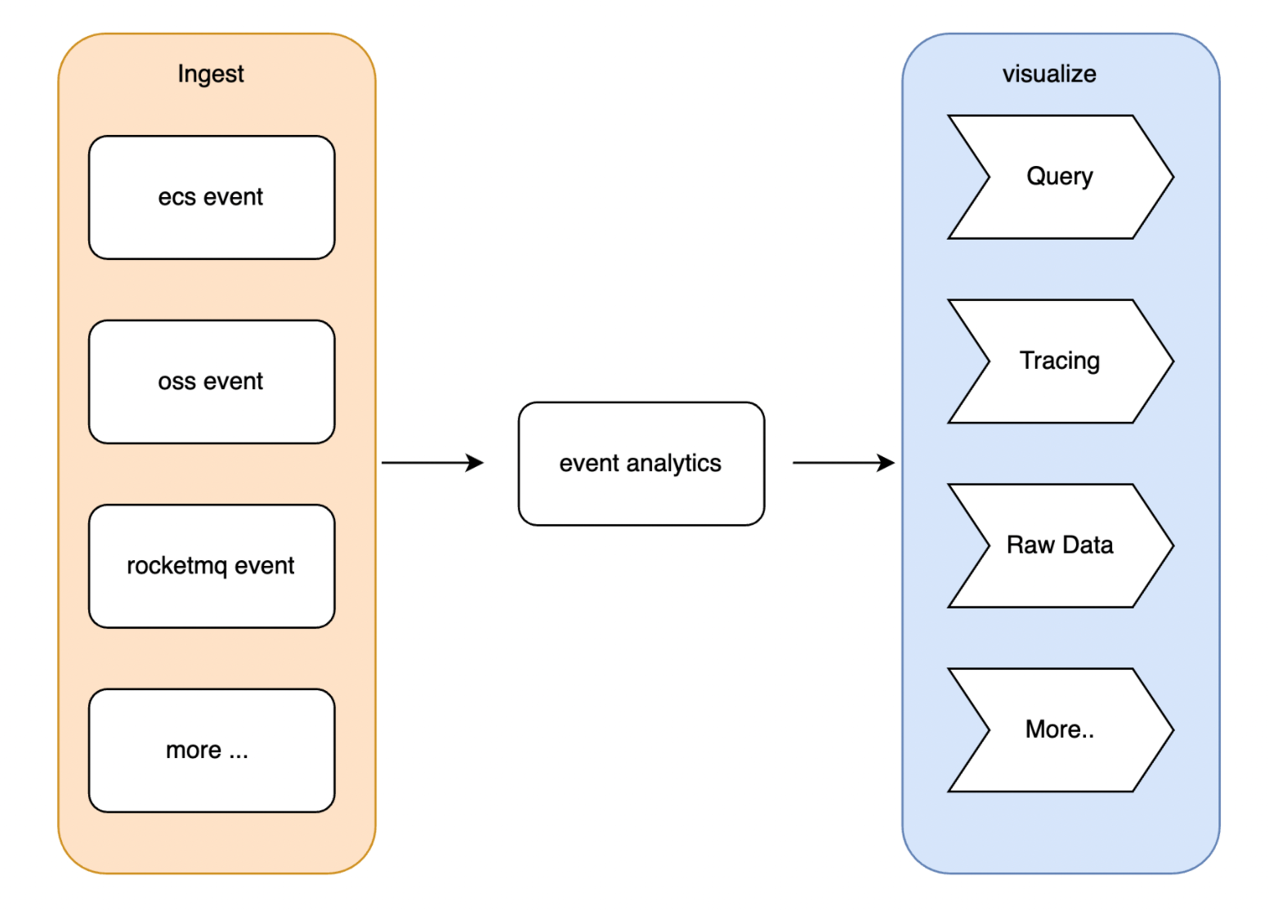
| Domain | Problem | How event analysis helps |
|---|---|---|
| Serverless debugging | After configuring a trigger, confirming whether the function was invoked and whether the trigger chain worked as expected is difficult | Makes every trigger event visible and traceable, closing the visibility gap in serverless architectures |
| Microservice troubleshooting | A single faulty service can cascade into widespread failures, and isolating the root cause means tracing requests across dozens of loosely coupled services | Tracks and troubleshoots all microservice messages by coloring the event IDs, enabling visual troubleshooting |
| Message content inspection | Traditional messaging systems lack built-in schema management and content search, so analyzing message payloads requires dedicated offline subscribers | Manages message schemas and queries message content, providing a comprehensive solution for message visualization |
| Cloud service operations | Infrastructure events such as Elastic Compute Service (ECS) disk errors or issues involving other services such as Alibaba Cloud Container Service for Kubernetes (ACK) often span multiple services | Ingests events from all Alibaba Cloud services, reducing the O&M failures caused by cloud service changes |
Low-cost integration
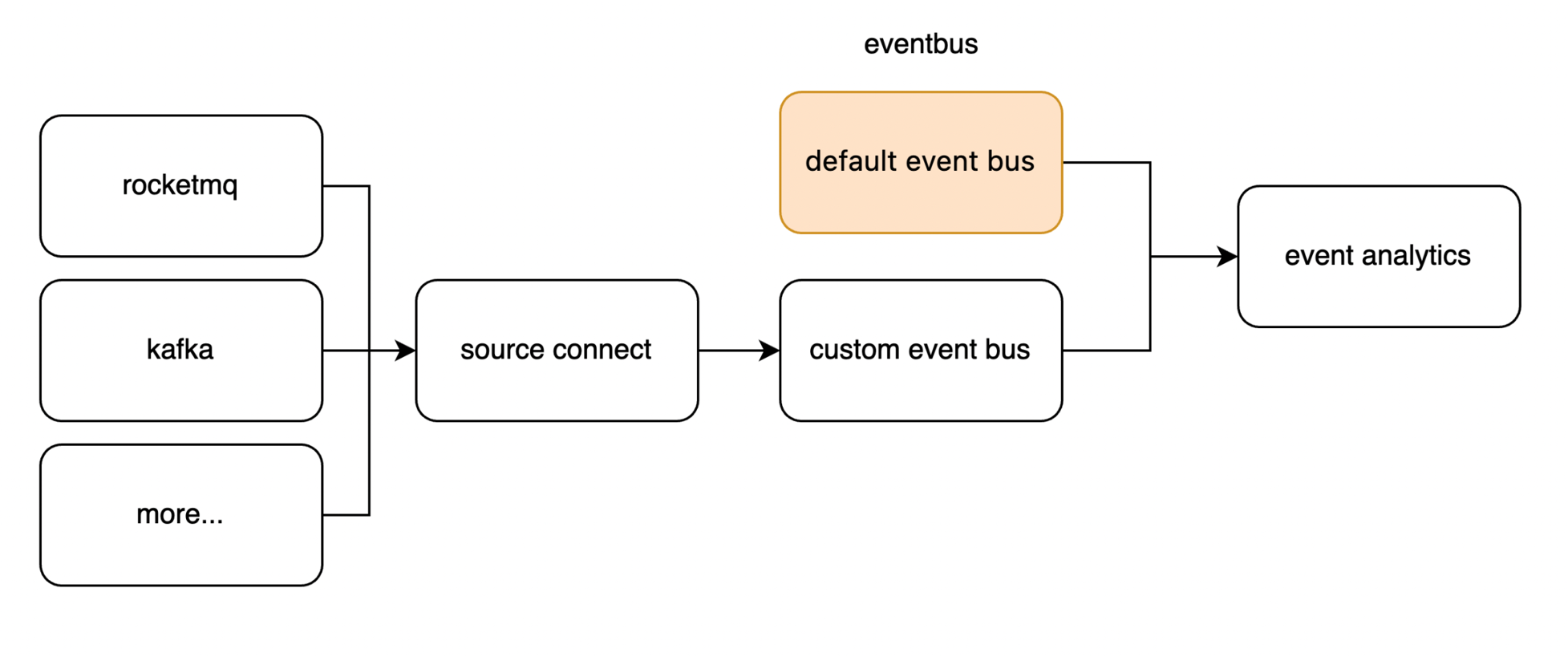
Event analysis supports both the system event bus and custom event buses:
The system event bus connects all Alibaba Cloud service events to the analysis platform automatically.
Custom event buses support events from services such as ApsaraMQ for RocketMQ and ApsaraMQ for Kafka.
Enabling event analysis on a custom event bus has negligible impact on your existing workloads. Toggle the feature on or off at any time -- configuration changes take effect immediately.