Overview
Intelligent Q&A leverages the powerful comprehension and text generation capabilities of large models to analyze user questions and retrieve relevant knowledge to provide quick answers. This significantly improves information retrieval efficiency and user experience. Features include the following:
Precise retrieval: Provides intelligent Q&A functionality based on document content, allowing you to quickly obtain needed information through natural language queries.
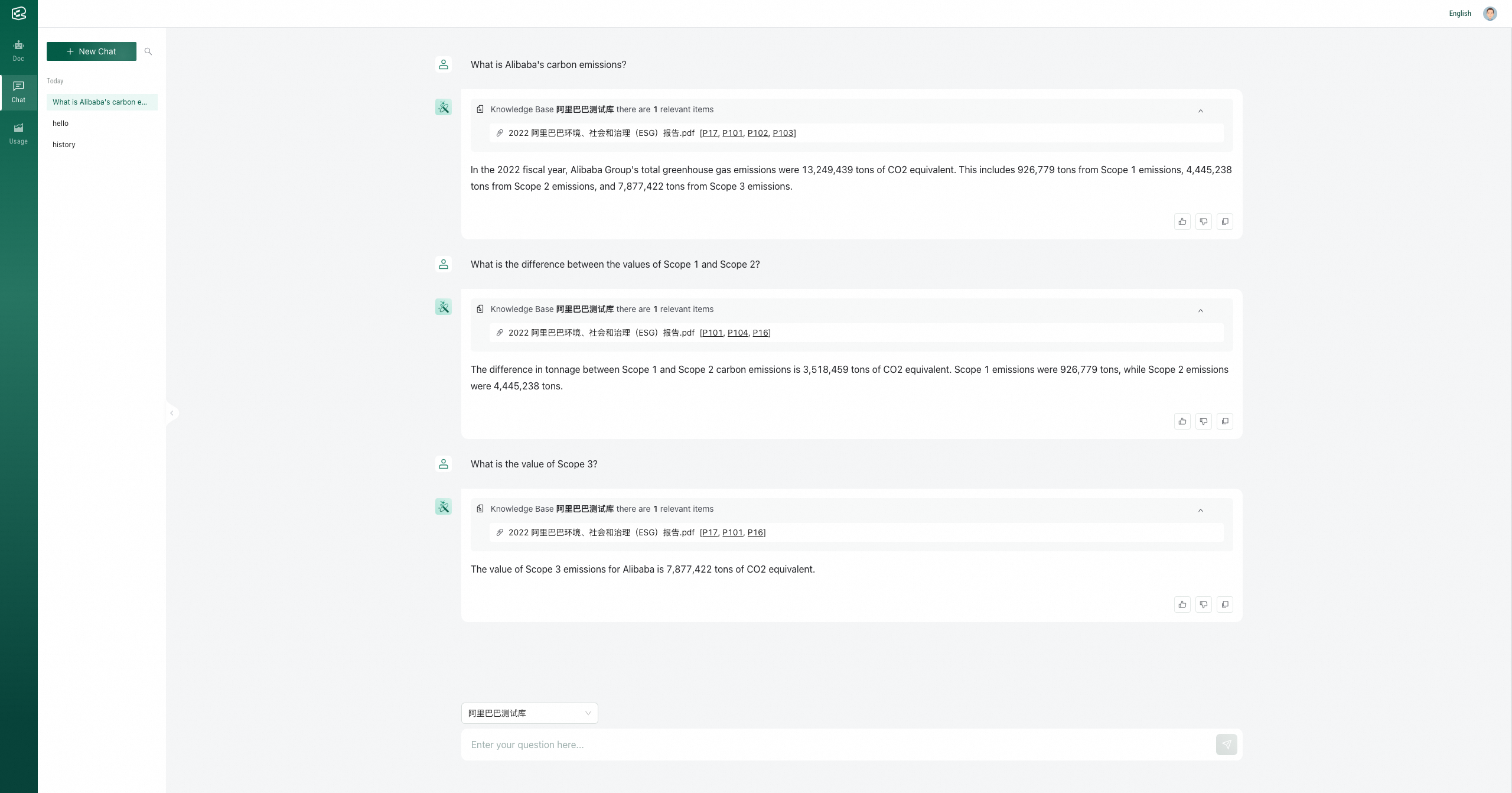
Multi-round conversation: Supports multiple rounds of interaction with the model within the same knowledge scope, with context memory capabilities.
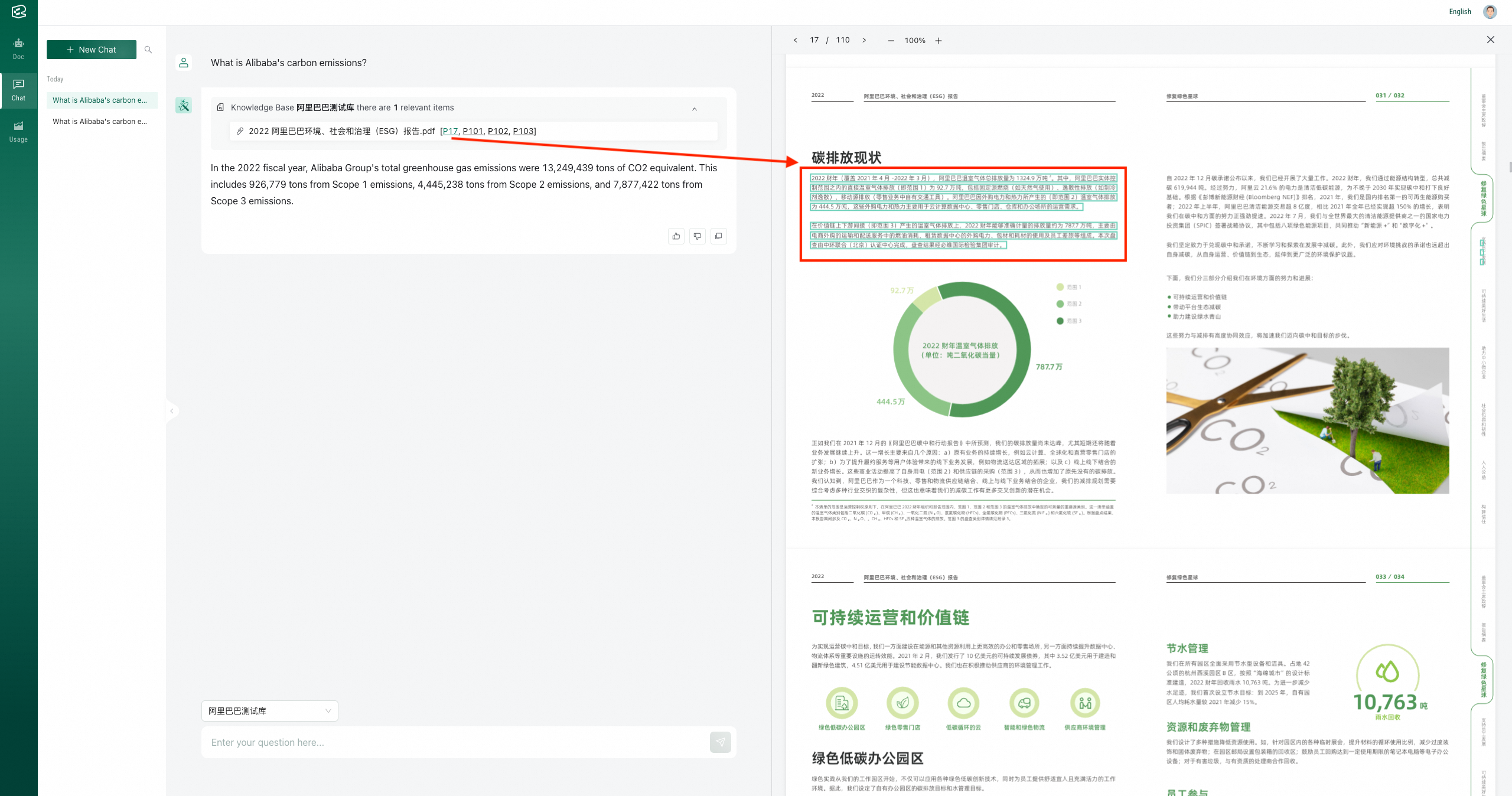
Reference localization: Displays the file pages and paragraphs referenced in answers, helping you quickly find relevant original text, making it convenient to verify answers and further understand contextual content.
Conversation history management: Supports viewing and finding historical conversation windows within the past 30 days, with options to pin, rename, or delete historical conversation windows.
Step 1: Select a folder to ask questions
Enter the Q&A menu, select the folder to be retrieved for Q&A, and ask questions in the dialog box.
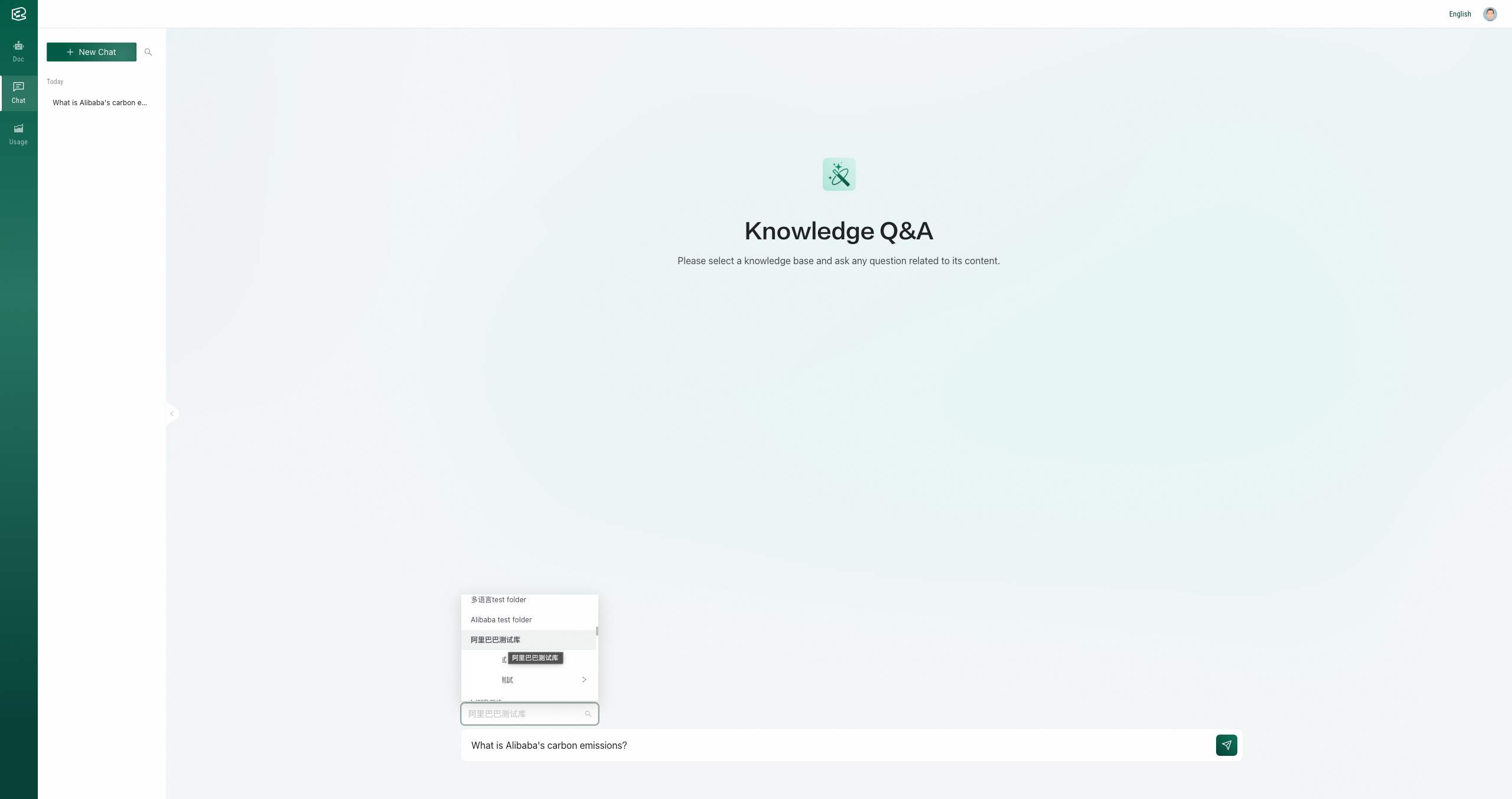
Step 2: View answers and reference sources
You can click on the page number referenced in the answer to view the reference source, which is located at the specific paragraph in the original text.
Step 3: Conduct multi-round conversations/Create new conversations/View historical conversations
For related OpenAPI, you can refer to: