Emission facilities and activities represent the specific sources of greenhouse gas emissions within each sub-category. You can create, modify, and delete them in the corporate carbon accounting template.
After you identify an emission source, configure the corresponding emission facilities or activities in the relevant sub-category. Emission facilities include production equipment, boilers, and lighting equipment. Activities include employee air travel, commuting by private car, and equipment maintenance.
Add or edit an emission facility or activity
-
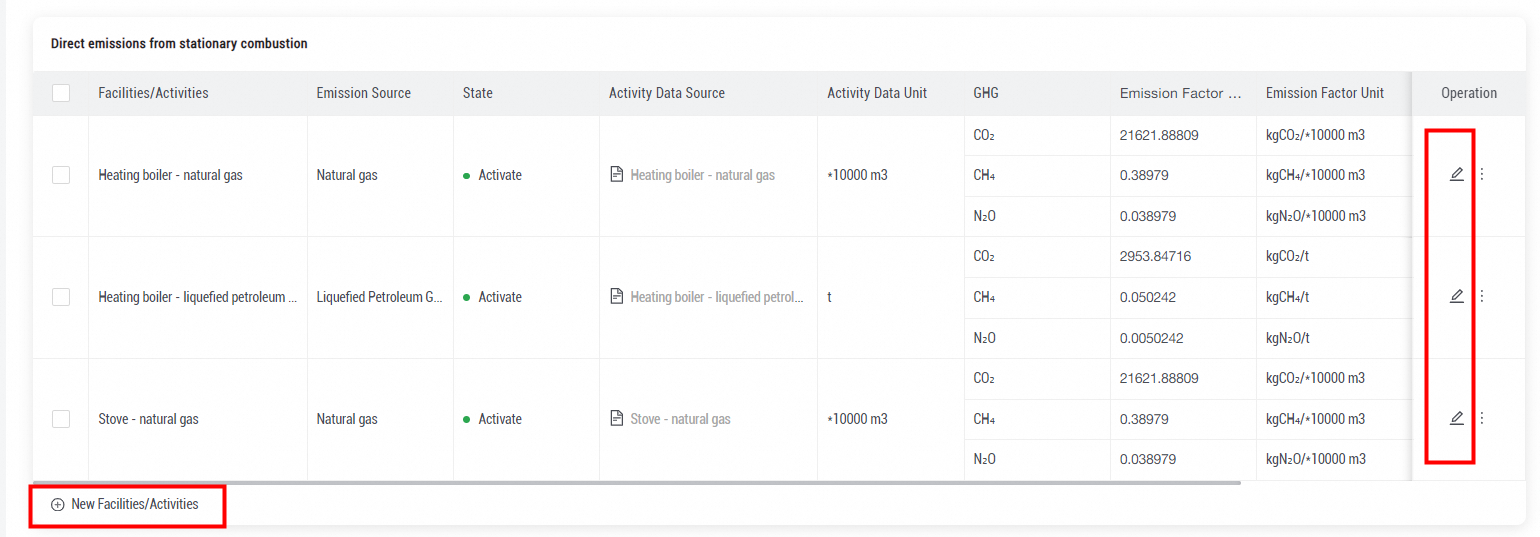
To add a facility or an activity, click New Facilities/Activities at the bottom of the corresponding sub-category.
-
To edit the information about a facility or an activity, click the Edit icon in the Operation column of the facility or activity.
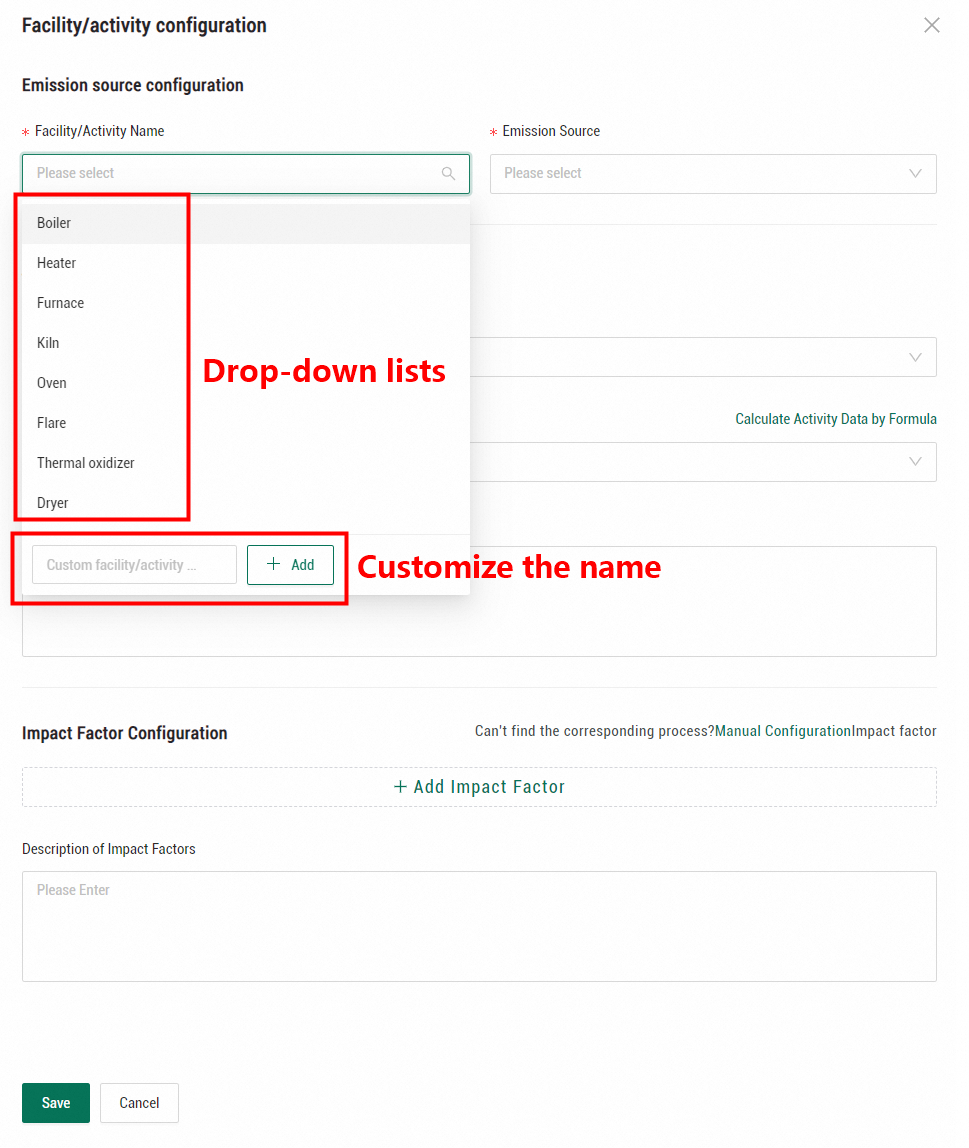
After you click New Facilities/Activities or the Edit icon, the Facility/activity configuration panel appears with the following sections: Emission source configuration, Activity Data Configuration, and Impact Factor Configuration. In the Emission source configuration section, specify the facility or activity name and the emission source. Energy Expert provides drop-down lists with common facilities, activities, and emission sources. If these options do not meet your requirements, you can define custom entries.
Delete an emission facility or activity
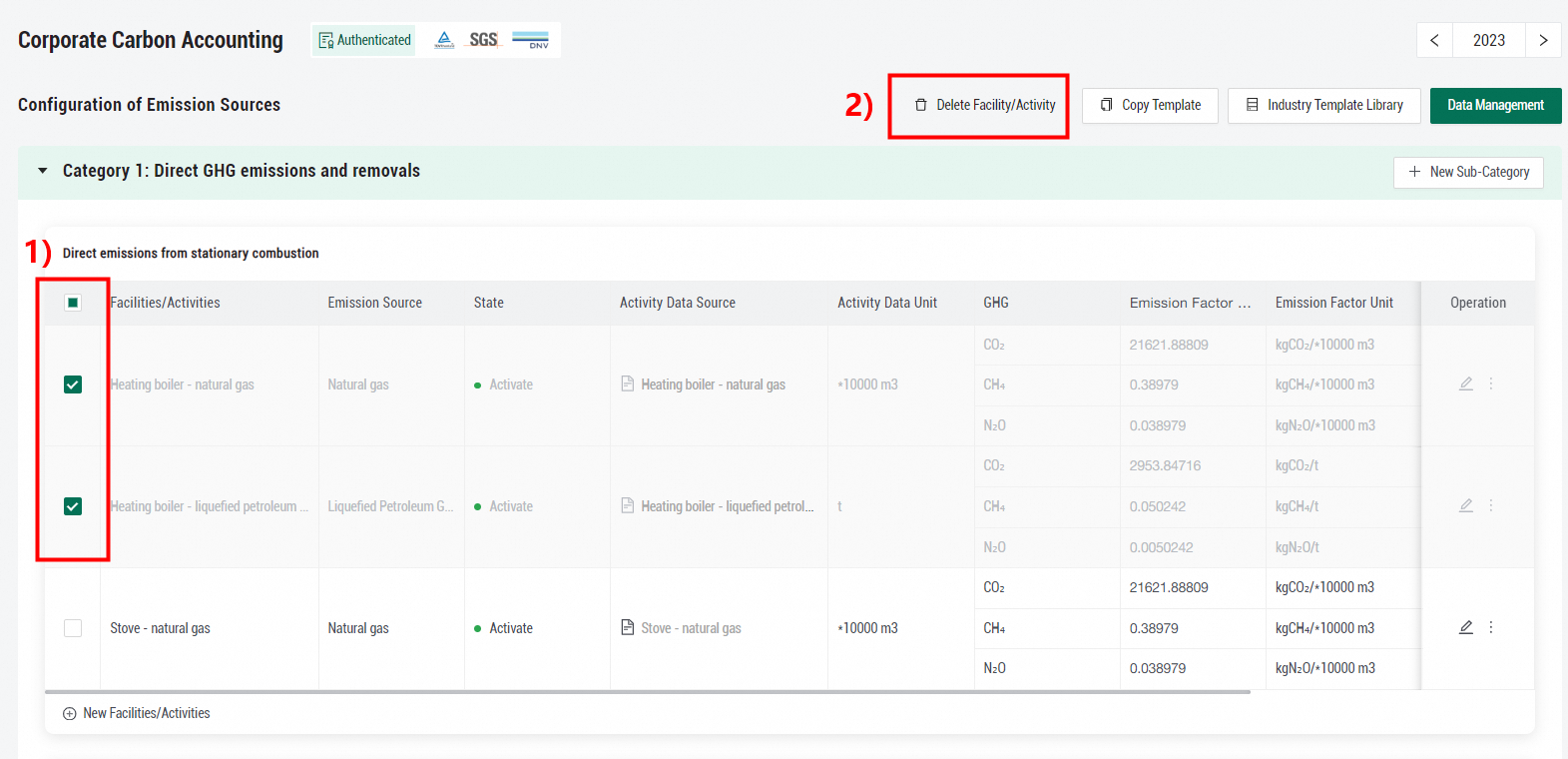
To delete one or more facilities or activities, select them and then click Delete Facility/Activity in the upper part of the Corporate Carbon Accounting page.