On February 8, 2024, Apache Solr disclosed five security vulnerabilities affecting E-MapReduce (EMR) clusters that run the Ranger service. This topic describes the affected versions, CVE details, and how to apply the fix.
Impacts
Affected EMR versions:
-
EMR V5.X series
-
EMR V3.X series
CVE summary:
| CVE | Attack vector | Impact |
|---|---|---|
| CVE-2024-45216 | Malicious requests using PKIAuthenticationPlugin | Authentication bypass and call API operations |
| CVE-2023-50386 | Malicious requests to the Backup or Restore API | Arbitrarily run code |
| CVE-2023-50292 | Malicious requests to use related interfaces | Run code |
| CVE-2023-50291 | Malicious requests to the /admin/info/properties endpoint |
Leaks of sensitive information |
| CVE-2023-50298 | Malicious requests using streaming expressions | Leaks of ZooKeeper credentials |
The fix upgrades Solr to version 8.11.4, which patches all five vulnerabilities.
Prerequisites
The following fix procedure applies only to clusters where the Ranger service is deployed. Verify that Ranger is running on your cluster before proceeding.
Fix procedure
The procedure differs by cluster type. Identify your cluster type and follow the corresponding steps.
DataLake, DataServing, and custom clusters
-
Download the Solr software package with the vulnerabilities fixed.
-
Upload the package to the
/opt/apps/RANGER/directory on the master node.scp solr-8.11.4.tar.gz master-1-1:/opt/apps/RANGER/ -
Log on to the master-1-1 node. For more information, see Log on to a cluster.
-
Decompress the package.
cd /opt/apps/RANGER/ tar xvf solr-8.11.4.tar.gz -
Create the required symlinks and set ownership.
sudo ln -s /mnt/disk1/ranger/ranger_audit_server solr-8.11.4/ranger_audit_server sudo chown -R solr:solr solr-8.11.4 sudo rm -f solr-current sudo ln -s /opt/apps/RANGER/solr-8.11.4/ solr-current -
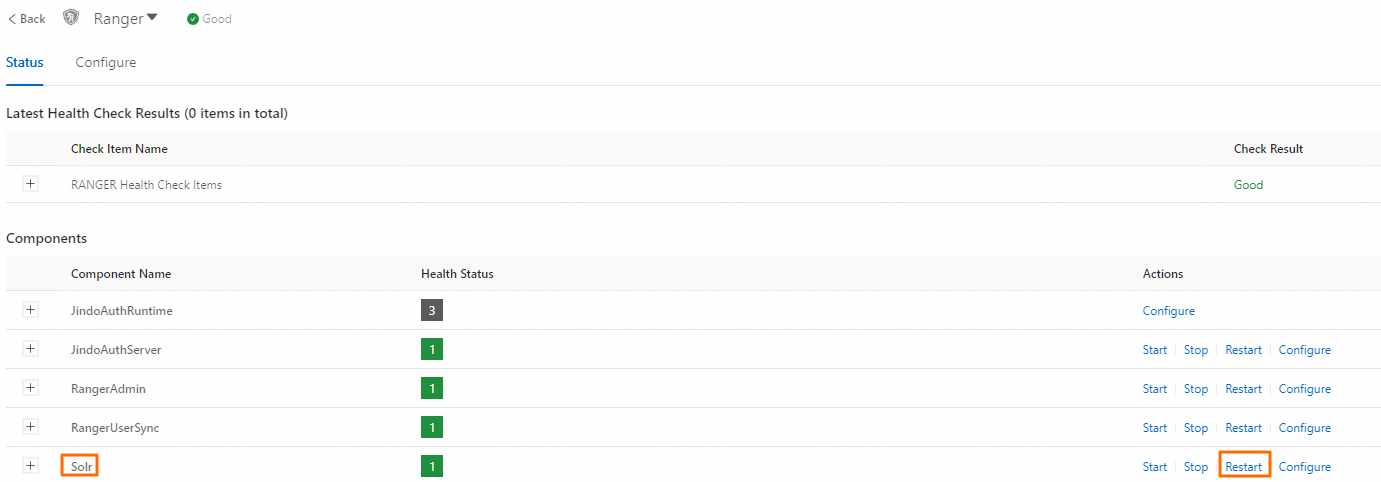
Restart Solr on the Status tab of the Ranger service page in the EMR console.
Hadoop cluster
-
Download the Solr software package with the vulnerabilities fixed.
-
Upload the package to the
/opt/apps/ecm/service/solr/8.11.0/package/directory on the master node.scp solr-8.11.4.tgz.gz emr-header-1:/opt/apps/ecm/service/solr/8.11.0/package/ -
Log on to the emr-header-1 node. For more information, see Log on to a cluster.
-
Decompress the package.
cd /opt/apps/ecm/service/solr/8.11.0/package/ tar xvf solr-8.11.4.tar.gz -
Copy the startup script from the old version to the new package.
cp -r solr-8.11.0/ranger_audit_server/ solr-8.11.4/ -
Back up the existing Solr installation.
mv solr-8.11.0 solr-8.11.0-backup -
Set ownership and rename the new package to replace the old installation.
sudo chown -R solr:solr solr-8.11.4 mv solr-8.11.4 solr-8.11.0 -
Restart Solr on the Status tab of the Ranger service page in the EMR console.