Enable PROXY Protocol v1 or v2 so your origin server receives the client's real IP address instead of the proxy's address.
Your origin server must support PROXY Protocol v1/v2. Otherwise, Edge Security Accelerator (ESA) origin connections will fail.
How PROXY protocol works
A proxy re-encapsulates and forwards requests, so the origin server loses the original client IP address and port.
With PROXY protocol enabled, the acceleration server and the origin server establish a TCP connection. A header containing the client's real IP and port is prepended before the actual request data.
Differences between PROXY protocol v1 and v2
PROXY protocol v1 and v2 differ in format, extensibility, and security.
PROXY protocol v1
ASCII text format.
Fixed format with limited extensibility.
Supports TCP.
No encryption or authentication, leaving data susceptible to tampering. Suitable for environments where security is not the primary concern.
PROXY protocol v2
Binary format.
Variable-length format with extension support.
Supports TCP and UDP.
Supports TLS handshakes. Suitable for security-sensitive environments.
Enable PROXY protocol v1 for TCP
For TCP applications, ESA adds a PROXY protocol v1 header to each inbound TCP connection.
In the ESA console, select Websites, and in the Website column, click the target site.
In the left navigation pane, choose .
Click Create Application. Set Protocol to TCP in the Proxy Rules area, and set Pass Client IP to PROXY Protocol v1.
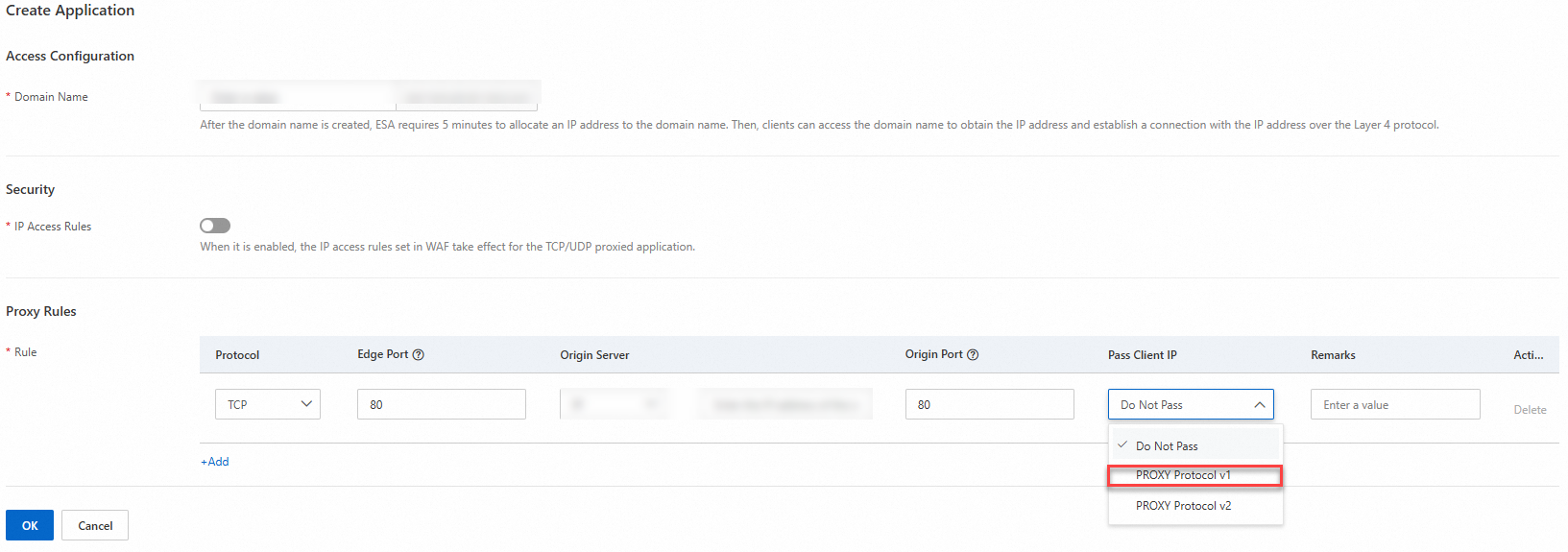
Click OK.
PROXY protocol v1 header format
The PROXY protocol v1 adds a plain-text header to each connection in the following format:
PROXY_STRING + single space + INET_PROTOCOL + single space + CLIENT_IP + single space + PROXY_IP + single space + CLIENT_PORT + single space + PROXY_PORT + "\r\n"IPv4 example:
PROXY TCP4 10.10.10.10 192.168.0.1 12345 80\r\nIPv6 example:
PROXY TCP6 2001:db8:: 2001:db8:ffff:ffff:ffff:ffff:ffff:ffff 12345 443\r\nThe following table describes the header fields:
Example header value | Description |
PROXY | Protocol header. |
TCP4 | Transmission protocol. |
TCP6 | |
10.10.10.10 | Client IP address. |
2001:db8:: | |
192.XXX.0.1 | Destination server IP address. |
2001:db8:ffff:ffff:ffff:ffff:ffff:ffff | |
12345 | Client port. |
80 | Destination server port. |
443 | |
\r\n | End of the header. |
Enable PROXY protocol v2 for TCP
For TCP applications, ESA adds a PROXY protocol v2 header to each inbound TCP connection.
In the ESA console, select Websites, and in the Website column, click the target site.
In the left navigation pane, choose .
Click Create Application. Set Protocol to TCP in the Proxy Rules area, and set Pass Client IP to PROXY Protocol v2.
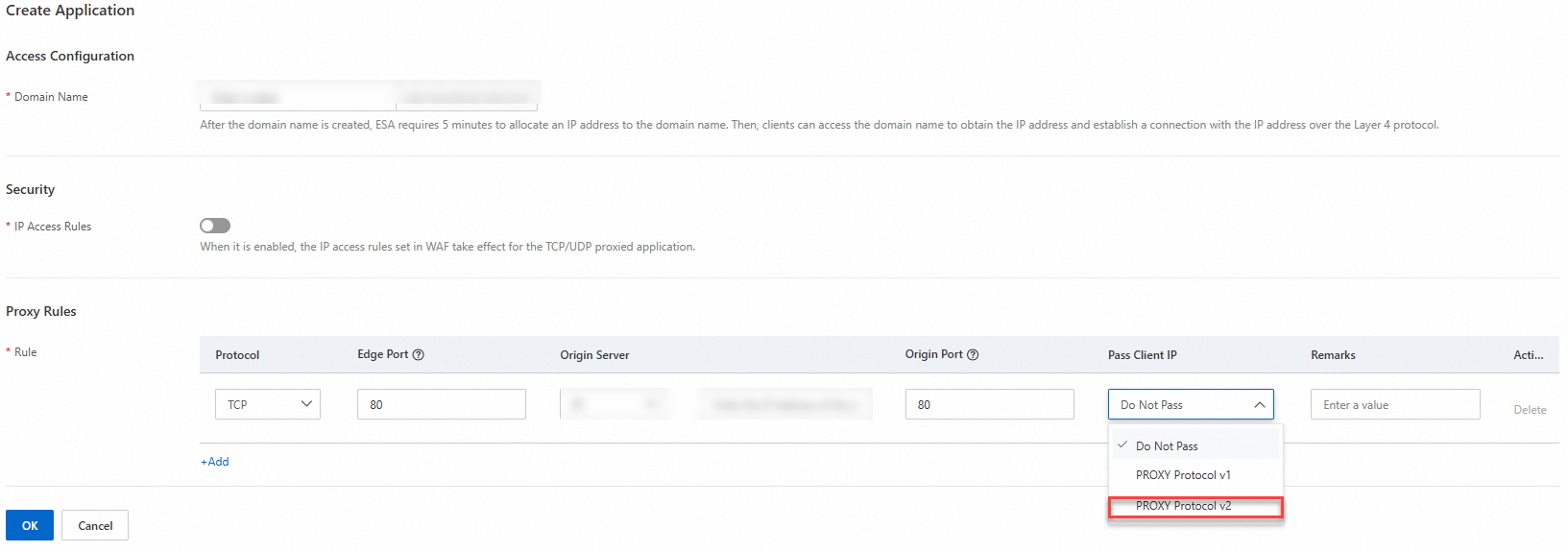
Click OK.
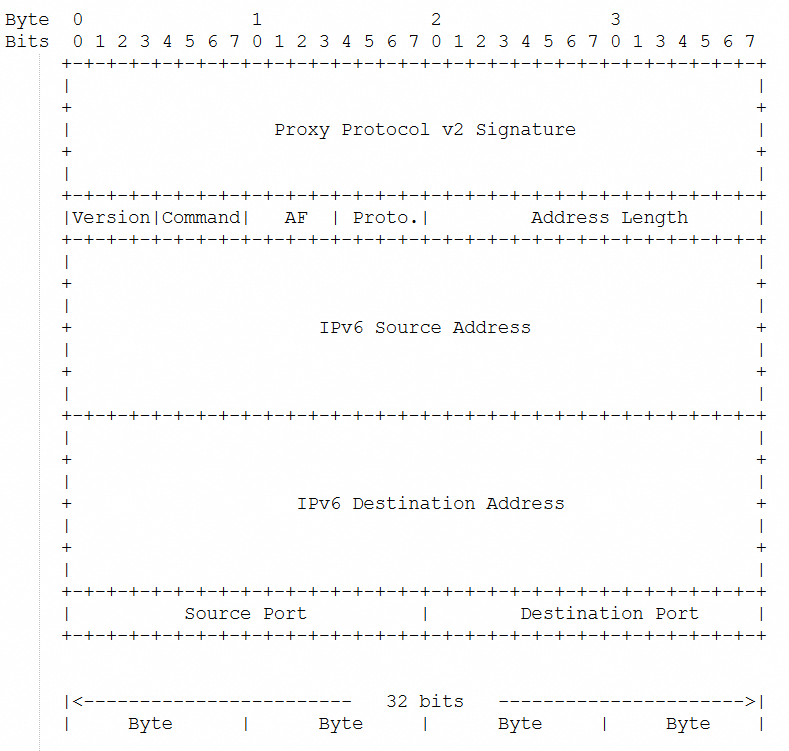
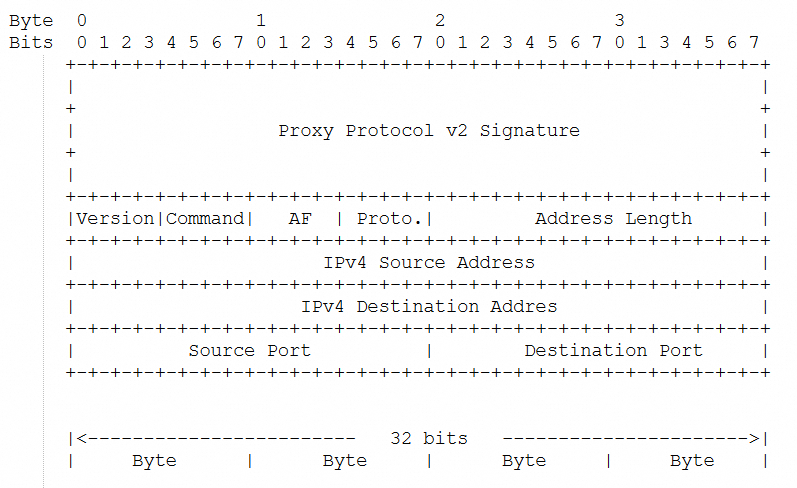
PROXY protocol v2 header format
The PROXY protocol v2 adds a binary header to each connection with the client's IP address and port.
Binary header format for IPv4:
Binary header format for IPv6: