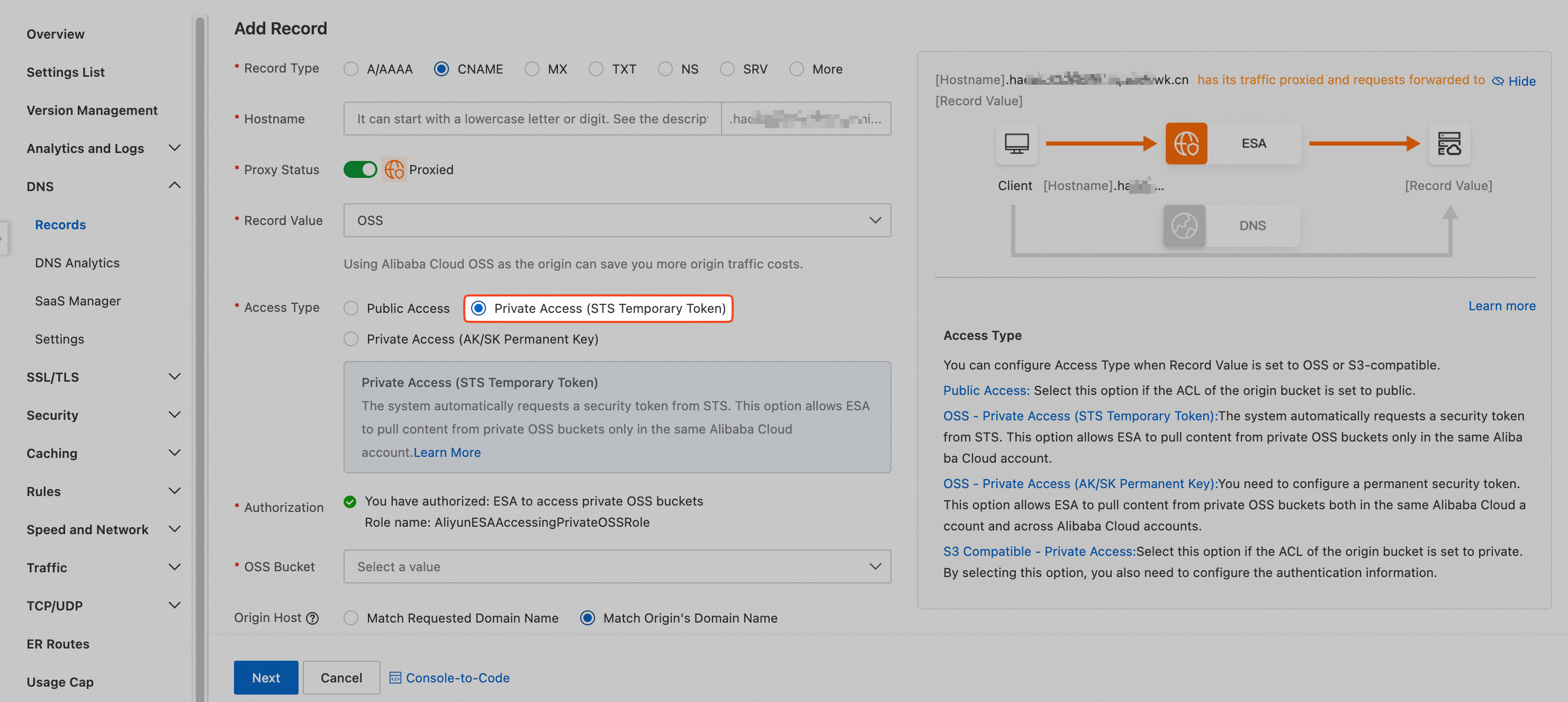
By default, ESA can use STS only to make origin requests to private OSS buckets within the same Alibaba Cloud account. To enable cross-account origin requests to a private OSS bucket by using STS, you must manually add a bucket policy in OSS. Follow these steps to configure the policy:
Log on to the Alibaba Cloud account that owns the private OSS bucket and go to the OSS console.
Choose Buckets > Your target bucket > Permission Control > Bucket Policy. In the Permission Control section, on the Bucket Policy tab, click Authorize.
For Authorized User, select Other Accounts, and enter the Alibaba Cloud account ID or the RAM user ARN of the Alibaba Cloud account where ESA resides. The RAM user ARN format is
acs:sts::<uid>:*, where<uid>is the account ID of the Alibaba Cloud account. For Authorized Operation, select Read-Only (excluding ListObject), and then click OK.After adding the grant, you can view the authorization details on the Bucket Policy tab.
After adding the bucket policy in the other Alibaba Cloud account's OSS, log on to the Alibaba Cloud account where ESA resides and go to the ESA console. When adding a DNS record, select Private Access (STS Temporary Token) as the origin fetch type.