Add Enterprise DDoS protection to your Edge Security Acceleration (ESA). This upgrade provides higher mitigation capacity and enhanced features for business-critical applications.
Key concepts
Term | Description |
Base protection | Baseline mitigation capacity that comes with your plan. Attacks below this threshold are handled without extra charge. |
Burstable protection | Additional capacity that activates when an attack exceeds your base protection. This "on-demand capacity" scales automatically and bills on a pay-per-use basis. |
Blackhole filtering | Last-resort mechanism that drops all traffic to your website when attacks exceed even your burstable limit. Protects overall network stability. |
Mitigation sessions | Number of large-scale attacks your plan includes per month. Network-layer attacks over 20 Gbps consume sessions. L7 attacks do not. |
Protection capacity
Service region | Specification | Description |
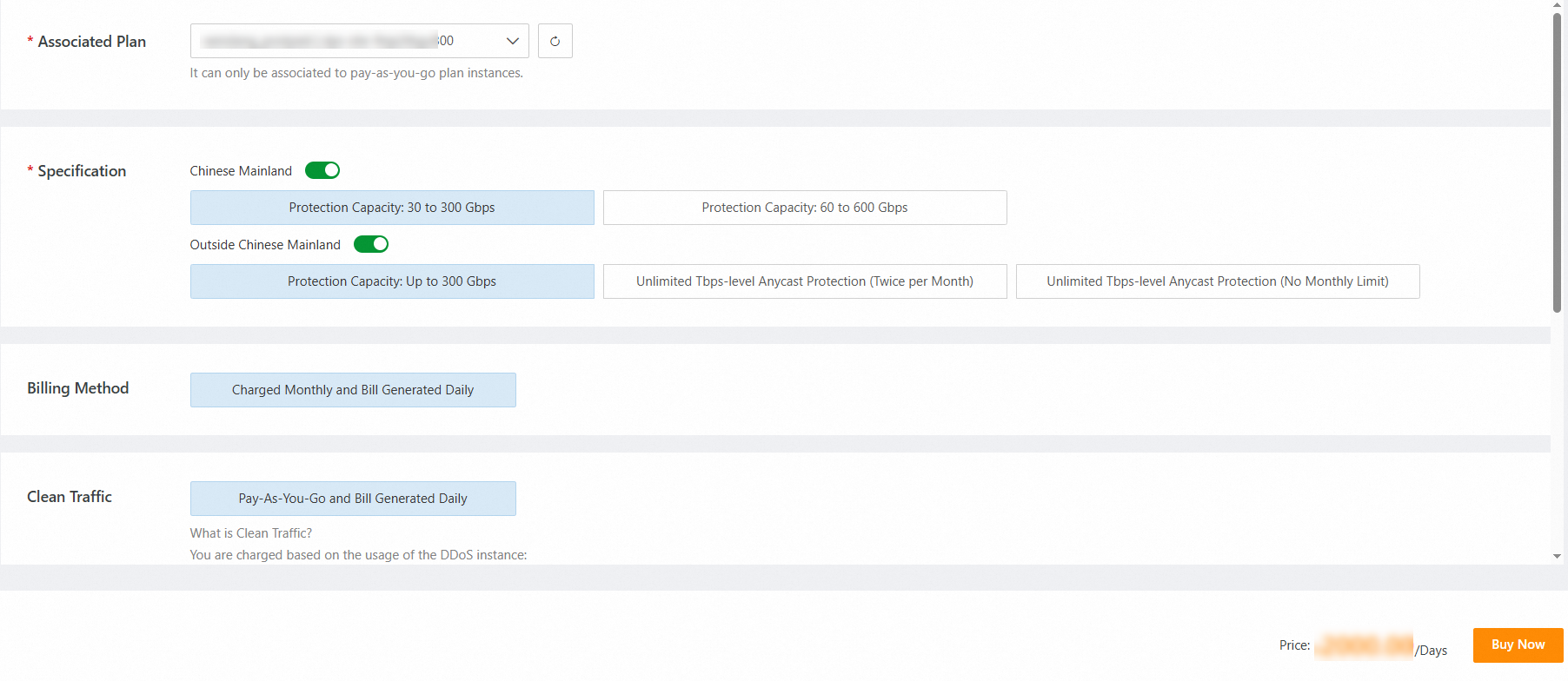
The Chinese mainland | 30 Gbps base, up to 300 Gbps burstable protection | For example, if you set the bandwidth to 200 Gbps, attack traffic between 30 Gbps and 200 Gbps is billed based on burstable protection pricing. If an attack exceeds your configured limit, blackhole filtering is triggered, and your website becomes unavailable. |
60 Gbps base, up to 600 Gbps burstable protection | For example, if you set the bandwidth to 500 Gbps, attack traffic between 60 Gbps and 500 Gbps is billed based on burstable protection pricing. If an attack exceeds your configured limit, blackhole filtering is triggered, and your website becomes unavailable. | |
Global (outside the Chinese mainland) | Up to 300 Gbps protection | If an attack exceeds 300 Gbps, blackhole filtering is triggered, and your website becomes unavailable. |
Tbps-level Anycast unlimited protection (2 sessions/month) | Protects against attacks of up to 1 Tbps. This plan provides only two mitigation sessions per month. If an attack exceeds 1 Tbps, blackhole filtering is triggered, and your website becomes unavailable. Note Mitigation sessions are consumed only by network-layer attacks with a peak throughput over 20 Gbps. Application-layer CC attacks do not consume sessions. A session is considered consumed approximately 30 minutes after a network-layer attack ends. The counter is then reset. | |
Tbps-level Anycast unlimited protection (unlimited sessions) | Protects against attacks of up to 1 Tbps. If an attack exceeds 1 Tbps, blackhole filtering is triggered, and your site becomes unavailable. |
FAQs
How does billing for burstable protection work?
You are only billed for the burstable capacity you actually use during an attack. For example, if you have a "30 Gbps base, 300 Gbps burstable" plan and you are hit with a 100 Gbps attack, you will be billed for the 70 Gbps of traffic that exceeded your base protection. If that same attack had reached 500 Gbps and triggered blackhole filtering, you would not be billed for any burstable usage for that event.
Do I need separate plans for the Chinese mainland and other regions?
Yes, protection for the Chinese mainland is provisioned separately from other global regions. If your acceleration region is set to Global, you must purchase a global protection plan to defend against attacks originating outside the Chinese mainland. Cross-region protection is not supported due to ICP filling.
For information about burstable protection pricing, contact us.
Requirements
ESA pay-as-you-go instance already running. Required permissions in Alibaba Cloud account. Understanding of your website's expected traffic patterns.
Purchase Enterprise DDoS protection
Go to ESA console. Select .
Select . Click Buy Now.
Select associated pay-as-you-go ESA plan. Choose a specification from Protection capacity table.
Click Buy Now and follow on-screen instructions to complete purchase.
Verify protection status
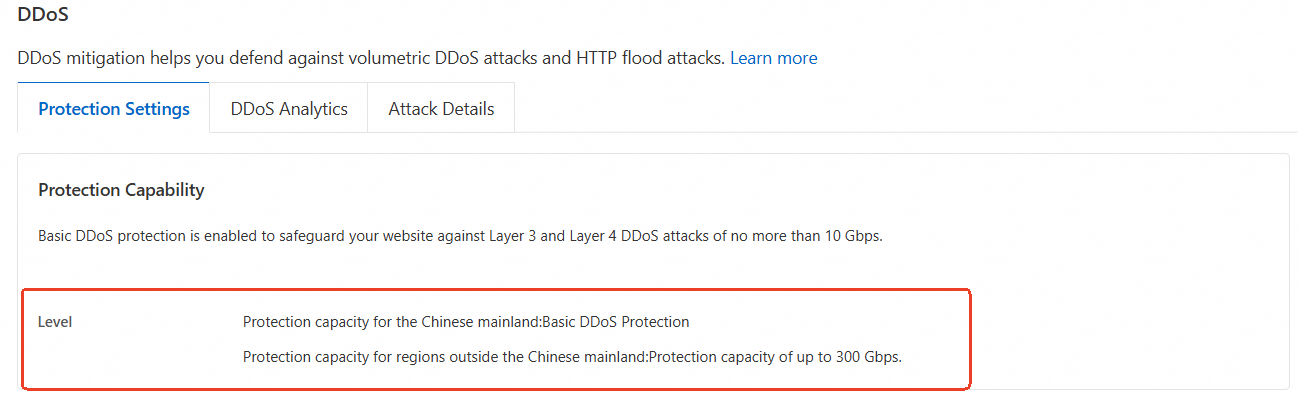
Confirm your upgrade was successful by checking DDoS configuration for your website.
In the ESA console, choose Websites. In the Website column, click the target site.
In the left navigation pane, choose .
Click the Protection Settings tab. In the Protection Capability area, view the details of the protection.