Secure your website with ESA by enabling smart rate limiting, adjusting the security level, and using security analytics to create WAF and bot management rules.
Set up general protection
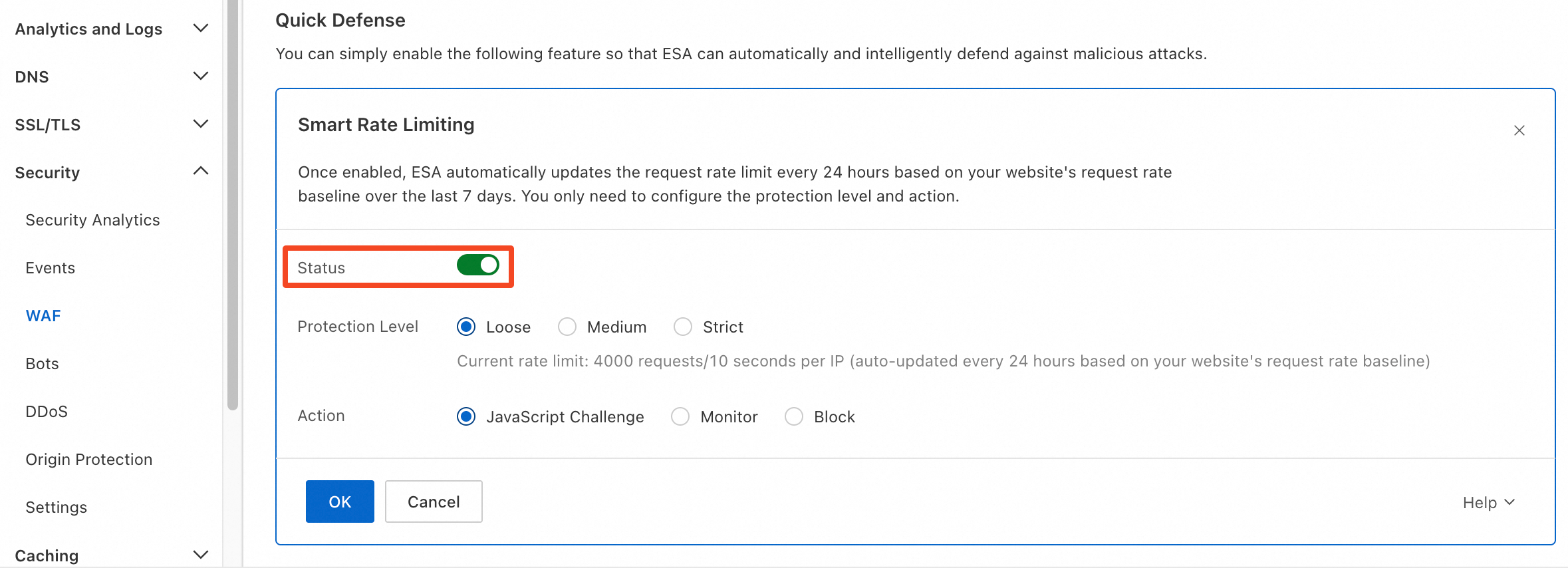
Enable smart rate limiting
ESA smart rate limiting learns a baseline from your past seven days of traffic and updates it daily. When request frequency exceeds this baseline, ESA blocks excess traffic to prevent CC attacks and sudden spikes.
Do not enable this feature if your business naturally experiences sudden traffic surges.
In the left navigation pane, choose to find the smart rate limiting switch.
Adjust the security level
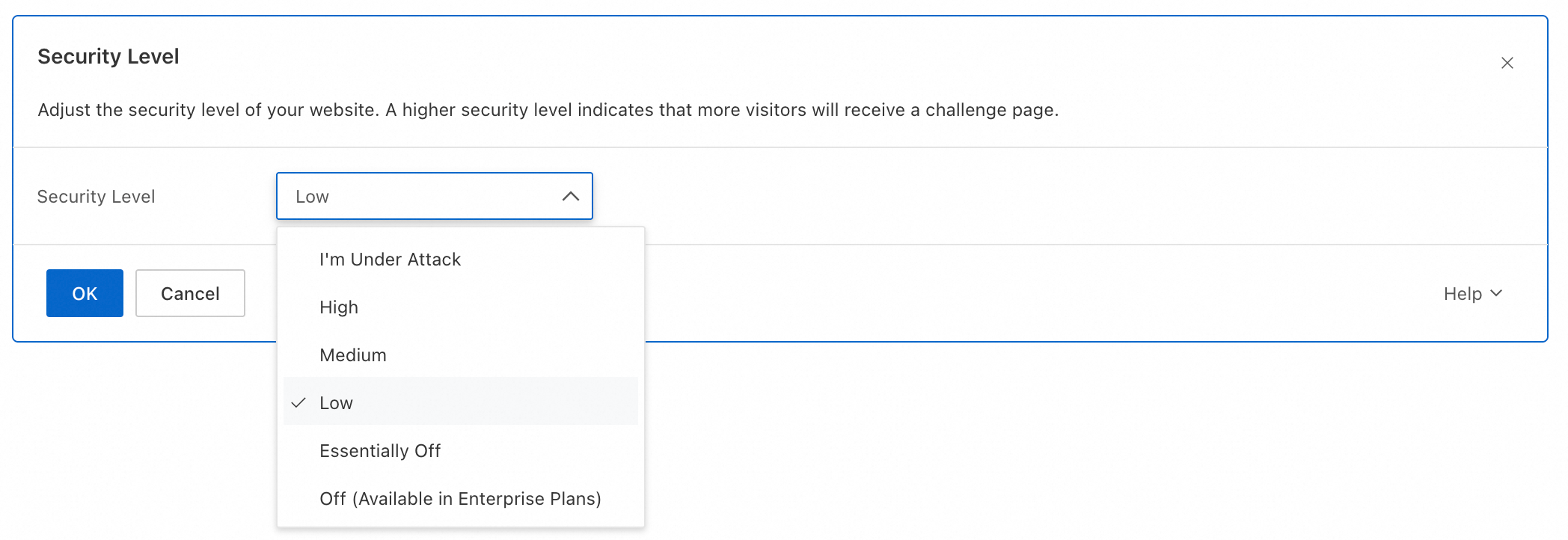
ESA evaluates incoming requests against a threat intelligence database. Based on your security level, ESA challenges requests from IPs with varying threat scores and allows only those that pass. You can adjust the security level at any time.
In the left navigation pane, choose to find the security configuration options.
Configure targeted protection
Smart rate limiting applies a blanket limit to all requests. To address specific threats such as anomalous access patterns, bot traffic, or DDoS attacks, ESA provides the following targeted options.
By default, ESA provides basic DDoS protection that mitigates attacks up to 10 Gbps. Customize settings in DDoS protection.
Configure WAF with security analytics
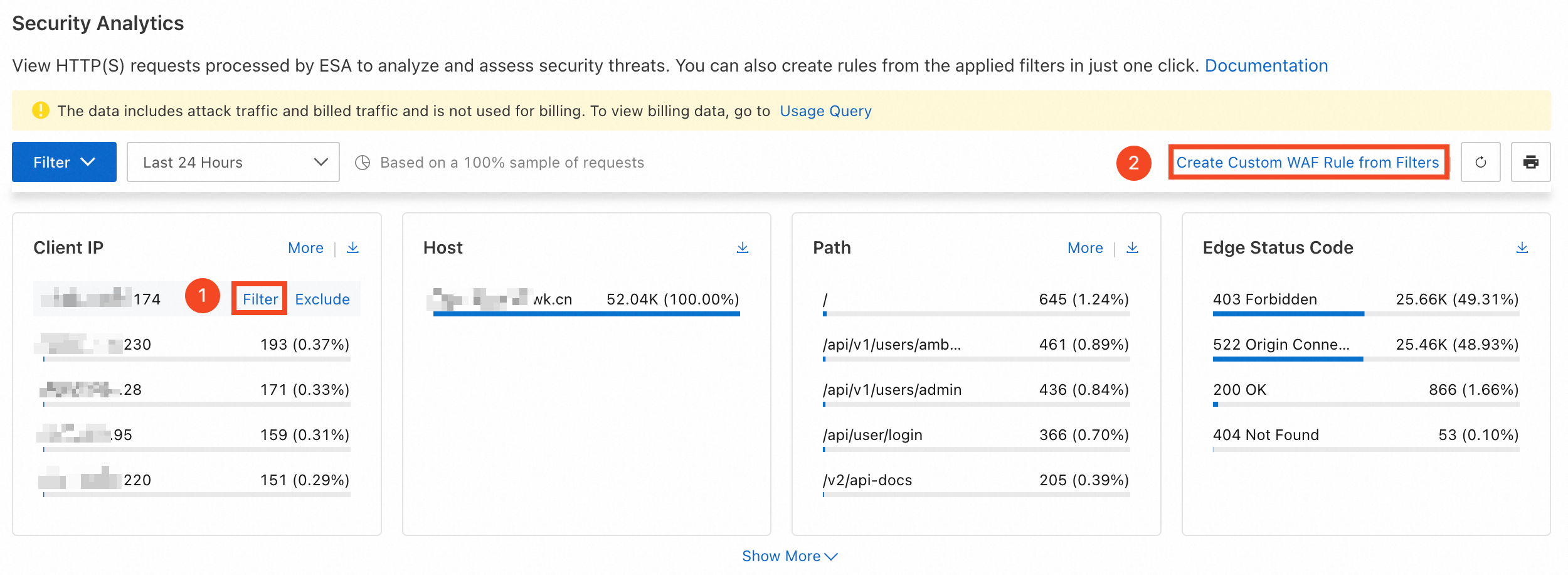
Security analytics ranks request characteristics (client IP, path, User-Agent) by access count, showing the top five for each. Use this data to identify malicious patterns and create WAF rules.
-
In the ESA console, select Websites, and in the Website column, click the target website.
-
In the left navigation pane, choose .
-
Next to an anomalous characteristic (for example, a client IP with an unusually high request rate), click Filter. Then click Create Custom WAF Rule from Filters.
-
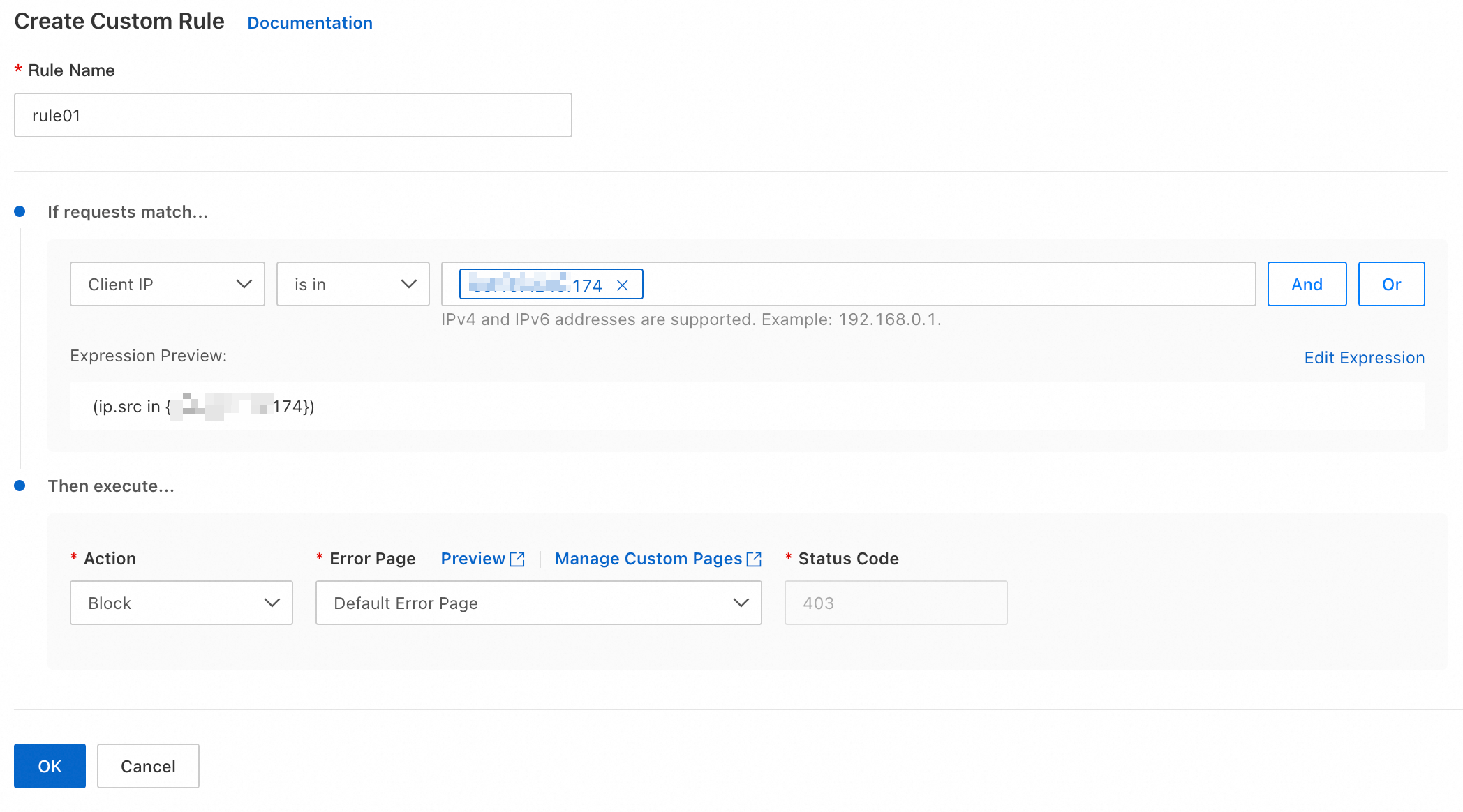
ESA auto-generates a rule expression from the selected filters. Enter a Rule Name and select an Action to complete the rule.
NoteNot all filter conditions support automatic rule generation. Verify that the generated rule is complete before saving.
Configure bot management
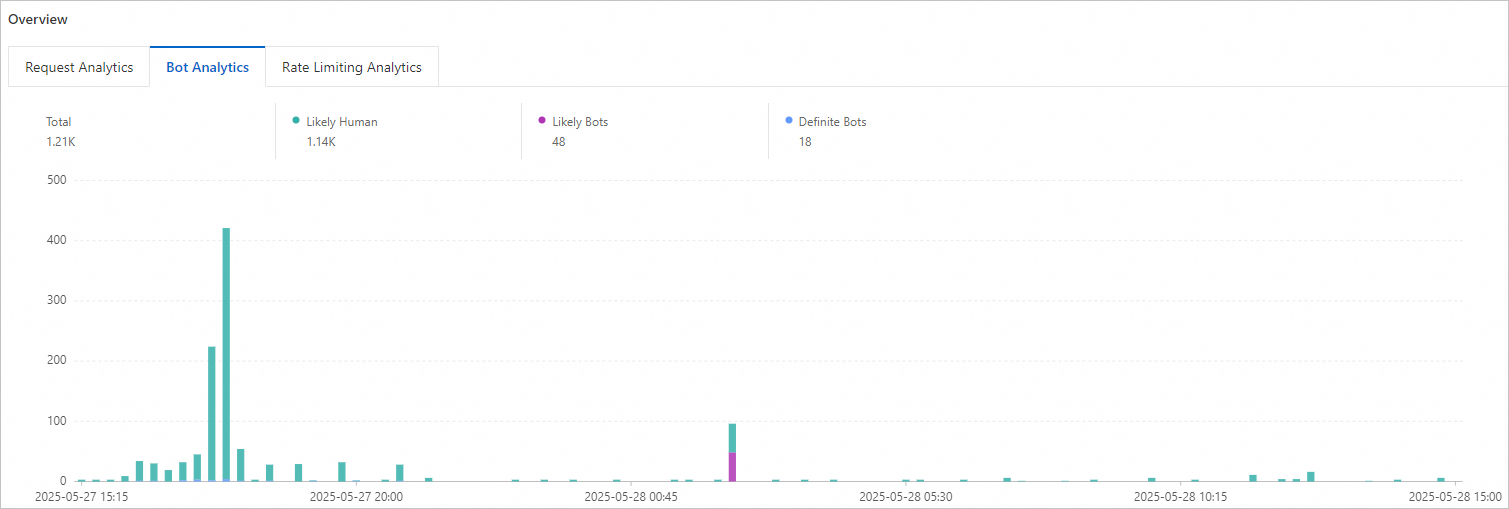
ESA classifies traffic into categories such as Likely Human, Definite Bots, and Likely Bots. You can assign different actions to each category.
In the left navigation pane, choose . On the Overview page, click the Bot Analytics tab to view the analysis.
Recommended settings to block bot traffic:
-
In the ESA console, select Website Management, and in the Website column, click the target website.
-
In the left navigation pane, choose .
-
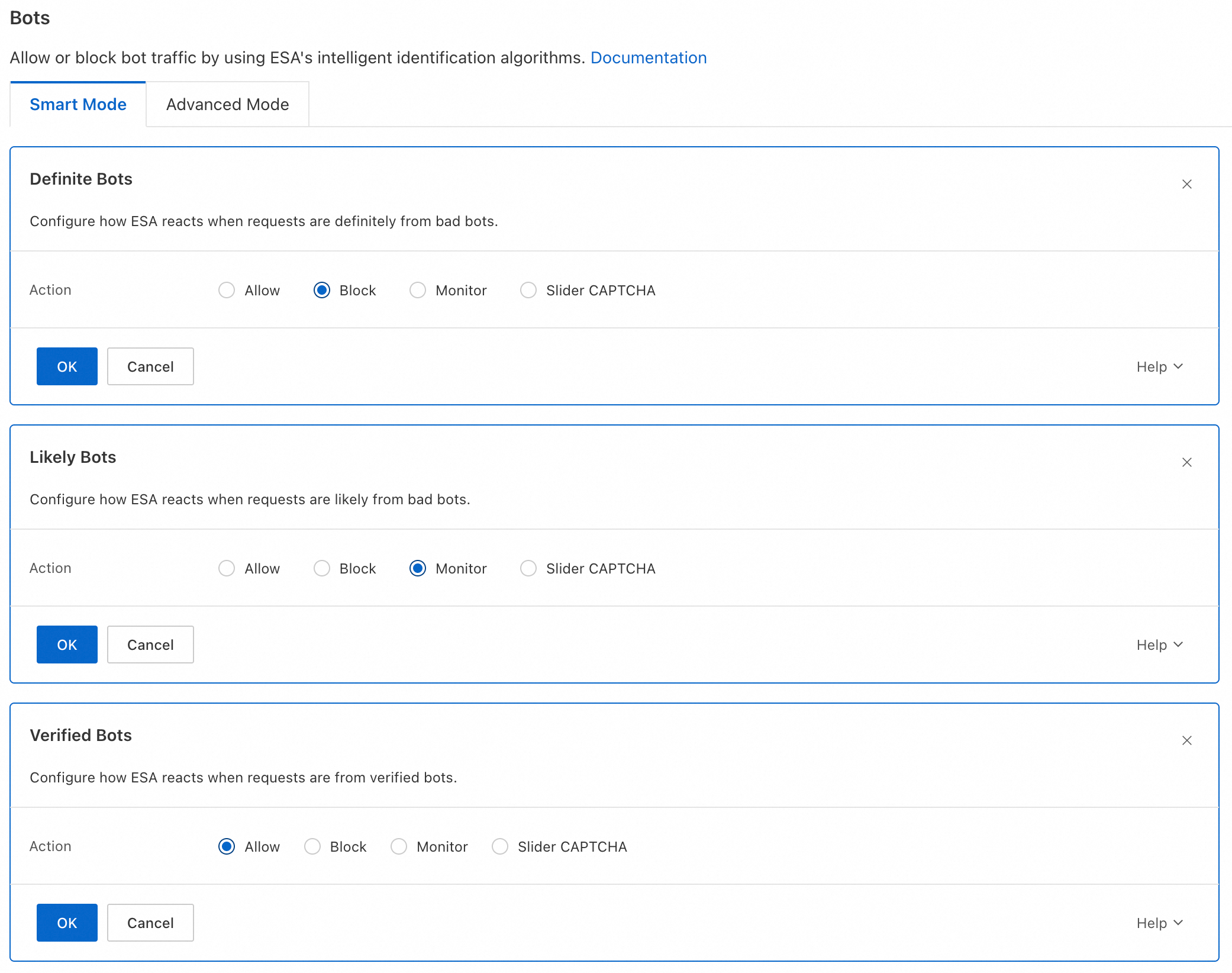
In Smart Mode, configure the action for each bot type and click OK. Recommended settings:
-
Definite Bots: Block
-
Likely Bots: Monitor
-
Verified Bots: Allow
-
Configure bot management with security analytics
Security analytics also breaks down bot traffic to your website, letting you create bot management rules directly from these insights.
Only the Enterprise plan supports Create Bot Management Rule from Filters. The Basic and Advanced plans do not.
-
In the ESA console, select Website Management, and in the Website column, click the target website.
-
In the left navigation pane, choose .
-
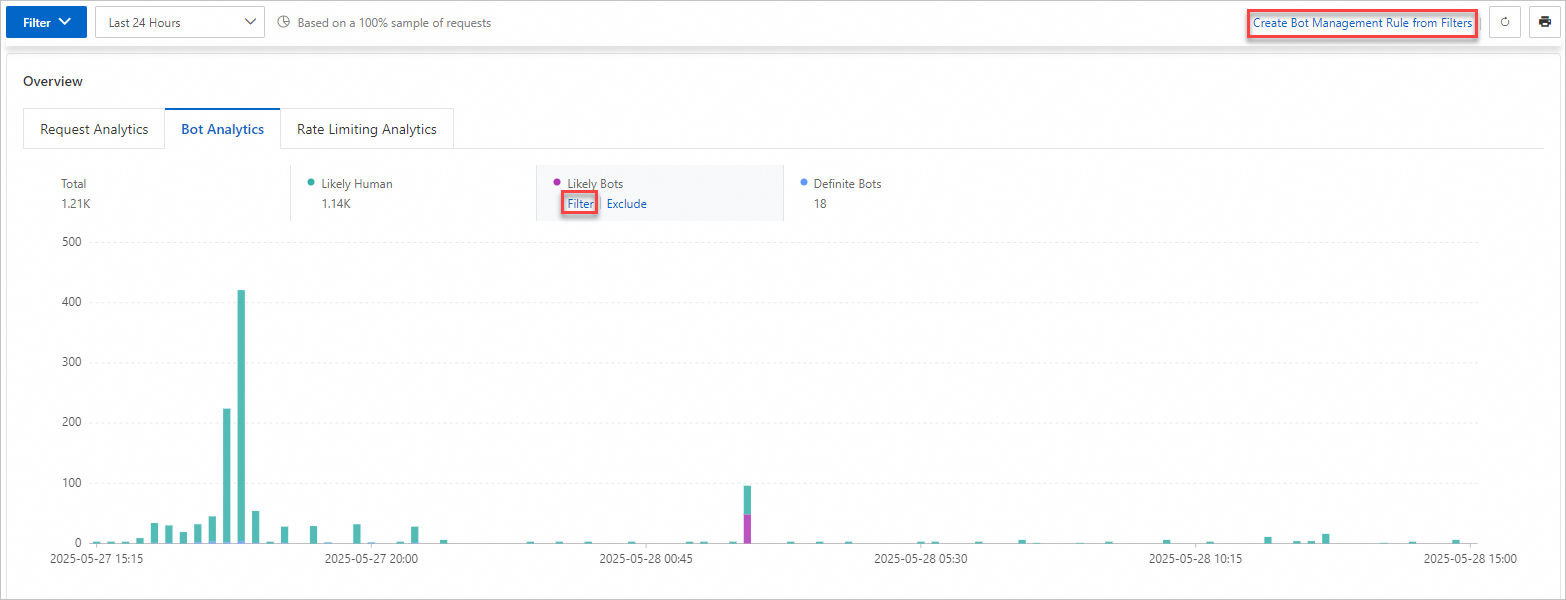
On the Overview tab, click the Bot Analytics tab. Next to a characteristic you want to configure, such as Definite Bots, click Filter. Then, click Create Bot Management Rule from Filters.
-
On the Create Ruleset page for the Bots feature, see Get started with bots for instructions on configuring anti-crawling settings for your website or application.