DNS analytics monitors your website's DNS traffic through key metrics, trend analysis, and multi-dimensional visualizations. Use it to track DNS service status in real time and make informed business decisions.
Features
DNS analytics provides data analysis across the following dimensions:
-
Multi-dimensional data insights: Track trends over time for key metrics such as total queries, average queries per second, and average processing time to understand traffic patterns and identify peak and off-peak hours.
-
Performance and efficiency evaluation: Analyze total queries and average processing time to evaluate content delivery efficiency and website health, helping you quickly detect and resolve issues.
-
Resource optimization and planning: Use DNS data to plan bandwidth resources, optimize caching strategies, reduce origin server load, and improve service performance.
Metrics
Overview
The overview panel displays a line chart of DNS query types, providing an intuitive view of your website's historical access trends.
-
Total Queries: The total number of domain name resolution requests, such as those for accessing a website or sending an email, received and processed by ESA DNS servers.
-
Average Queries Per Second: The number of domain name resolution requests, such as those for accessing a website or connecting to a service, processed by the ESA DNS service per second.
-
Average Processing Time: The average time ESA DNS servers take to process a request, from receipt to response.
-
Metric change: The percentage change compares the selected time range with the previous time range of the same length. If no data is available for the previous time range, the rate of change is not displayed.
For example, if you select Last 30 Days and the requests increased by 2.03%, this means the number of requests received by ESA servers in the last 30 days increased by 2.03% compared to the previous 30-day period.
Top data by dimension
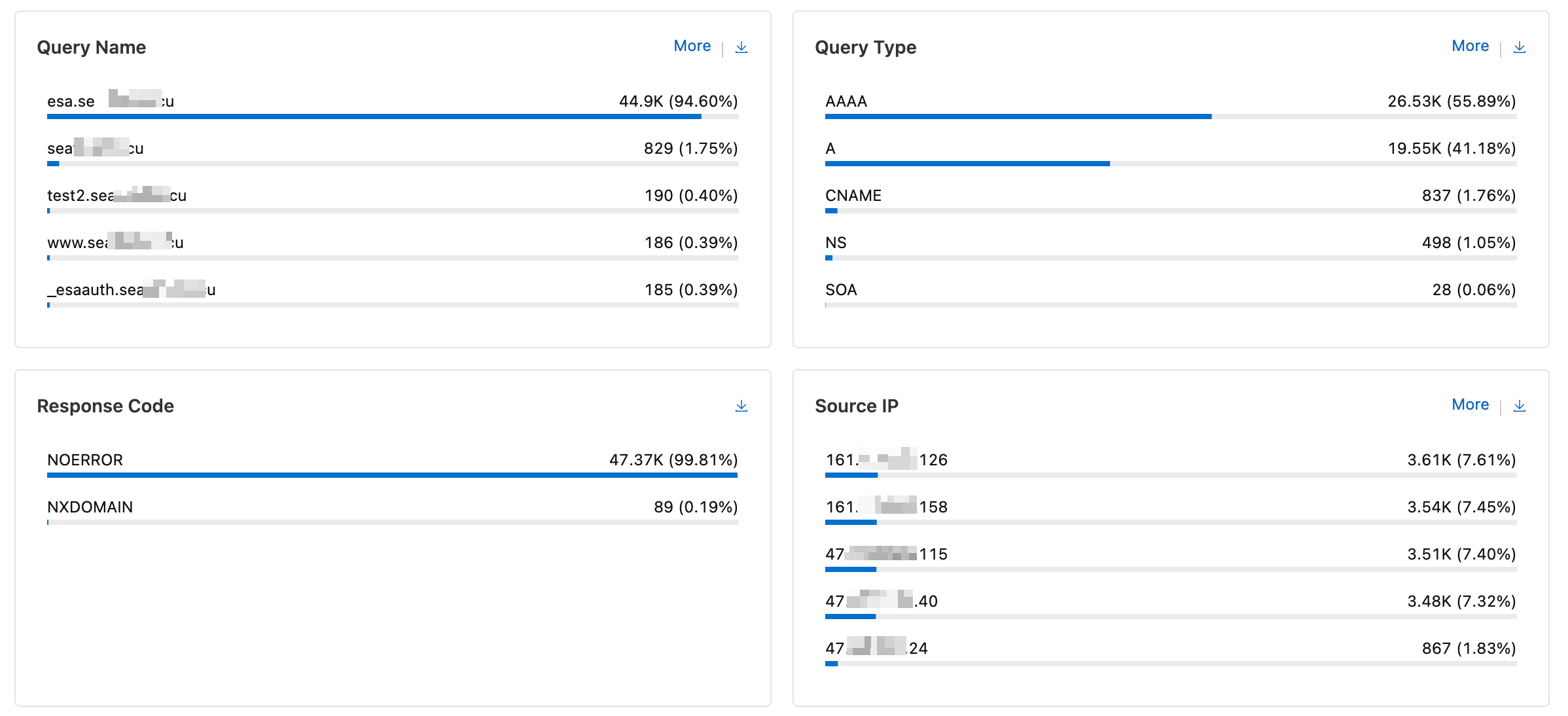
DNS analytics breaks down query counts and user behavior across multiple dimensions. Select a time range to view detailed data and visualizations for each dimension.
By default, DNS analytics displays the top 5 results.
View the DNS analytics report
-
In the ESA console, select Websites. In the Website column, click the target website.
-
In the navigation pane on the left, select .
-
On the DNS Analytics page, view the total queries and average processing time. Click the
 icon to print the report or the
  icon to download the data. Use the filter to refine the data. For more information, see How to use filters.