Access Optimization (Chinese Mainland Network) reduces cross-border latency for Chinese mainland users accessing overseas sites. Requests route through a Hong Kong (China) POP and the ESA global acceleration network for fast, reliable delivery.
This feature is available as an add-on for the Enterprise plan.
Prerequisites
Before you enable this feature:
-
Your site is on the Enterprise plan
-
Your site's acceleration region is set to Global (Excluding the Chinese Mainland)
If your acceleration region does not meet this requirement, switch the acceleration region first.
How it works
After you enable Access Optimization (Chinese Mainland Network):
-
Requests from users in the Chinese mainland are routed to the POP in Hong Kong (China).
-
The POP connects to the ESA global acceleration network.
-
Through the ESA global acceleration network and protocol stack optimization, users access origin servers outside China quickly and reliably.

Enable Access Optimization
-
In the ESA console, select Websites, and in the Website column, click the target site.
-
In the left navigation pane, select .
-
In the Network Optimization section, find Access Optimization (Chinese Mainland Network) and turn on the toggle.

Verify the configuration
Verify that Chinese mainland requests route to the Hong Kong (China) POP.
Step 1: Get the POP IP address
Resolve your accelerated domain name's IP address using one of these methods.
nslookup
Run this command in Command Prompt (Windows) or Terminal (macOS/Linux). Replace www.example.com with your domain name.
nslookup -type=A www.example.com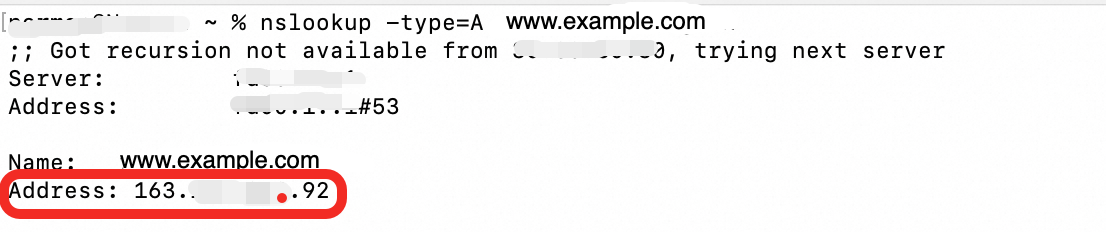
ping
Run this command in Command Prompt (Windows) or Terminal (macOS/Linux):
ping www.example.com
dig
Run this command in Terminal (macOS/Linux):
dig www.example.com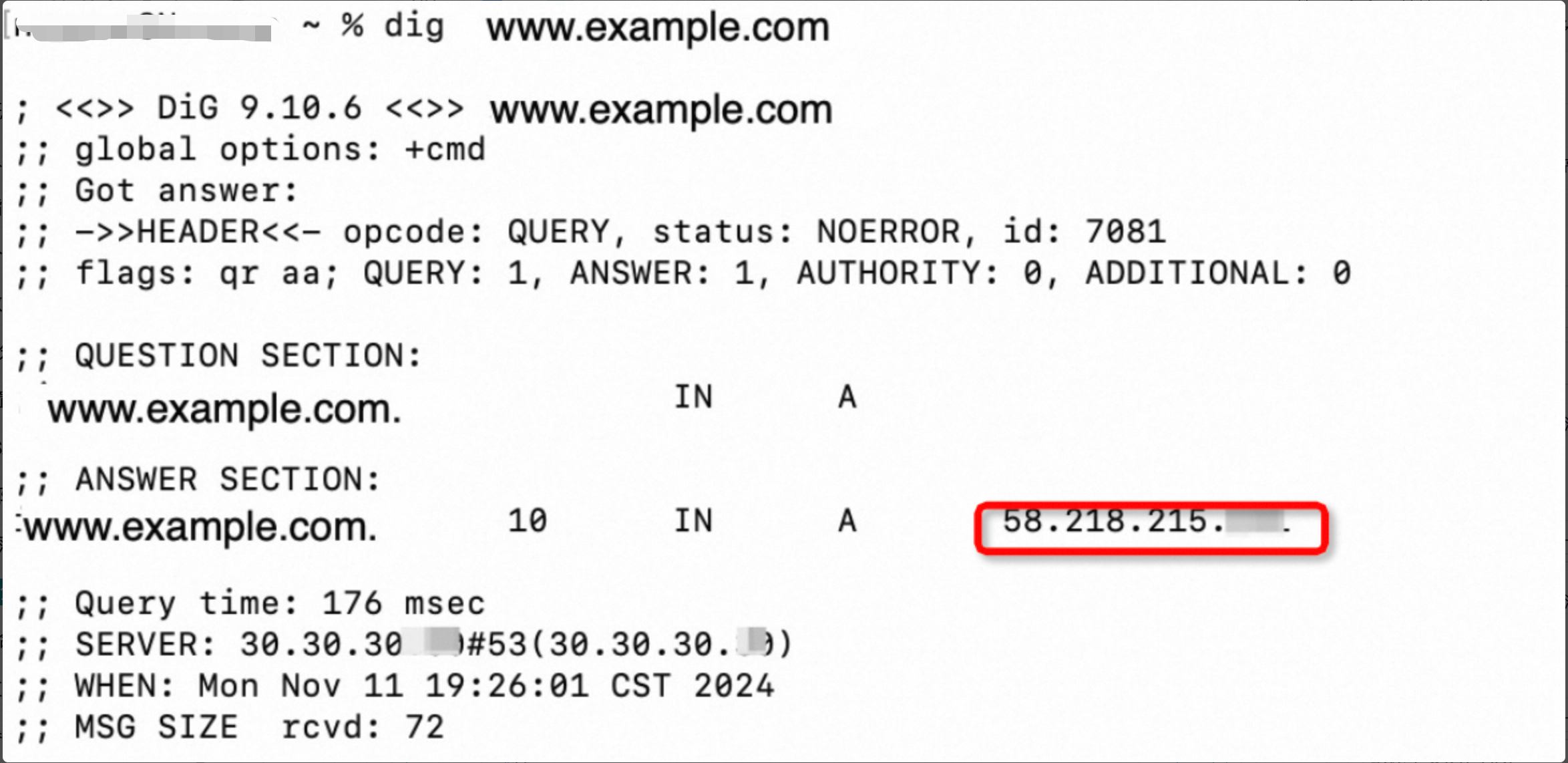
Step 2: Check the IP location
-
Open the IP Address Tool in the CDN console.
-
Enter the IP address from Step 1 and click Check.
-
If the region in the result shows
Hong Kong, the configuration is successful.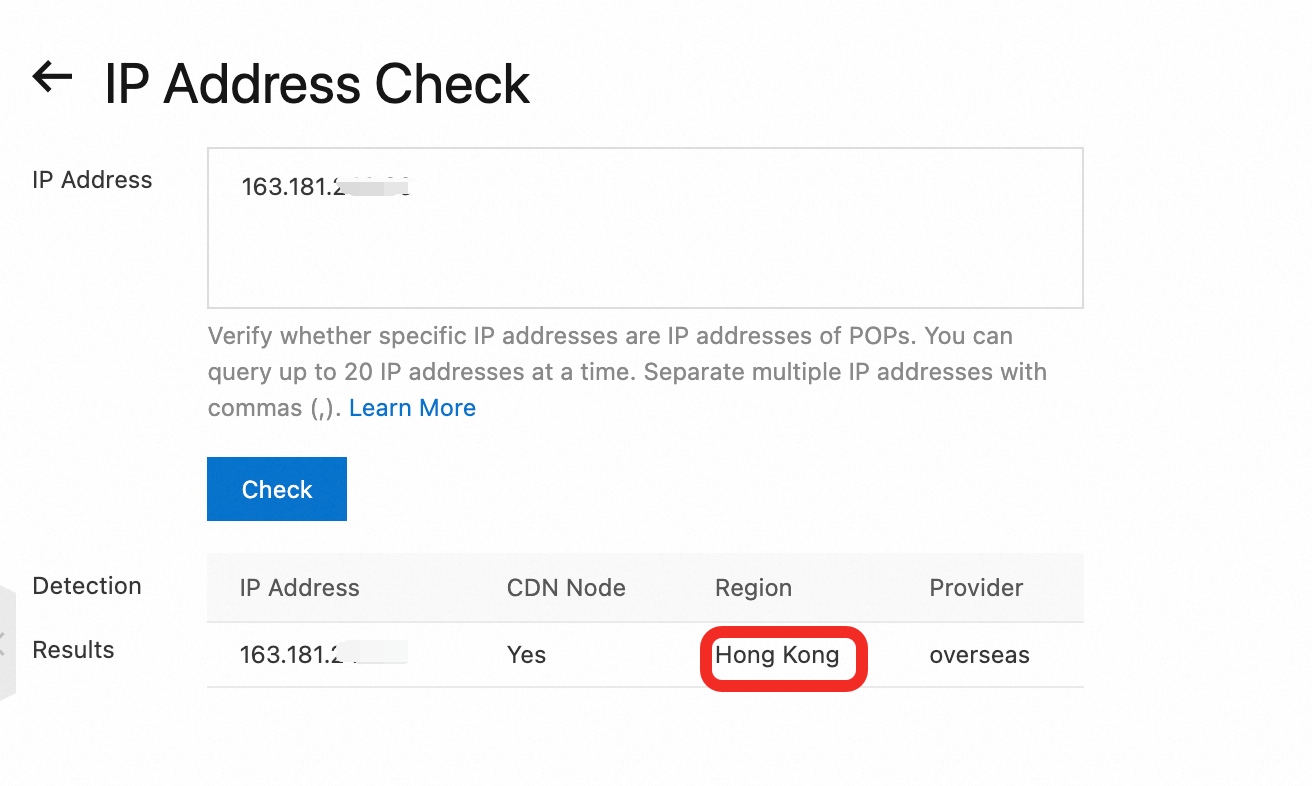
Limits
-
IPv6: IPv6 requests from the Chinese mainland cannot be accelerated when IPv6 access is enabled.
-
Acceleration region: Access Optimization (Chinese Mainland Network) is available only when the acceleration region is set to Global (Excluding the Chinese Mainland).
-
DDoS attacks: During a DDoS attack on your domain or network optimization POP, ESA automatically switches requests to a protection POP. Connections may be interrupted during switchover, and the feature is unavailable until the attack ends.
-
If you have purchased Best-effort DDoS protection, traffic from the Chinese mainland is switched to a Best-effort DDoS protection POP.
-
If you have not purchased Best-effort DDoS protection, traffic is switched to a Basic DDoS protection POP.
-
Billing
This paid add-on uses pay-as-you-go billing based on upstream and downstream traffic of accelerated requests. Contact customer service for pricing details.