The blacklist by region feature identifies the source region of a client request based on the geographic location of the client's IP address. This lets you block or allow access from specific regions to mitigate frequent malicious requests from certain areas. This topic describes how to configure a region blacklist or whitelist.
Enable the blacklist
-
Log on to the DCDN console.
-
In the left navigation pane, click Domain Names.
-
On the Domain Names page, find the domain name that you want to manage and click Configure in the Actions column.
-
In the navigation pane on the left of the domain name, click Security Settings.
-
On the Region Blacklist tab, click Modify.
-
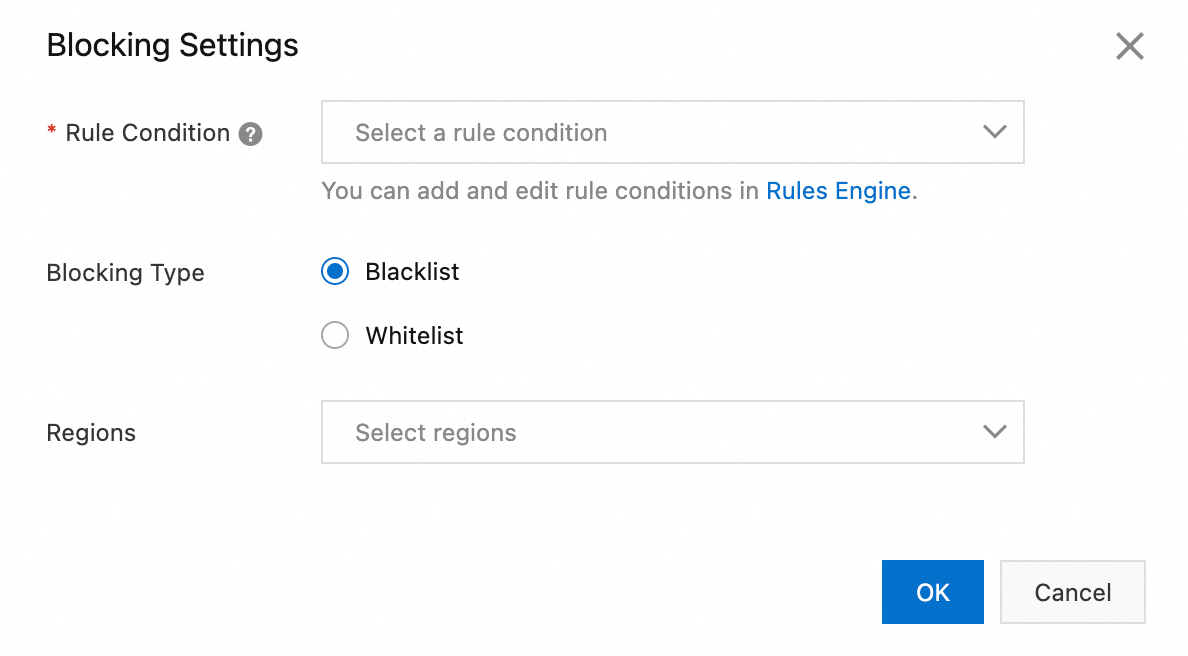
In the Blocking Settings dialog box, select Rule Condition, Blocking Type, Rule Condition, and Regions.
Parameter
Description
Rule Condition
A rule condition identifies various parameter information in a user request. This determines whether a configuration takes effect for that request.
Do not use: Does not use a rule condition.
To add or edit rule conditions, manage them in the Rules Engine.
Blocking Type
-
Blacklist
Requests from regions in the blacklist cannot access any resources for the accelerated domain name.
-
Whitelist
Only requests from regions in the whitelist can access resources for the accelerated domain name. Requests from all other regions are blocked.
The blacklist and whitelist are mutually exclusive. Only one can be active at a time.
Regions
Specify the regions for the blacklist or whitelist.
-
Click OK.
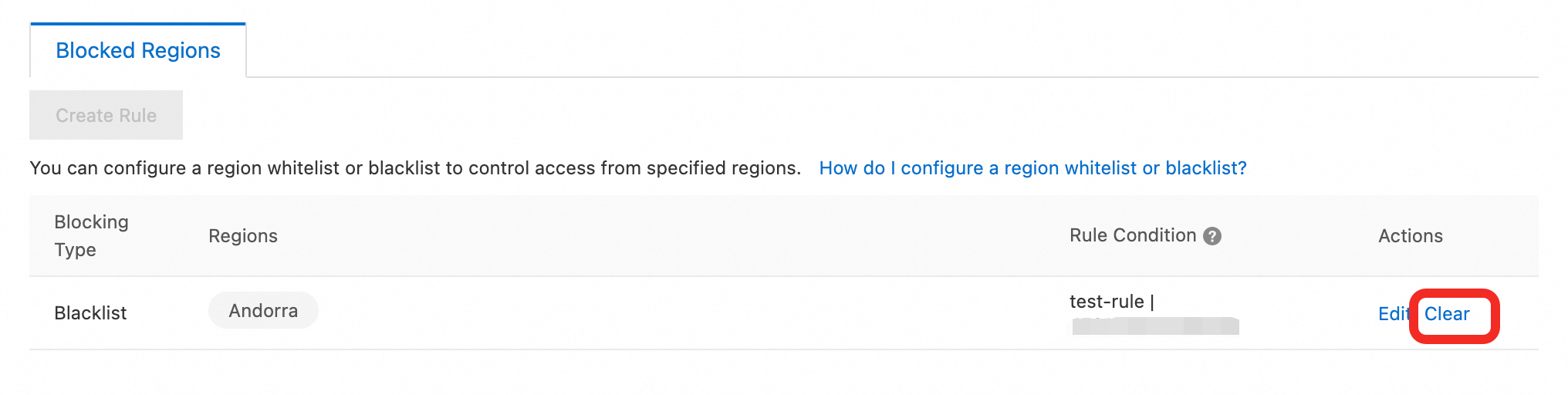
Canceling a region blacklist
To delete a location blacklist, click Clear. After the location is deleted, DCDN will no longer block requests from the specified regions.
Configuration example
Block HTTP requests from Andorra to the /image path.
-
In the Rules Engine, configure a rule to match HTTP requests for resources in the
/imagepath.Set the rule name to
ruleand the condition to Protocol Type equalshttpand path contains/image/*. Then, click Submit. -
Configure a rule to block HTTP requests from Andorra to the /image path.
-
Rule Condition: Select the rule that you created in Step 1.
-
Blocking Type: Select Blacklist.
-
Regions: Select Andorra.
-
-
Result: When a request matches the rule, the server returns a
403 Forbiddenerror with the messagedenied by region block.403 Forbidden You don't have permission to access the URL on this server. denied by region block Powered by Tengine CDN Request Id: dcbxxx5555e