When you run containerized applications across multiple Kubernetes clusters -- on Alibaba Cloud, third-party clouds, and on-premises data centers -- managing deployments, monitoring, and operations for each cluster becomes complex. Enterprise Distributed Application Service (EDAS) provides a single platform to deploy and manage containerized applications on all your Kubernetes clusters, handling the full application lifecycle without requiring deep container orchestration expertise.
Common use cases
Deploy Java, PHP, or multi-language applications to Kubernetes without managing cluster internals
Manage containerized workloads across Alibaba Cloud and external Kubernetes clusters from one console
Monitor application performance and configure alerts through integrated Application Real-Time Monitoring Service (ARMS)
Scale, update, and roll back applications with built-in deployment workflows
Supported cluster types
EDAS works with Kubernetes clusters from multiple sources. Import your clusters into EDAS and manage all containerized applications from a single platform, regardless of where the clusters run.
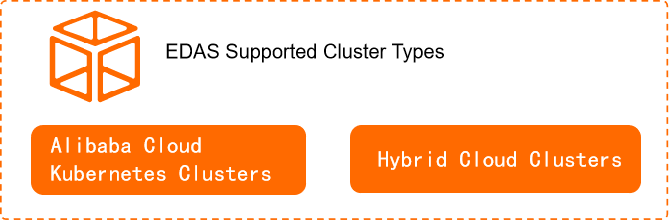
| Cluster source | Supported types | How to import |
|---|---|---|
| Alibaba Cloud (ACK) | Dedicated Kubernetes clusters, managed Kubernetes clusters, ACK Serverless clusters | Import directly from the Container Service for Kubernetes (ACK) console |
| Third-party clouds and on-premises data centers | Any standard Kubernetes cluster | Register in the ACK console, then import into EDAS |
After import, hybrid-cloud clusters, dedicated Kubernetes clusters, and managed Kubernetes clusters appear as ACK clusters in EDAS. Serverless Kubernetes clusters appear as ACK Serverless clusters in EDAS.
For details on importing and managing external clusters, see Kubernetes resource management overview.
Supported application types
EDAS hosts Java, PHP, and multi-language applications in containers. The deployment method depends on the application type.
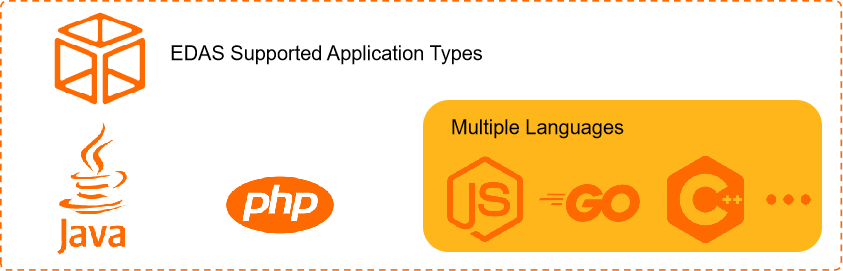
| Application type | Deployment method | Details |
|---|---|---|
| Java | JAR packages, WAR packages, or container images | Runtime environment varies by deployment method |
| PHP | Source code build | Build and host PHP applications directly from source |
| Multi-language (Node.js, Go, Python, and others) | Custom container images | Package any language runtime into a custom image |
For the full list of deployment methods and runtime environments, see Application deployment overview.
Platform features
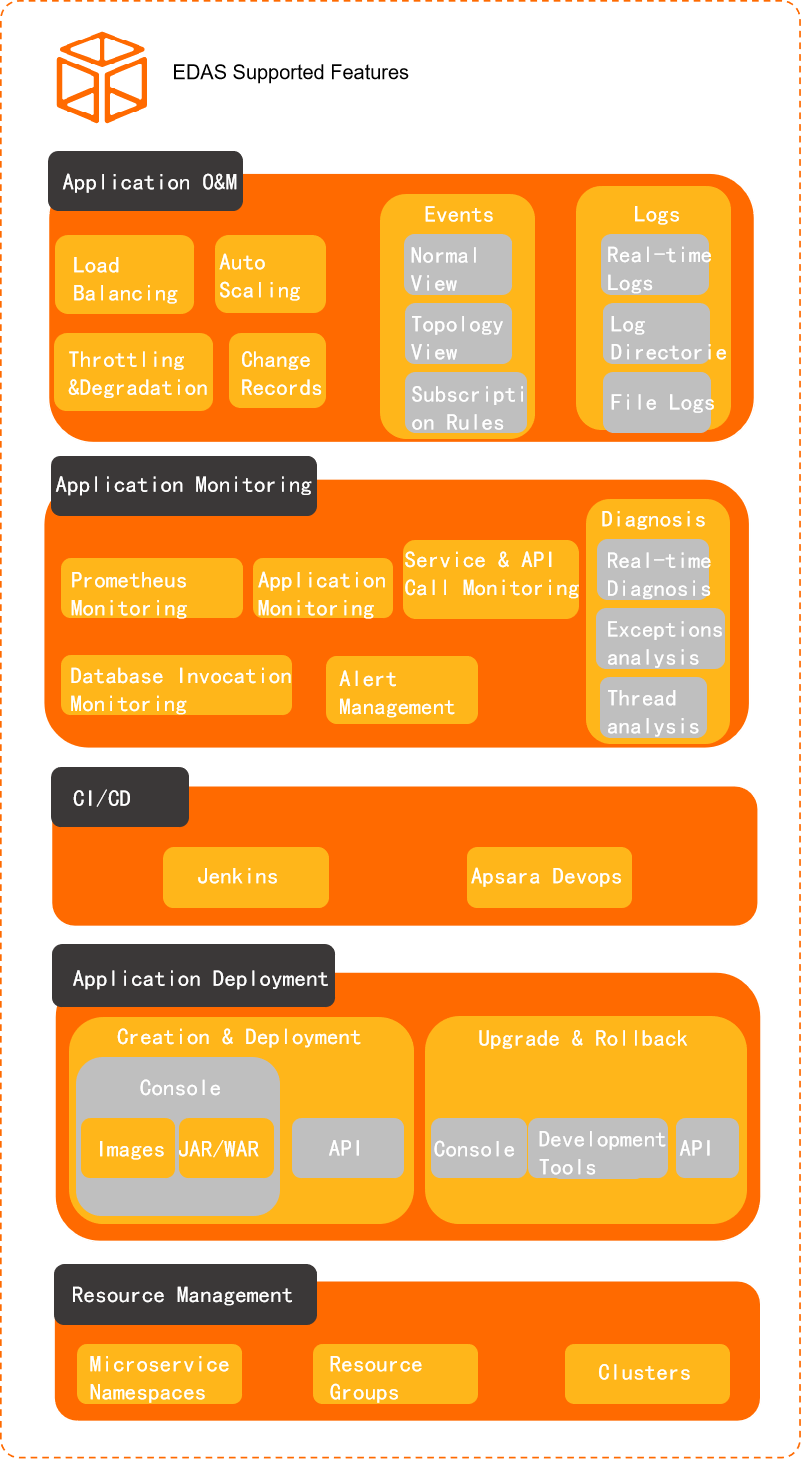
After your applications are running on Kubernetes, EDAS provides tools for resource management, application deployment, continuous integration (CI), continuous deployment (CD), application monitoring, and application operations.
Deploy and update applications
Create and deploy applications to a Kubernetes cluster through EDAS after developing and testing. See Application deployment overview.
Update running applications and roll back to a previous version if issues arise. See Application upgrades and rollbacks overview.
Manage resources
EDAS is a Platform as a Service (PaaS) that provisions Elastic Compute Service (ECS) instances and Kubernetes environments for your applications. Organize resources using namespaces and manage external clusters within the platform. See Kubernetes resource management overview.
Monitor application performance
EDAS integrates with ARMS to track performance metrics and manage alerts for deployed applications. See Application monitoring overview.
Operate applications at scale
EDAS provides operational tools for running applications in production:
Load balancing -- Distribute traffic across application instances
Application scaling -- Adjust the number of running instances
Throttling and degradation -- Protect services under heavy load
Change records -- Review configuration and deployment history
Event center -- Monitor events and manage notifications
Log management -- Collect and analyze application logs