When an Enterprise Distributed Application Service (EDAS) application scales out, newly created Elastic Compute Service (ECS) instances may get a different Java Development Kit (JDK) version than existing ones. This mismatch causes runtime errors in your business code.
To prevent this, add a pre-launch mount script that pins a specific JDK version. Once configured, every instance -- existing or newly scaled out -- runs the same JDK.
Why JDK versions drift
EDAS installs the latest OpenJDK on each ECS instance imported into a cluster. Over time, the "latest" version changes. Instances created months ago still run the older JDK, while instances added during a scale-out get the current version.
A pre-launch mount script solves this by downloading and installing the exact JDK version you specify before the application starts. Because the script runs on every instance launch, all instances converge on the same version.
Note: Pinning to an exact version (for example, 8u202) means instances no longer receive automatic JDK updates. Plan periodic manual updates to apply security patches.Pre-launch script
The following script checks whether the target JDK is already installed. If not, it downloads the package from an internal Object Storage Service (OSS) URL, extracts it, and sets file permissions.
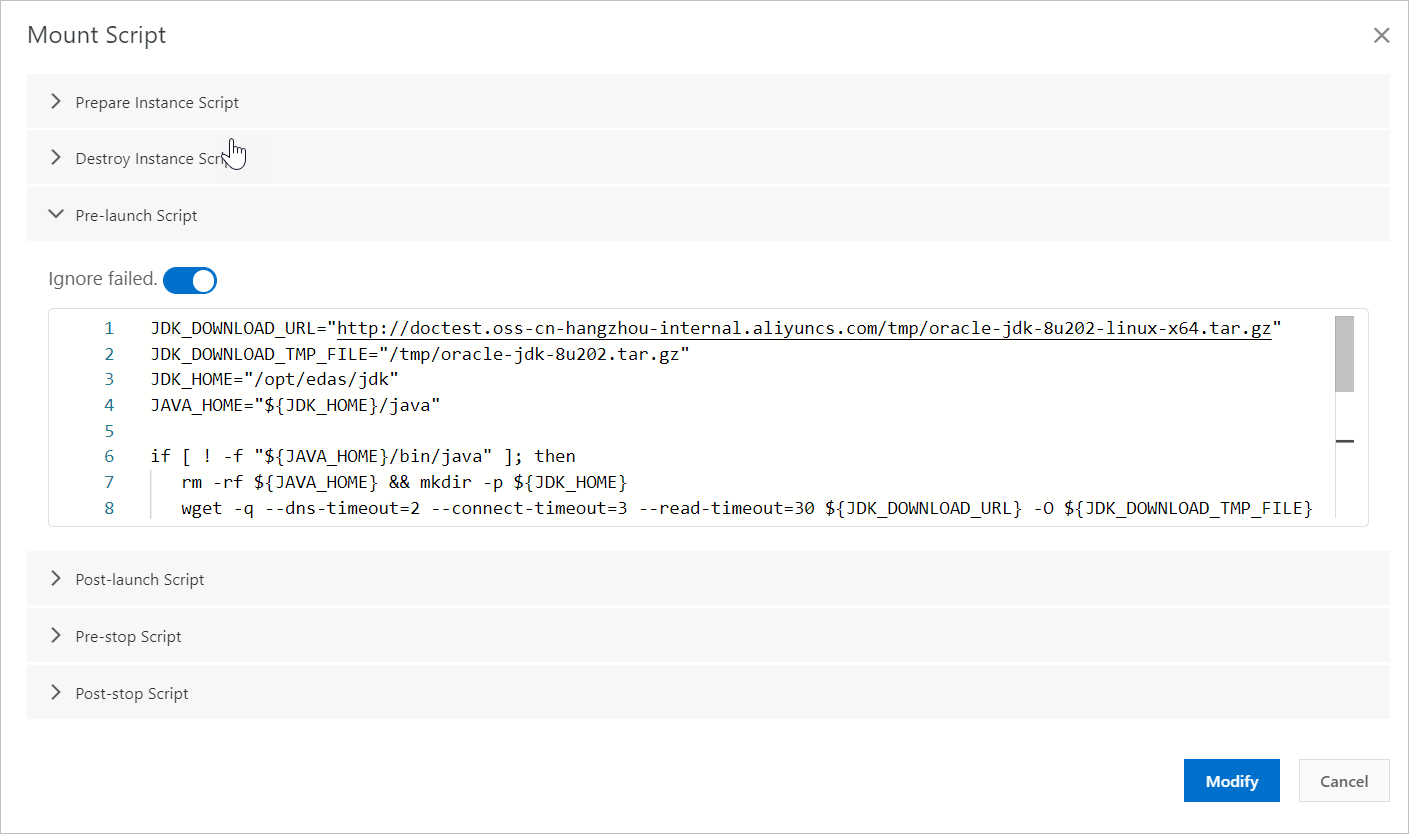
JDK_DOWNLOAD_URL="http://doctest.oss-cn-hangzhou-internal.aliyuncs.com/tmp/oracle-jdk-8u202-linux-x64.tar.gz"
JDK_DOWNLOAD_TMP_FILE="/tmp/oracle-jdk-8u202.tar.gz"
JDK_HOME="/opt/edas/jdk"
JAVA_HOME="${JDK_HOME}/java"

if [ ! -f "${JAVA_HOME}/bin/java" ]; then
   rm -rf ${JAVA_HOME} && mkdir -p ${JDK_HOME}
   wget -q --dns-timeout=2 --connect-timeout=3 --read-timeout=30 ${JDK_DOWNLOAD_URL} -O ${JDK_DOWNLOAD_TMP_FILE}
   [ -f "${JDK_DOWNLOAD_TMP_FILE}" ] && tar zxf ${JDK_DOWNLOAD_TMP_FILE} -C ${JDK_HOME} && rm -f ${JDK_DOWNLOAD_TMP_FILE}
   [ -n "$(ls -ld ${JDK_HOME}/jdk* 2>/dev/null)" ] && mv ${JDK_HOME}/jdk* ${JAVA_HOME}
fi

chmod -R 755 ${JAVA_HOME}
Replace the JDK_DOWNLOAD_URL value with the internal OSS URL of your JDK package. The following sections explain how to prepare the URL and add the script to the EDAS console.
| Variable | Description |
|---|---|
JDK_DOWNLOAD_URL | Internal OSS download URL for your JDK package |
JDK_DOWNLOAD_TMP_FILE | Temporary local path for the downloaded archive |
JDK_HOME | Parent directory for the JDK installation (/opt/edas/jdk) |
JAVA_HOME | Final JDK path used by EDAS (/opt/edas/jdk/java) |
Prerequisites
Before you begin, make sure you have:
An EDAS ECS application that you want to pin to a specific JDK version
The JDK package (for example,
oracle-jdk-8u202-linux-x64.tar.gz) downloaded to your local machineAn OSS bucket in the same region as your ECS instances
Step 1: Upload the JDK package to OSS
Upload the JDK package to an OSS bucket in the same region as your ECS instances. For more information, see Upload objects.
Get the download URL of the uploaded package. For more information, see Share objects.
Insert
-internalinto the URL hostname so that ECS instances download the package over the internal network. For example:http://doctest.oss-cn-hangzhou-internal.aliyuncs.com/tmp/oracle-jdk-8u202-linux-x64.tar.gzUsing the internal endpoint avoids public bandwidth charges and is faster.
Step 2: Add the script to the EDAS console
Log on to the EDAS console.
In the left-side navigation pane, click Applications. In the top navigation bar, select the region. In the upper part of the Applications page, select the microservices namespace where your ECS application resides.
Click the name of the target ECS application.
On the Basic Information tab, in the Application Settings section, click Mount Script.
In the Mount Script dialog box, go to the Pre-launch Script section:
Turn off Ignore failed so that the application does not start if the JDK installation fails.
Paste the script from the Pre-launch script section. Replace the
JDK_DOWNLOAD_URLvalue with the internal OSS URL from Step 1.
Click Modify.
Step 3: Verify the JDK version
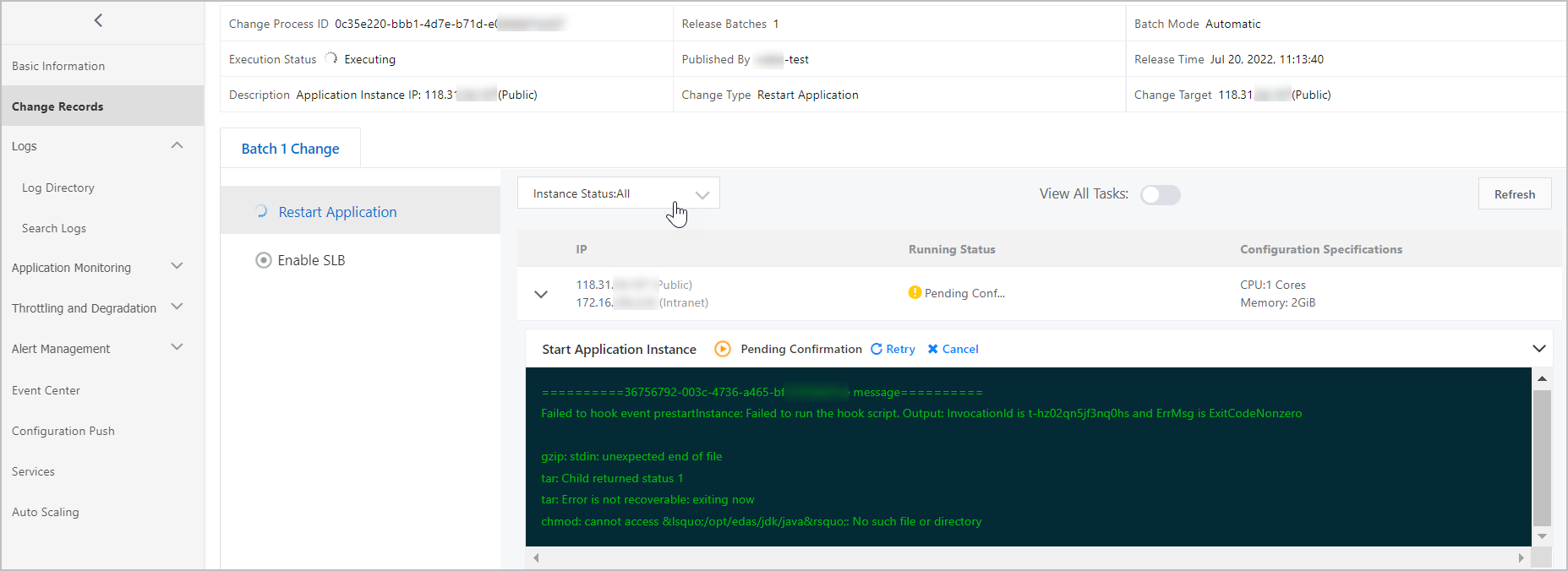
Restart the ECS application to apply the mount script.
After the application restarts, check the JDK version shown in the EDAS console.
(Optional) Log on to an ECS instance and run
java -versionto confirm the installed version matches the target version.
OpenJDK and alternative JDK vendors
OpenJDK with fontconfig: If you use a specific version of OpenJDK, add
yum install -y fontconfigto the pre-launch script before the JDK installation commands. The fontconfig library is required for font rendering in certain Java applications.JDK 11 or other vendors: To use JDK 11 or a JDK distribution from another vendor, configure the mount script to install the JDK to either
/opt/edas/jdk/javaor/opt/ali/alijdk.