Generate O&M commands and scripts with the LLM-powered Terminal Assistant in Workbench.
Overview
Terminal Assistant is currently available for a free trial.
Terminal Assistant uses the Qwen LLM. After you connect to an instance with Workbench, you can generate commands, analyze log output.
Use cases
|
|
|
|
|
AI command generation
Basic usage
If you forget a command, use AI command generation to create it.
-
Connect to an ECS instance with Workbench.
-
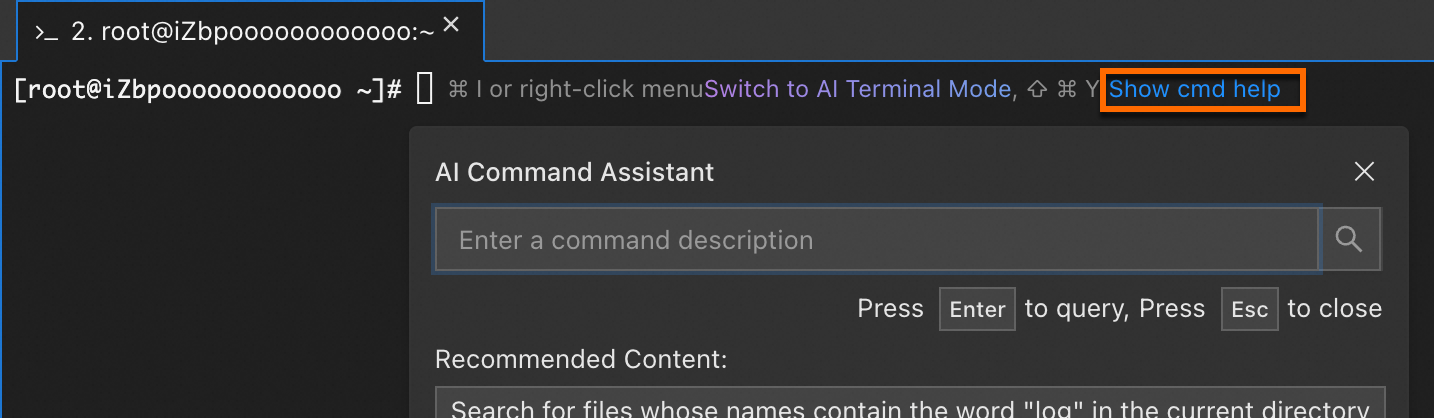
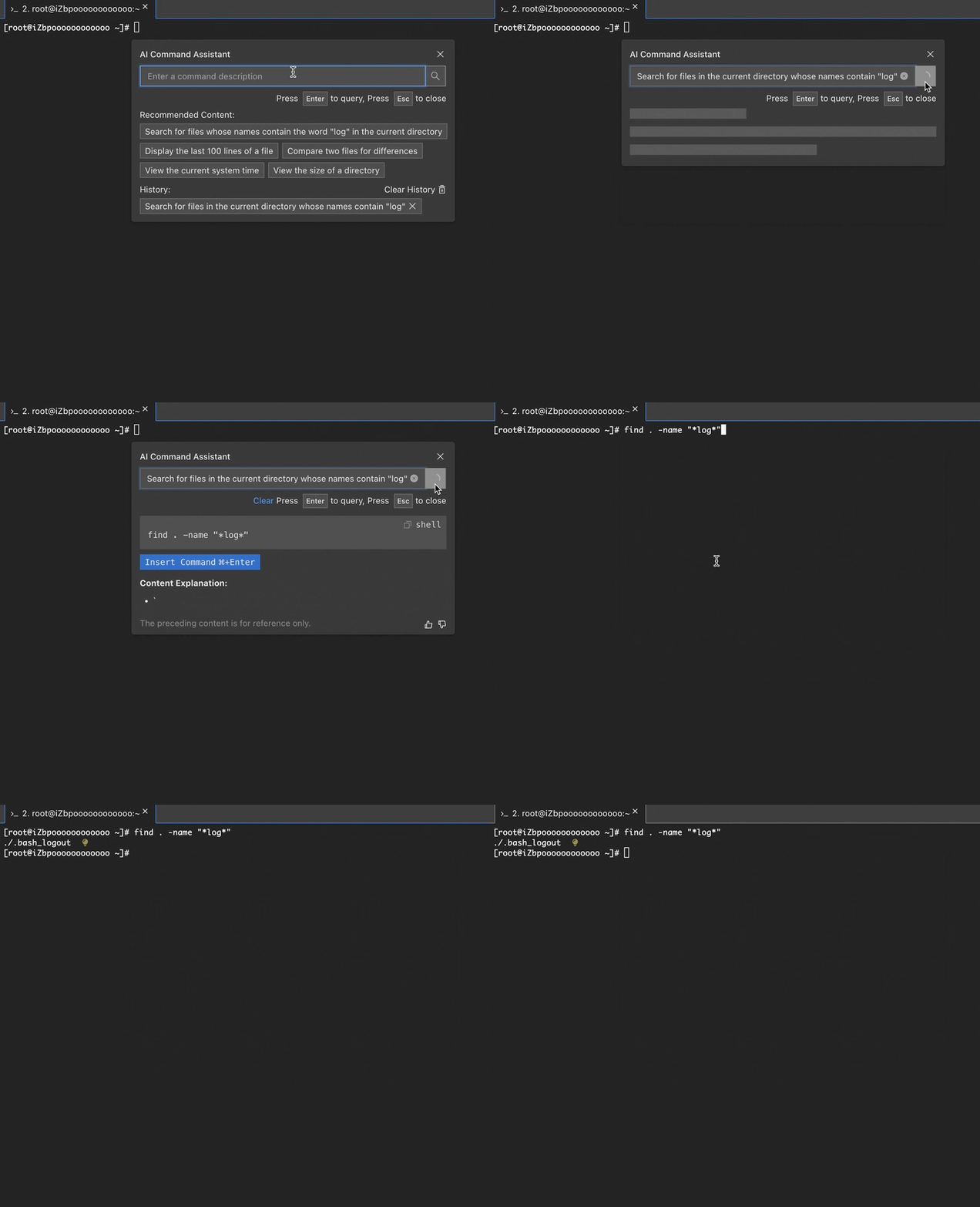
On the right side of the command line, click Agent, or right-click and select AI Command Assistant. Describe the desired operation and press Enter. If the generated command meets your needs, click Insert Command and press Enter to execute it.
More operations
To disable this feature, click the  icon in the lower-right corner. Go to and turn off AI Command Assistant.
Example
The following figure shows how to generate a command that searches for files containing 'log' in the current directory.
AI command explanation
Basic usage
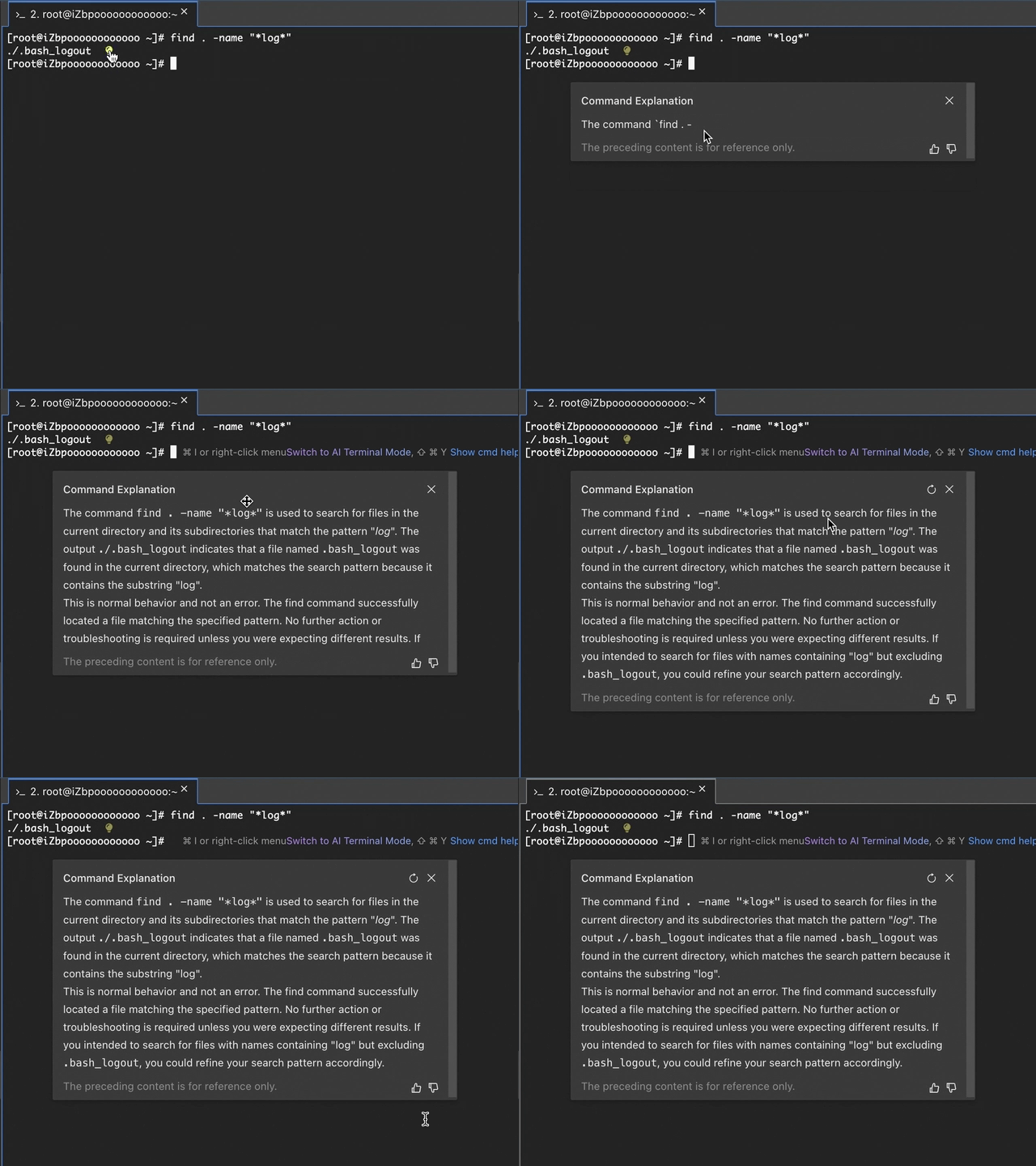
After running a command, click the  icon at the end of the output to get an explanation.

More operations
Disable this feature: To hide the icon, use one of the following methods:
-
Method 1: In the right-click menu, deselect AI Command Explanation.
-
Method 2: Click the
icon in the lower-right corner. Go to and turn off AI Command Explanation.
Example
The following figure shows the explanation for find . -name "*log*" and its output.